
Some users wish Outlook to auto take the first line of the email body as the subject when sending an email which has no subject. Now, in this article, we will introduce a method to realize it via VBA code.
Multiple users frequently forget to input subject when composing and sending an email. Thus, usually, they hope that Outlook can automatically fill the subject by the first line of the email body if the outgoing email has no subject. Thereinafter, we will share an easy and handy method with you.
Auto Take the First Line of Body as Subject before Sending an Email without Subject
- At the very outset, launch Outlook application.
- Then, by following the steps in “How to Run VBA Code in Your Outlook“, you can get into VBA editor.
- Next, in the VBA editor, add the reference to “MS Word Object Library” with accordance to “How to Add an Object Library Reference in VBA“.
- Later, copy the code below into “ThisOutlookSession” project.
Private WithEvents objInspectors As Outlook.Inspectors

Private Sub Application_Startup()
    Set objInspectors = Outlook.Application.Inspectors
End Sub

Private Sub objInspectors_NewInspector(ByVal Inspector As Inspector)
    If Inspector.CurrentItem.Class = olMail And Inspector.CurrentItem.Subject = "" Then
       Inspector.CurrentItem.Subject = " "
    End If
End Sub

Private Sub Application_ItemSend(ByVal Item As Object, Cancel As Boolean)
    Dim objMail As Outlook.MailItem
    Dim objMailDocument As Word.Document
    Dim objMailSelection As Word.Selection

    If TypeOf Item Is MailItem Then
       Set objMail = Item

       If Len(Trim(objMail.Subject)) = 0 Then
          If MsgBox("No subject! Whether to take first line as subject?", vbQuestion + vbYesNo) = vbYes Then
             Set objMailDocument = objMail.GetInspector.WordEditor
             Set objMailSelection = objMailDocument.Application.Selection

             objMailDocument.Range(0, 0).Select
             objMailSelection.MoveEnd wdLine

             'Take first line of body as subject
             objMail.Subject = objMailSelection.Text
          End If
       End If
     End If
End Sub
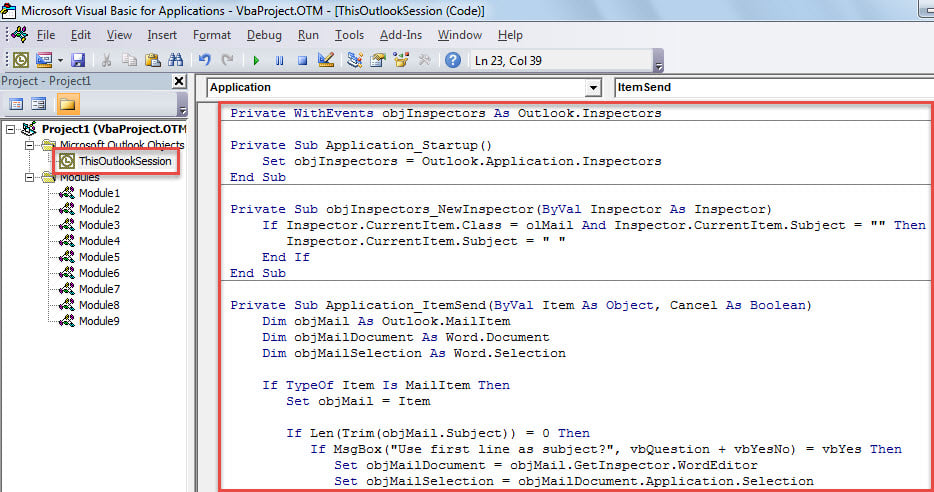
- After that, put cursor into “Application_Startup” subroutine and press “F5”.
- Finally, you can have a try.
- At first, create and compose an email with only subject empty.
- Then, click “Send” button.
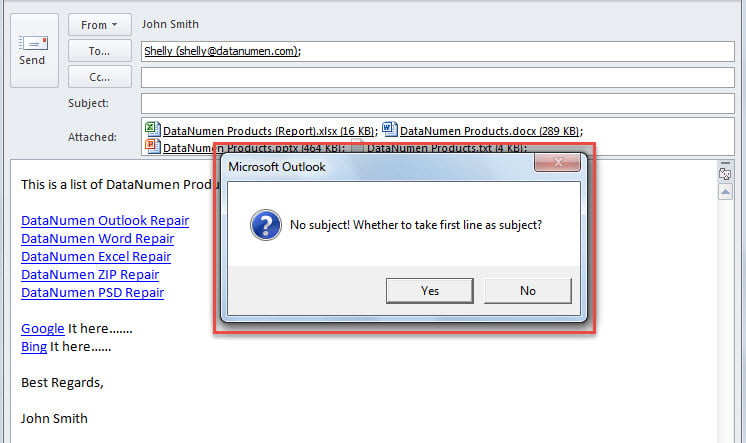
- Later, you’ll get a message asking if to take first line of body as subject.

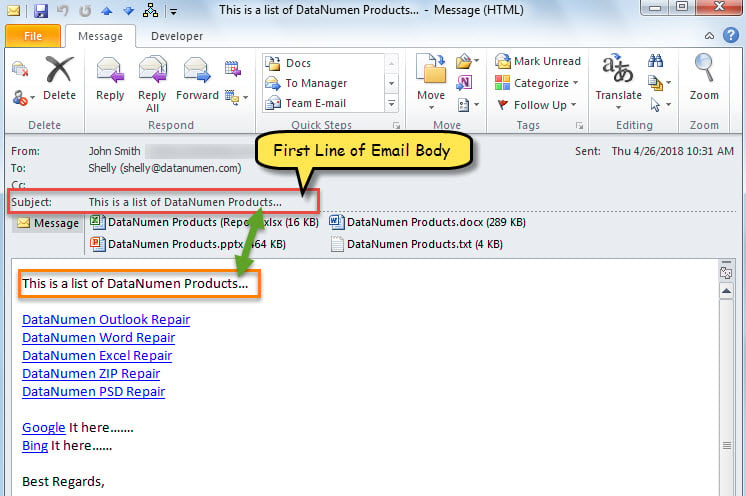
- As long as you select “Yes” button, the first line of the email body will be extracted and used as subject and the email will be sent out.

Keep Your Outlook Data Safe
Absolutely, there are multiple significant emails and other items in your Outlook. Thus, you must be unwilling to come across Outlook data loss. Then, you have to take some actions, such as making regular data backups of your Outlook, learning to use the inbuilt repair tool to fix Outlook errors and preparing a robust external recovery utility. DataNumen Outlook Repair is a good choice due to its high PST recovery rate.
Author Introduction:
Shirley Zhang is a data recovery expert in DataNumen, Inc., which is the world leader in data recovery technologies, including sql recovery and outlook repair software products. For more information visit www.datanumen.com