
In this article we look at several ways at logging errors in MS Access for reference and corrective action.
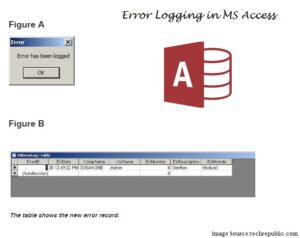
There is no limitation to how many times can a user encounter error in an Access databases. There can be multiple reasons for varied errors to arise. However, to avoid an error from recurring, the user can always opt for logging errors. Logging error in MS Access involves maintaining a record of what all errors occur, when, and how frequently. This helps you avoid a recurring error along with finding a solution for an error. Logging error is not a default feature present in MS Access, you will have to make it happen, by adding this functionality. This will require – developing a code and a table. Given below are the different ways of logging error in MS Access.
- The Primary way – This way is best suited if you are the only one who manages the database, and no one else has any access to the database, error logging can be done easily by adding a log. Figuring out the internal cause of error can be challenging, you might see the error message when the error occur, but might not remember it. That is why it is advised to make use of log.
- Error Logging through Error Handling Routine – This is another very simple and basic way of logging error in MS Access, just let the error handling routine of the procedure do it. This will require you to enter a code in the module, in Database Window, this will then add the error containing field in another table.
- Use a dedicated function – You can enter an error logging code in all procedures, but that will prove to be inefficient, it is instead better to have a dedicated function.
- Avoid SQL Server – Migrating to SQL Server from Access, might be your requirement, but it can also pose a problem, because SQL statements often grow unwieldy and long. Do not make use of Jet SQL, if you want to upsize, SQL uses T-SQL, which will require you to modify SQL code, for being usable by SQL Server. If you use Jet SQL while using Access on SQL table, it will fail, use a pass – through query, but know T – SQL as well.
Conclusion
 There can be numerous possible ways of logging error in MS Access, all of them filled with complicated codes, that is something you cannot escape from when dealing with error logging. However, you do not necessarily have to go for something that is too complicated to even understand, complicated does not always mean secure. You can very much opt for something that is comprehensive yet secure, though you will require a code for logging error, if you understand it and then build it, you will be logging errors better and more efficiently. Logging error is a functionality that we should not ignore, because it’s not there. This makes it all the more important for us to ensure that we do it on our own, even if it has not been provided by the developers. Last but not the least always keeps a mdb or accdb recovery tool nearby to deal with contingencies.
Author Introduction:
Vivian Stevens is a data recovery expert in DataNumen, Inc., which is the world leader in data recovery technologies, including recover sql and excel recovery software products. For more information visit www.datanumen.com