
Descriptive statistics in MS Access have a significant role when you are dealing with large volumes of data.
 Access is an application that is used for storing large amounts of data, not just for the sake of record keeping and compilation, but also for analysis, comparison, and a lot more. There is a lot that this application is equipped with, thus providing you with features to perform all the above mentioned operations with ease. Apart from performing these operations, there is also a lot that has to be done before these operations can be performed, for example, before performing analysis, you need to ready your data, compile it, sum it, verify it and do a lot more. For all these operations, you should make use of Descriptive Analysis.
Descriptive Statistics
Efficient descriptive analysis makes it easy for you to make sense of large volumes of data, by presenting it to you in quantitative summaries, thus making it easier to understand. When you perform operations like summing data, averaging data and counting data, you are basically indulging in descriptive statistics. Descriptive statistics refers to practices that are performed on data to make it fit for greater analytical operations or analysis. This is used for profiling dataset in a way that it can be used for further analysis.
This is one of the most crucial operation that should be performed before you subject your data to greater and more complex forms of analysis. It helps to give your data set a shape and form that makes it more organized and suitable to be used for further analysis. If you do not perform descriptive statistics on your dataset and simply put it forward for analysis, there is a possibility that you might not get the most accurate of results. Apart from descriptive statistics there are several other types of statistics available in Access as well, with which it is often confused.
Difference between Inferential Statistics and Descriptive Statistics
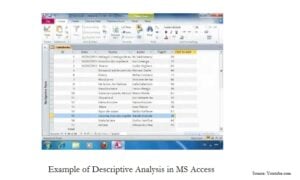 Inferential Statistics is a more high end form of analysis, which although can be performed in MS Access, is not one of the most accurate and reliable statistics to be used. There are multiple reasons to substantiate this statement. Inferential statistics is a form of statistics that goes beyond the scope of information by the dataset you have. This is used for inferring conclusions, which are derived by taking more than just data into account.
The difference between the two can be explained through the example of a survey. When a survey is conducted, descriptive statistics will be used for calculating the results, inferential statistics on the other hand will derive the conclusion by taking into account factors like consumer satisfaction as well. This also brings to light the fact that inferential statistics makes use of better and advanced forms of tools, which are not present in the in-built Access application, but in Excel application. Also the form of data that is best for use with inferential statistics is the one that is present in Excel files. The most appropriate form of statistics for Access users is thus descriptive statistics.
If you are using MS Access to store valuable business data, it is critical to keep an Access recovery tool handy to repair mdb and accdb database files quickly and efficiently.
Author Introduction:
Vivian Stevens is a data recovery expert in DataNumen, Inc., which is the world leader in data recovery technologies, including corrupted sql and excel recovery software products. For more information visit www.datanumen.com