
If you want to batch delete all empty subfolders in your Outlook, you can utilize the method introduced in this article. It’ll teach you how to use Outlook VBA to delete the subfolders in batches.
So as to better classify and manage your Outlook emails, you must have created a lot of custom subfolders under the default folders, no matter Inbox, Sent Items or Drafts folder, etc. However, sometimes, you may find that some subfolders are not frequently used. Hence, most of time, they are empty without any items. In this case, you will hope to delete all of the empty subfolders.
In general, you can right click on such a subfolder and then choose “Delete Folder” from the right clicking menu. Nevertheless, if there are many empty subfolders, deleting one by one will be quite troublesome. Therefore, you must long for a tip to delete all of them in bulk. Although Outlook doesn’t provide such a feature, you still can make use of VBA code to realize it in quick time. In the followings, we’ll show you the elaborate steps and codes.
Batch Delete All Empty Subfolders
- In the first place, start your Outlook program.
- Then press “Alt + F11” key buttons in the main Outlook window.
- Next in the “Microsoft Visual Basic for Applications” window, open a module that is not in use.
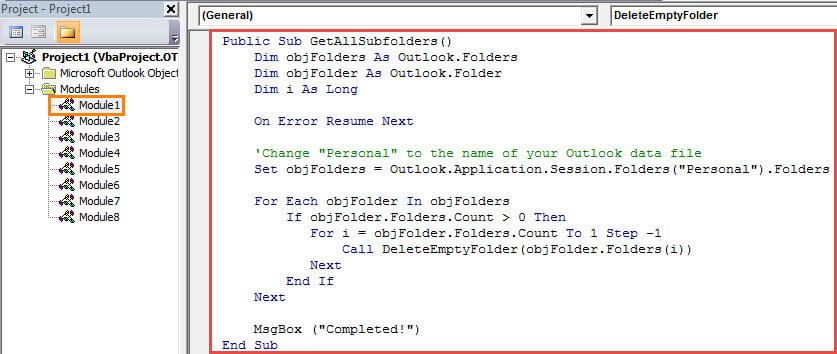
- Subsequently, copy and paste the following VBA codes into this module.
Public Sub GetAllSubfolders()
    Dim objFolders As Outlook.Folders
    Dim objFolder As Outlook.Folder
    Dim i As Long

    On Error Resume Next

    'Change "Personal" to the name of your Outlook data file
    Set objFolders = Outlook.Application.Session.Folders("Personal").Folders

    For Each objFolder In objFolders
        If objFolder.Folders.Count > 0 Then
           For i = objFolder.Folders.Count To 1 Step -1
               Call DeleteEmptyFolder(objFolder.Folders(i))
           Next
        End If
    Next

    MsgBox ("Completed!")
End Sub

Public Sub DeleteEmptyFolder(objCurrentFolder As Outlook.Folder)
    Dim objSubFolder As Outlook.Folder
    Dim n As Long

    If objCurrentFolder.Items.Count = 0 Then
       objCurrentFolder.Delete
    End If

    'Process the subfolders recursively
    If objCurrentFolder.Folders.Count > 0 Then
       For n = objCurrentFolder.Folders.Count To 1 Step -1
           Set objSubFolder = objCurrentFolder.Folders(n)
           Call DeleteEmptyFolder(objSubFolder)
       Next
    End If
End Sub
- After that, change your Outlook macro security level to low.
- Eventually you can run this macro by pressing “F5” key button in the current macro window.
- At once, you will discover that all the empty subfolders will be deleted.
Retrieve Corrupted Outlook PST Data
Due to the fact that Outlook is susceptible to error and damage, you should pay attention to safeguarding your Outlook PST file. For instance, you should back up your PST data periodically. Moreover, in order to repair Outlook issues as soon as possible, you have to prepare a reputable and powerful fix tool like DataNumen Outlook Repair.
Author Introduction:
Shirley Zhang is a data recovery expert in DataNumen, Inc., which is the world leader in data recovery technologies, including SQL Server corruption and outlook repair software products. For more information visit www.datanumen.com