
If you would like to create an Outlook contact group from the list of contacts in an Excel file, you can use the 2 methods introduced in this article.
Some users are seeking a way to quickly create an Outlook contact group from an Excel file which contains a list of contacts. Of course, you can create such contact group manually. However, it is a bit troublesome. Hence, apart from the manual means, here we’ll additionally introduce another quick method which uses VBA.
Method 1: Create Manually
- At the very outset, open the Excel file.
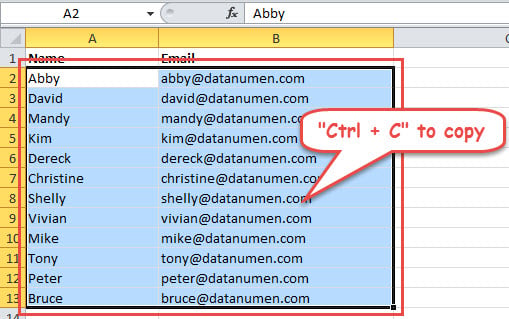
- Then select the columns containing the email addresses. Optionally, you can also include the columns for names too.
- Next press “Ctrl + C” to all the selected cells.

- After that, start your Outlook program.
- Then switch to Contacts pane and hit “New Contact Group” button.
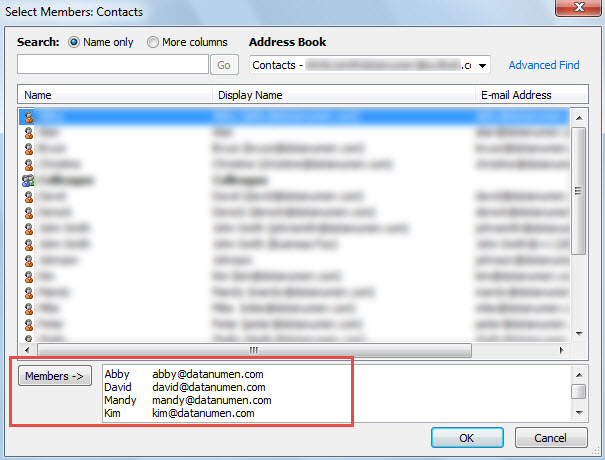
- Subsequently, click “Add Members” -> “From Outlook Contacts”
- Later click into the “Members ->” field and press “Ctrl + V” keys to paste the previously copied contacts.

- Hit “OK” button.
- Then assign a name for the new contact group.
- Lastly click “Save & Close” to save this group.
Method 2: Create via Outlook VBA
- In the first place, press “Alt + F11” key buttons in Outlook.
- Then open a new module.
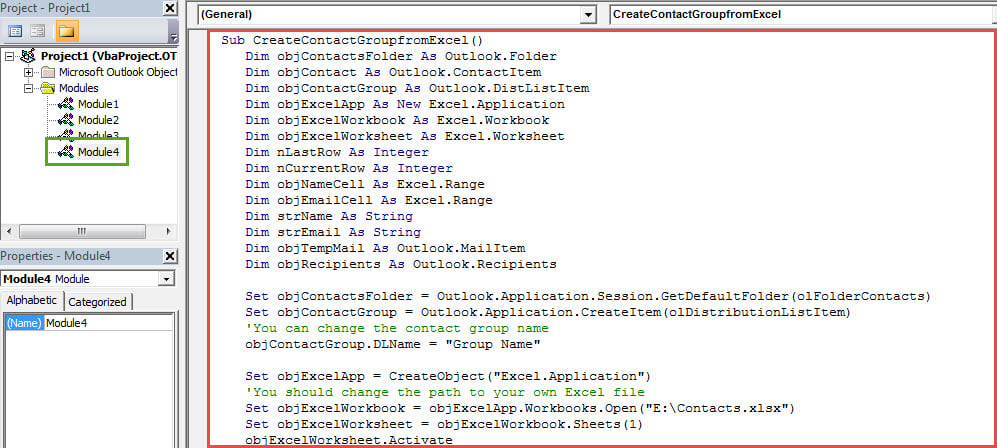
- Subsequently, copy and paste the following codes into it.
Sub CreateContactGroupfromExcel()
    Dim objContactsFolder As Outlook.Folder
    Dim objContact As Outlook.ContactItem
    Dim objContactGroup As Outlook.DistListItem
    Dim objExcelApp As New Excel.Application
    Dim objExcelWorkbook As Excel.Workbook
    Dim objExcelWorksheet As Excel.Worksheet
    Dim nLastRow As Integer
    Dim nCurrentRow As Integer
    Dim objNameCell As Excel.Range
    Dim objEmailCell As Excel.Range
    Dim strName As String
    Dim strEmail As String
    Dim objTempMail As Outlook.MailItem
    Dim objRecipients As Outlook.Recipients

    Set objContactsFolder = Outlook.Application.Session.GetDefaultFolder(olFolderContacts)
    Set objContactGroup = Outlook.Application.CreateItem(olDistributionListItem)
    'You can change the contact group name
    objContactGroup.DLName = "Group Name"

    Set objExcelApp = CreateObject("Excel.Application")
    'You should change the path to your own Excel file
    Set objExcelWorkbook = objExcelApp.Workbooks.Open("E:\Contacts.xlsx")
    Set objExcelWorksheet = objExcelWorkbook.Sheets(1)
    objExcelWorksheet.Activate

    nLastRow = objExcelWorksheet.UsedRange.Rows.Count
    'The "A2" varies with the first contact's name cell in your own Excel file
    Set objNameCell = objExcelApp.Range("A2")
    objNameCell.Select

    While nCurrentRow <= nLastRow
          nCurrentRow = objNameCell.Row

          strName = objNameCell.Value

          If strName = "" Then
             GoTo NextRow
          End If

          Set objEmailCell = objExcelApp.ActiveCell.Offset(0, 1)
          strEmail = objEmailCell.Value

          Set objContact = objContactsFolder.Items.Find("[FullName] = '" & strName & "'")

          'If there is no such a contact, create it.
          If objContact Is Nothing Then
             Set objContact = Outlook.Application.CreateItem(olContactItem)
             With objContact
                  .FullName = strName
                  .Email1Address = strEmail
                  .Save
             End With
          End If

          'Add the contacts to the new contact group
          Set objTempMail = Application.CreateItem(olMailItem)
          objTempMail.Recipients.Add (strName)
          Set objRecipients = objTempMail.Recipients
          objContactGroup.AddMembers objRecipients

    NextRow:
          Set objNameCell = objExcelApp.ActiveCell.Offset(1, 0)
          objNameCell.Select
    Wend

    'Use "objContactGroup.Save" to straightly save it
    objContactGroup.Display
    objTempMail.Close olDiscard
    objExcelApp.Quit
End Sub
- After that, hit the “Run” icon in the toolbar.
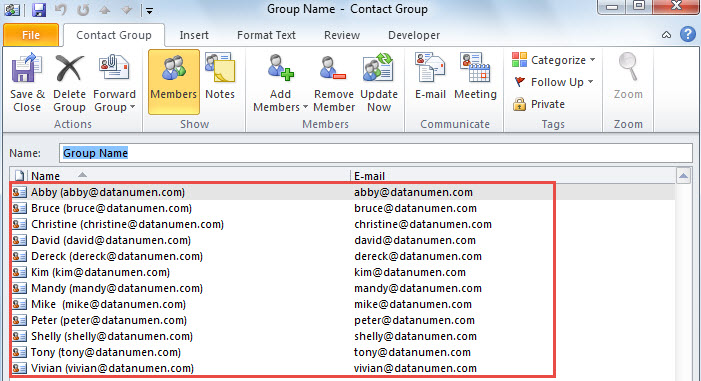
- At once, a new contact group will display, like the following screenshot:

Handle Vexing Outlook Troubles Skillfully
If you frequently encounter various errors in Outlook, it is highly suggested to keep a preeminent and reliable Outlook recovery tool in vicinity, like DataNumen Outlook Repair. In this case, you can use it to deal with the annoying issues via it in time.
Author Introduction:
Shirley Zhang is a data recovery expert in DataNumen, Inc., which is the world leader in data recovery technologies, including recover sql and outlook repair software products. For more information visit www.datanumen.com