
1. Wstęp
W dzisiejszym zdigitalizowanym świecie dane są najważniejsze, a możliwość zarządzania nimi i ich analizowania może być znaczącą zaletą. Oracle DB to powszechnie używany relacyjny system baz danych, ale przyjazny dla użytkownika interfejs i zaawansowane możliwości przetwarzania danych w Excelu sprawiają, że jest to preferowane narzędzie do analizy danych i raportowania.
1.1 Znaczenie narzędzia Konwersja Oracle do Excela
Oracle DB oferuje własny zestaw narzędzi do analizy i przetwarzania danych, ale ponieważ jest to przede wszystkim system zarządzania bazami danych, brakuje mu niektórych zaawansowanych możliwości analizy i wizualizacji danych, jakie oferuje Excel. Narzędzia „Konwertuj Oracle do Excela” wypełniają tę lukę, umożliwiając płynne przenoszenie danych z Oracle DB do Excela. Narzędzia te nie tylko zwiększają produktywność, ale także umożliwiają użytkownikom korzystanie z zaawansowanych funkcji Excela, takich jak formatowanie warunkowe, tabele przestawne, wykresy i wiele innych, w odniesieniu do danych pobranych z Oracle DB.
1.2 Napraw pliki Excel
Jako użytkownik Excela również potrzebujesz skutecznego narzędzia, które to potrafi napraw pliki Excel, Takie jak DataNumen Excel Repair:
1.3 Cele tego porównania
To porównanie ma na celu kompleksowy przegląd najlepszych narzędzi do konwersji danych z Oracle do Excela. Ma ono pomóc Ci zrozumieć funkcjonalności, zalety i ograniczenia każdego z nich. Dzięki tym informacjom będziesz w stanie wybrać narzędzie, które najlepiej spełni Twoje wymagania. Ponadto, porównanie to pozwoli Ci poznać unikalne cechy każdego narzędzia, które wyróżniają je na tle innych.
2. dbForge Studio dla Oracle Eksport danych Oracle do Excela
dbForge Studio to wszechstronne i przyjazne dla użytkownika narzędzie dla bazy danych Oracle, które umożliwia eksport danych z Oracle do Excela w prosty i nieskomplikowany sposób. Zapewnia elastyczność eksportu danych w wielu formatach, w tym Excel, CSV, XML i innych.
Dzięki dbForge Studio użytkownicy mogą wyodrębniać dane z bazy danych Oracle i przenosić je do programu Excel bez obawy o ich utratę. Gwarantuje to bezpieczne przesyłanie danych. Wyeksportowane dane można wykorzystać w programie Excel do zaawansowanej analizy danych i generowania raportów. Ponadto, program oferuje funkcję automatyzacji procesu eksportu danych, co pozwala zaoszczędzić czas podczas wykonywania powtarzalnych zadań.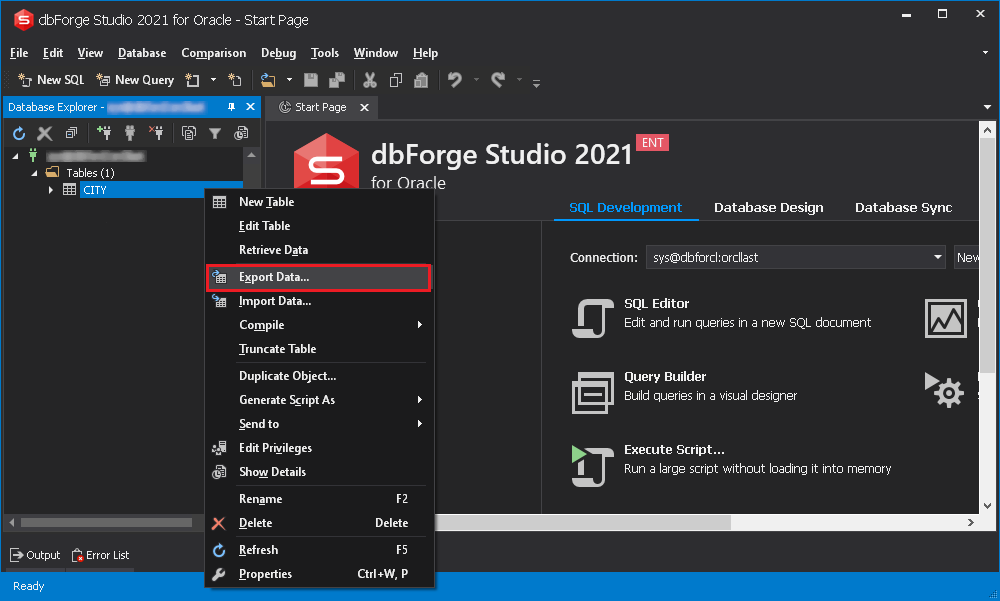
2.1 Plusy
- Wiele formatów: zapewnia opcję eksportu danych w różnych formatach, takich jak Excel, HTML, XML, CSV itp.
- Automatyzacja: pozwala zautomatyzować rutynowe zadania, zwiększając produktywność.
- Wygodny graficzny interfejs użytkownika: oferuje łatwy w użyciu interfejs, dzięki czemu jest dostępny zarówno dla użytkowników znających się na technologii, jak i początkujących.
2.2 Wady
- Cena: W porównaniu z innymi narzędziami dbForge Studio może być droższym wyborem, zwłaszcza dla małych przedsiębiorstw.
- Problemy ze zgodnością: Od czasu do czasu pojawiają się doniesienia o problemach ze zgodnością z niektórymi wersjami Oracle.
3. Inteligentne konwertery Oracle do Excela
Intelligent Converters to dedykowane narzędzie do eksportowania danych z bazy danych Oracle do programu Excel. Obsługuje wszystkie wersje Oracle i Excel oraz zachowuje integralność danych podczas transferu.
Intelligent Converters to proste, a zarazem potężne narzędzie do przesyłania danych z bazy danych Oracle do programu Excel. Oprócz możliwości eksportu danych, zachowuje również formatowanie oryginalnych danych Oracle, w tym indeksów i kluczy podstawowych. Jest to aplikacja samodzielna, co oznacza, że nie wymaga żadnych dodatkowych bibliotek do działania, co czyni ją wygodnym rozwiązaniem.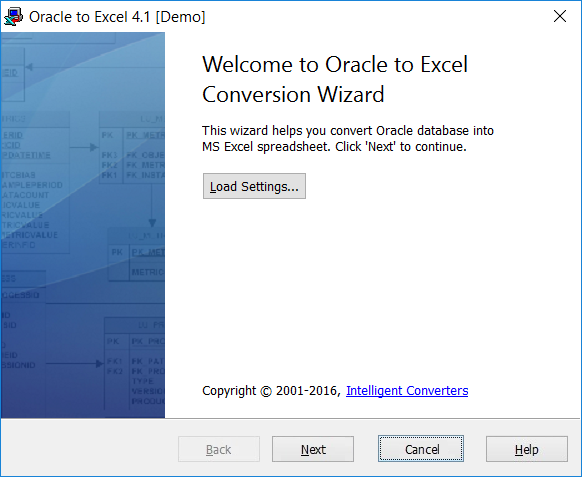
3.1 Plusy
- Zgodność: Obsługuje wszystkie wersje Oracle i Excel.
- Integralność danych: Zachowuje strukturę i formatowanie danych podczas konwersji.
- Autonomiczny: nie wymaga żadnych dodatkowych bibliotek ani oprogramowania do działania.
3.2 Wady
- Brak automatyzacji: nie oferuje opcji automatyzacji procesu konwersji danych.
- Ograniczone funkcje: w porównaniu do innych narzędzi zapewnia mniej funkcji.
4. Oprogramowanie Withdata OracleToExcel
Oprogramowanie Withdata OracleToExcel to zaawansowane narzędzie zaprojektowane specjalnie z myślą o bezproblemowym i wydajnym eksportowaniu danych z bazy danych Oracle do programu Excel.
OracleToExcel firmy Withdata Software umożliwia bezpieczną i szybką konwersję danych z Oracle do Excela. Wyróżnia się unikalną funkcją przetwarzania wsadowego, która pozwala użytkownikom eksportować wiele tabel jednocześnie. Chroni również dane przed utratą lub modyfikacją podczas transferu.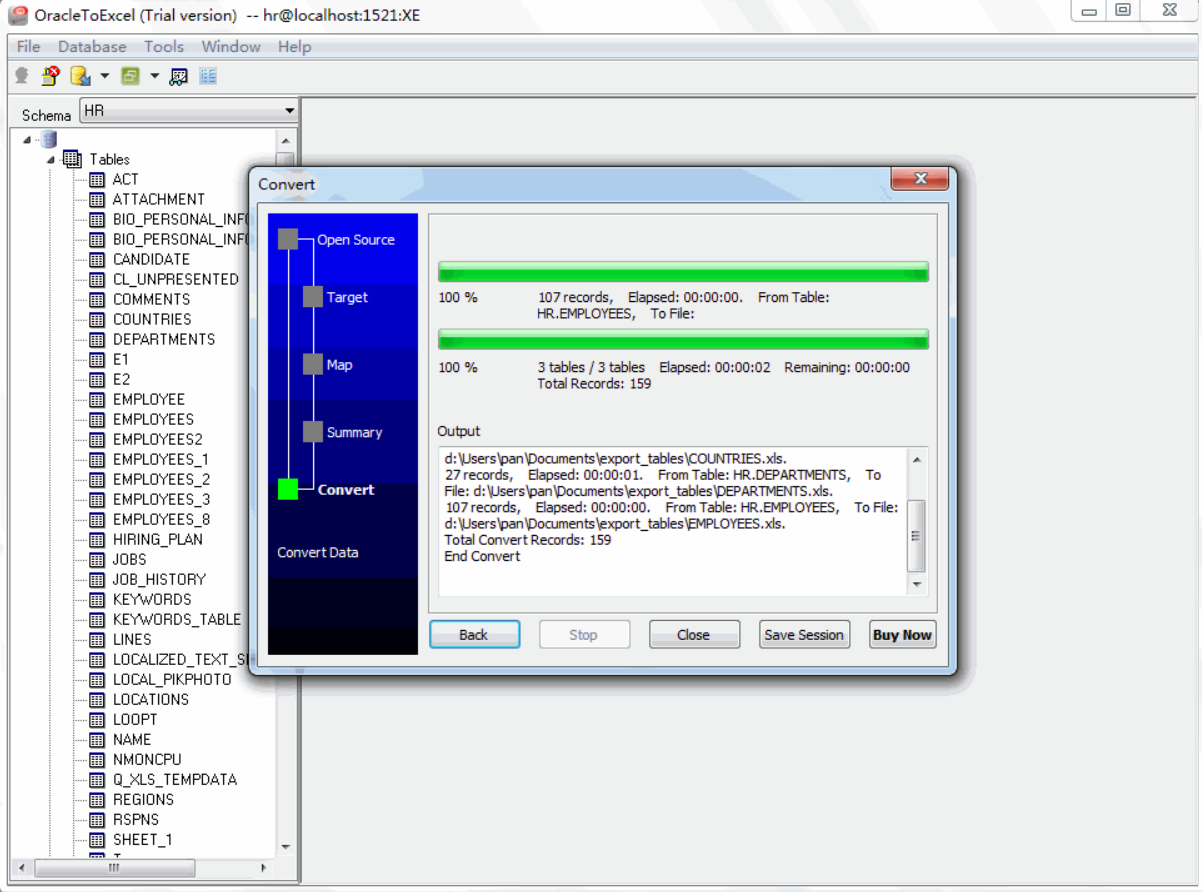
4.1 Plusy
- Przetwarzanie wsadowe: Narzędzie umożliwia użytkownikom przesyłanie wielu tabel jednocześnie, oszczędzając dużo czasu.
- Wydajny: zapewnia szybki i bezpieczny transfer danych.
- Możliwość dostosowania: umożliwia użytkownikom dostosowanie transferu danych zgodnie z ich wymaganiami.
4.2 Wady
- Złożony interfejs: użytkownicy mogą uznać interfejs za nieco skomplikowany, szczególnie jeśli są z nim nowi.
- Ograniczona obsługa formatów: obsługuje tylko eksportowanie danych do programu Excel i nie obsługuje żadnych innych formatów.
5. Spectral Core FullConvert Konwersja Oracle do Excela
Spectral Core FullConvert to solidne narzędzie zaprojektowane, aby pomóc użytkownikom Oracle bezpiecznie eksportować swoje dane do Excel bez utraty integralności i szybkości danych.
Spectral Core FullConvert oferuje bezproblemową konwersję bazy danych Oracle do Excela. Został stworzony z myślą o migracji danych na dużą skalę i umożliwia szybką obsługę milionów rekordów. Narzędzie oferuje zaawansowane opcje personalizacji, pozwalając użytkownikom na szczegółową kontrolę procesu konwersji. Obsługuje również wiersz poleceń, co zwiększa jego użyteczność dla specjalistów IT.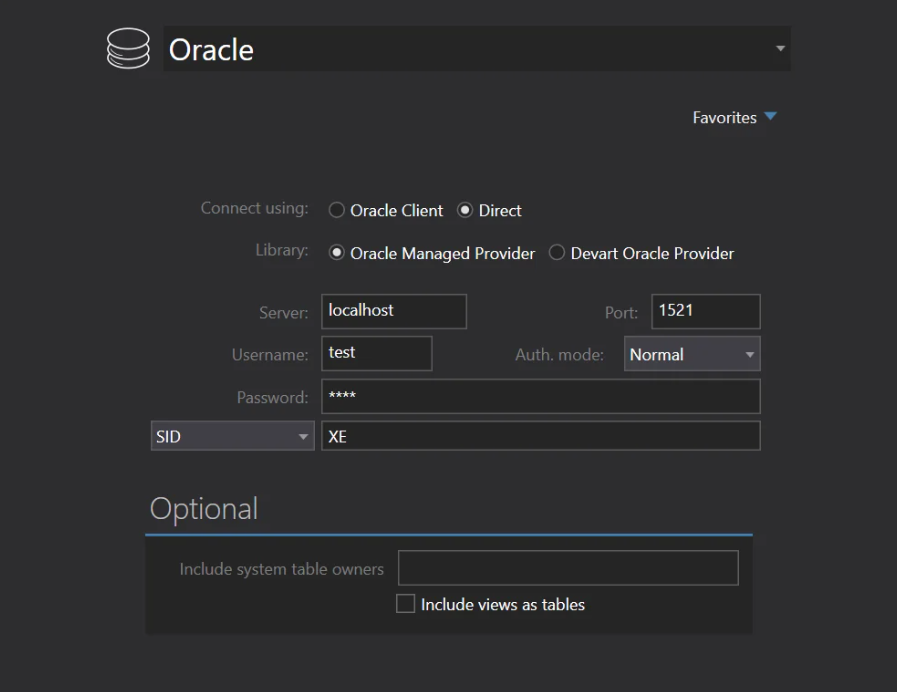
5.1 Plusy
- Operacje z wiersza poleceń: można z nich korzystać za pośrednictwem interfejsu wiersza poleceń, oferując praktyczną opcję użytkownikom znającym technologię.
- Pojemność: Zdolna do wydajnej obsługi konwersji danych na dużą skalę.
- Szczegółowa kontrola: Użytkownicy mogą kontrolować zakres i zakres procesu konwersji danych.
5.2 Wady
- Krzywa uczenia się: Mniej intuicyjny interfejs wymaga czasu na przyzwyczajenie się.
- Cena: Zaawansowane funkcje mają stosunkowo wysoką cenę.
6. SoftDeluxe Oracle do Excela
SoftDeluxe Oracle to Excel to łatwe w obsłudze narzędzie do eksportowania danych Oracle DB do formatu Excel, dzięki czemu jest on dostępny dla wielu przedsiębiorstw i osób prywatnych.
SoftDeluxe Oracle to Excel to synonim prostoty i funkcjonalności. Został zaprojektowany, aby zapewnić bezproblemową konwersję danych z Oracle do Excela bez konieczności posiadania rozległej wiedzy technicznej. Oferując intuicyjny interfejs i zaawansowane funkcje, jest odpowiedni dla wszystkich typów użytkowników, od początkujących po profesjonalistów.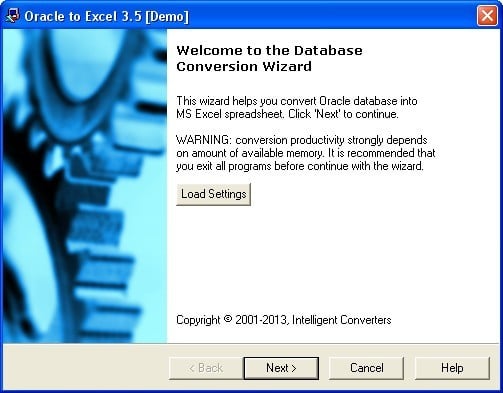
6.1 Plusy
- Przyjazny dla użytkownika interfejs: oferuje prosty, ale skuteczny GUI, skracający czas nauki i zwiększający jego użyteczność.
- Wydajny i niezawodny: zapewnia szybki i niezawodny transfer danych, zapewniając integralność danych.
- Przystępna cena: W porównaniu do konkurencji, jest to rozwiązanie bardziej ekonomiczne.
6.2 Wady
- Ograniczona personalizacja: nie oferuje rozbudowanych opcji dostosowywania, jak niektóre inne narzędzia.
- Brak obsługi wiersza poleceń: nie pozwala na obsługę wiersza poleceń, co może być problemem dla zaawansowanych użytkowników.
7. OracleToExcel
OracleToExcel to proste oprogramowanie zaprojektowane w celu ułatwienia płynnego przesyłania danych z bazy danych Oracle do programu Excel. Jest znane z łatwości obsługi i stabilnej wydajności.
OracleToExcel jest ceniony za prosty design i bezproblemową obsługę. Nawet początkujący użytkownicy z niewielkim lub żadnym doświadczeniem mogą korzystać z tego oprogramowania do migracji danych z bazy danych Oracle do programu Excel. Zapewnia ono integralność danych podczas transferu i oferuje znaczną kontrolę nad manipulowaniem obiektami danych do transferu.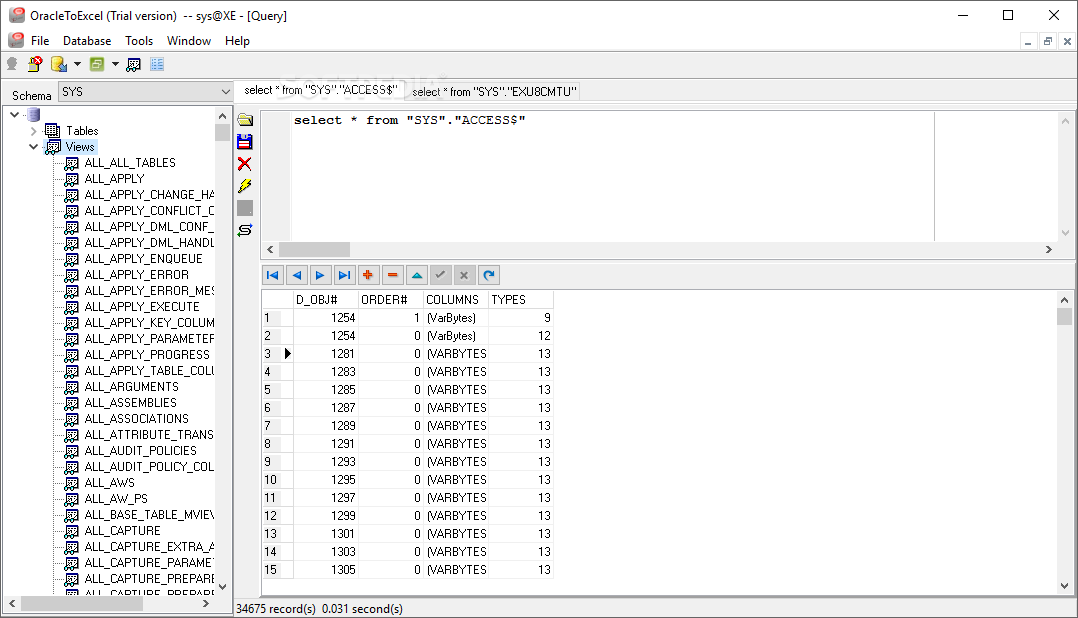
7.1 Plusy
- Łatwy w użyciu: uproszczony interfejs sprawia, że poruszanie się po oprogramowaniu jest niezwykle łatwe.
- Integralność danych: Zapewnia zachowanie integralności oryginalnych danych podczas przesyłania.
- Kontrola nad obiektami danych: Użytkownicy mają dużą kontrolę nad wyborem konkretnych obiektów danych do przesłania.
7.2 Wady
- Ograniczone funkcje: oferuje podstawowy zestaw funkcji i brakuje mu zaawansowanych opcji dostępnych w innych narzędziach.
- Brak automatyzacji: nie ma wbudowanej funkcji automatyzacji powtarzalnych zadań, co może być wadą dla zwykłych użytkowników.
8. Sobolsoft Excel Oracle Import, Export i Convert Software
Oprogramowanie Sobolsoft Excel Oracle Import, Export & Convert, jak sama nazwa wskazuje, jest wielofunkcyjnym oprogramowaniem umożliwiającym łatwe, bezpieczne i efektywne przesyłanie danych pomiędzy Oracle DB i Excel.
Oprogramowanie Sobolsoft Excel Oracle Import, Export & Convert usprawnia zadania związane z przesyłaniem danych między Excelem a Oracle DB. Pozwala ono użytkownikom wybrać konkretne dane do konwersji, oferując wysoki poziom kontroli. Wyróżnia się możliwością zaspokojenia szerszego spektrum potrzeb w zakresie konwersji danych, nie ograniczając się jedynie do eksportu danych Oracle do Excela, ale także ułatwiając import i konwersję pomiędzy nimi.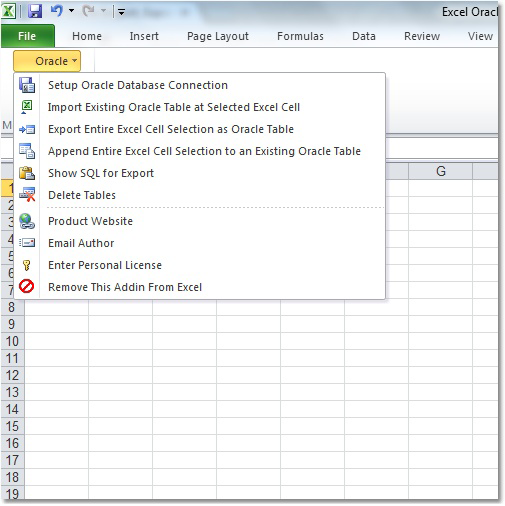
8.1 Plusy
- Wielofunkcyjność: Oprócz eksportowania danych z Oracle do Excela, obsługuje również importowanie i konwersję danych pomiędzy tymi dwoma formatami.
- Kontrola użytkownika: zapewnia użytkownikom elastyczność w wyborze danych do konwersji.
- Spójność: Zapewnia stałą wydajność, zapewniając szybką i dokładną konwersję danych.
8.2 Wady
- Złożony interfejs: interfejs może być mylący dla początkujących i użytkowników nietechnicznych.
- Ograniczone wsparcie: Może nie być zgodne z niektórymi wersjami Oracle i Excel.
9. Kreator danych Oracle SQL Maestro
SQL Maestro Oracle Data Wizard to potężne, wielofunkcyjne narzędzie, które profesjonalnie konwertuje dane Oracle do programu Excel, oferując kompleksowe podejście do konwersji danych.
SQL Maestro Oracle Data Wizard wyróżnia się szeroką gamą funkcji konwersji danych. Nie tylko eksportuje dane z Oracle do Excela, ale także oferuje możliwości importowania i transformacji danych oraz kompleksowego zarządzania nimi. Co więcej, to narzędzie oparte na kreatorach oferuje wizualne tworzenie skryptów SQL, co zwiększa łatwość obsługi.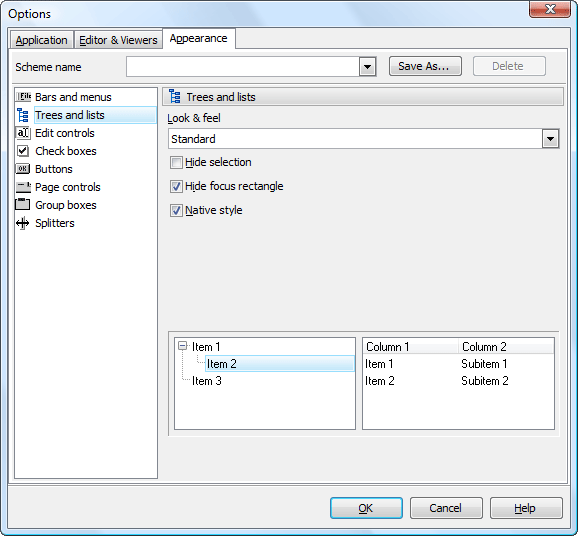
9.1 Plusy
- Wielofunkcyjny: zapewnia różne funkcjonalności, w tym import/eksport danych, transformację danych i tworzenie skryptów SQL.
- Przyjazny dla użytkownika: Dzięki interfejsowi opartemu na kreatorach konwersja danych staje się znacznie łatwiejsza.
- Wysoce wszechstronny: obsługuje wiele formatów danych, nie ograniczając się do programu Excel.
9.2 Wady
- Krzywa uczenia się: choć jest potężna, początkujący mogą początkowo uznać ją za trudną w użyciu.
- Koszt: Zakres funkcji jest wyższy w porównaniu do innych prostych narzędzi.
10. Streszczenie
Po porównaniu różnych narzędzi do konwersji danych z Oracle do Excela, jasne jest, że każdy produkt ma swoje mocne i słabe strony. Dlatego przy wyborze odpowiedniego narzędzia należy wziąć pod uwagę swoje specyficzne wymagania, budżet i umiejętności techniczne.
10.1 Ogólna tabela porównawcza
| Narzędzie | Udogodnienia | Łatwość użycia | Cena | Obsługa klienta |
|---|---|---|---|---|
| dbForge Studio dla Oracle Eksport danych Oracle do Excela | Wieloformatowy, automatyzacja, GUI | Wysoki | umiarkowanie wysoki | Dobry |
| Inteligentne konwertery Oracle do Excela | Zgodność, integralność danych, samodzielność | Średni | Niski | Średni |
| Oprogramowanie Withdata OracleToExcel | Przetwarzanie wsadowe, wydajne, konfigurowalne | Średni | Średni | Dobry |
| Spectral Core FullConvert Konwersja Oracle do Excela | Wiersz poleceń, pojemność, szczegółowa kontrola | Niski | Wysoki | Dobry |
| SoftDeluxe Oracle do Excela | Przyjazny dla użytkownika, wydajny, niedrogi | Wysoki | Niski | Średni |
| OracleToExcel | Łatwy w użyciu, integralność danych, kontrola nad obiektami danych | Wysoki | Średni | Dobry |
| Oprogramowanie Sobolsoft Excel Oracle do importu, eksportu i konwersji | Wielofunkcyjny, kontrola użytkownika, spójność | Średni | Średni | Dobry |
| Kreator danych Oracle SQL Maestro | Wielofunkcyjny, przyjazny dla użytkownika, bardzo wszechstronny | Średni | Wysoki | Dobry |
10.2 Zalecane narzędzie w oparciu o różne potrzeby
Jeśli szukasz niedrogiej opcji, SoftDeluxe Oracle to Excel może być właściwym wyborem z przyzwoitymi funkcjami. W przypadku konwersji danych na dużą skalę, Spectral Core FullConvert to solidny wybór. Oprogramowanie Withdata OracleToExcel doskonale sprawdza się w przetwarzaniu wsadowym, a SQL Maestro Oracle Data Wizard oferuje szeroki wachlarz funkcji, które umożliwiają nie tylko eksportowanie, ale także importowanie i transformację danych.
11. Wniosek
Wybór odpowiedniego narzędzia do konwersji z Oracle do Excela zależy od różnych czynników, takich jak skala konwersji, budżet, poziom umiejętności i Twoje specyficzne potrzeby. Należy pamiętać, że nie ma jednego uniwersalnego rozwiązania, a idealne narzędzie dla Ciebie może nie być takie samo dla kogoś innego.
11.1 Podsumowanie i wnioski dotyczące wyboru narzędzia do konwersji danych Oracle do Excela
Wybierając narzędzie do konwersji danych z Oracle do Excela, najpierw oceń swoje potrzeby. Następnie weź pod uwagę łatwość obsługi narzędzia, zwłaszcza jeśli umiejętności techniczne Twojego zespołu są ograniczone. Pamiętaj również o uwzględnieniu budżetu. Jeśli Twoje potrzeby są złożone, a budżet nie stanowi problemu, lepszym wyborem może być narzędzie z rozbudowanymi funkcjami. Z drugiej strony, jeśli potrzebujesz jedynie podstawowej konwersji przy ograniczonym budżecie, proste i niedrogie narzędzie może lepiej spełnić Twoje potrzeby.
Co więcej, zawsze przetestuj narzędzie w wersji próbnej przed ostatecznym zakupem. Pomoże Ci to zrozumieć, jak dobrze narzędzie spełnia Twoje wymagania i czy warto w nie zainwestować. Mając to na uwadze, wybór odpowiedniego narzędzia do konwersji danych z Oracle do Excela na potrzeby migracji danych będzie łatwiejszy.
Wprowadzenie autora:
Vera Chen jest ekspertem w dziedzinie odzyskiwania danych w DataNumen, która zapewnia szeroką gamę produktów, w tym produktów do naprawa DWG pliki.