
在這篇文章中,我們將向您展示如何透過 VBA 快速找到 Word 文件中的所有單句段落。
有時,某些文檔可能對其格式和結構有非常具體的要求。 例如,您可能不允許只有一個句子的段落。 這些段落不難識別,但需要時間,尤其是長文檔。
今天,我們將為您提供在文檔中指定所有單句段落的快速方法。
在一個文檔中查找所有單句段落
- 首先,Word 將句號視為一個句子。 因此,如果有諸如“先生”之類的詞。 或“女士”,Word 將其視為一個句子。 為了排除這種分心,您需要替換“先生”。 與“先生”。 當完成找到單句的段落時,您可以將它們更改回來。 替換詞可以參考這個鏈接: 如何在Word文檔中查找和替換多個項目
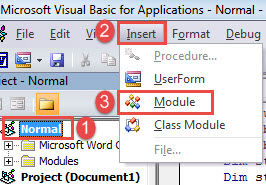
- 其次,按“Alt+F11”觸發VBA編輯器。
- 然後單擊“普通”項目。
- 單擊菜單欄上的“插入”選項卡,然後在其下拉菜單中選擇“模塊”。

- 接下來,雙擊模塊以將其打開。
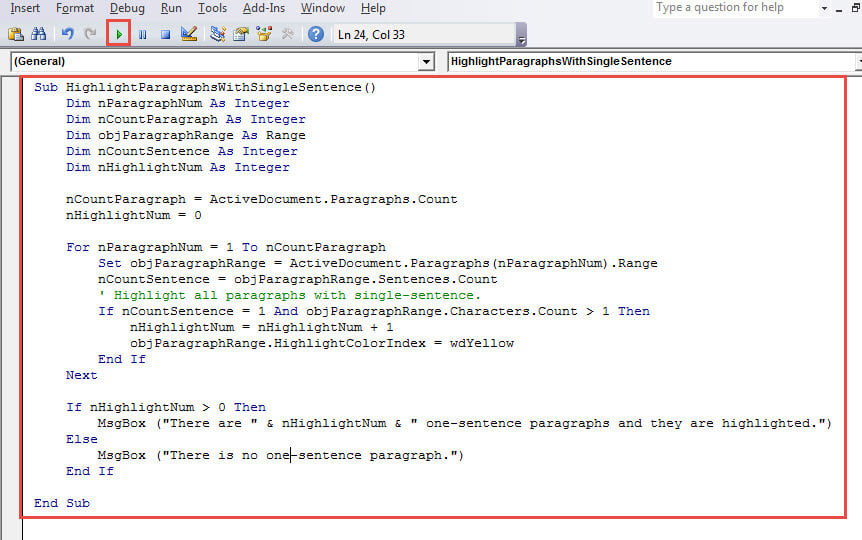
- 在模塊上粘貼以下代碼:
Sub HighlightParagraphsWithSingleSentence()
  Dim nParagraphNum As Integer
  Dim nCountParagraph As Integer
  Dim objParagraphRange As Range
  Dim nCountSentence As Integer
  Dim nHighlightNum As Integer

  nCountParagraph = ActiveDocument.Paragraphs.Count
  nHighlightNum = 0

  For nParagraphNum = 1 To nCountParagraph
    Set objParagraphRange = ActiveDocument.Paragraphs(nParagraphNum).Range
    nCountSentence = objParagraphRange.Sentences.Count
    ' Highlight all paragraphs with single-sentence.
    If nCountSentence = 1 And objParagraphRange.Characters.Count > 1 Then
      nHighlightNum = nHighlightNum + 1
      objParagraphRange.HighlightColorIndex = wdYellow
    End If
  Next

  If nHighlightNum > 0 Then
    MsgBox ("There are " & nHighlightNum & " paragraphs with single sentence and they are highlighted.")
  Else
    MsgBox ("There are no paragraphs with single sentence")
  End If

End Sub
- 最後但並非最不重要的一點是,單擊“運行”按鈕或單擊“ F5”。

您將收到這樣一個消息框,告訴您工作已完成。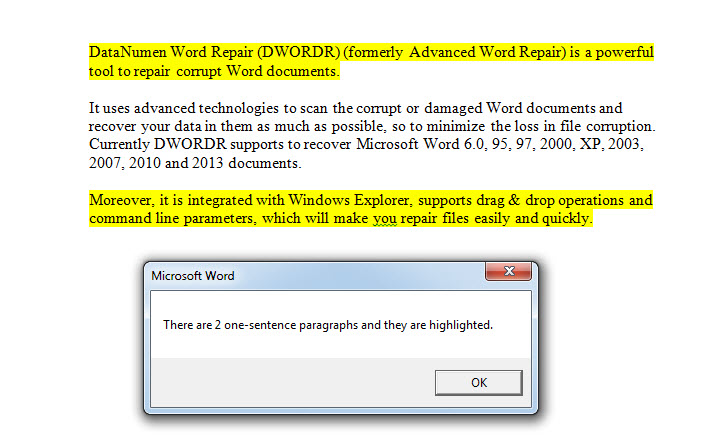
查找多個文檔中的所有單句段落
- 首先,你需要將所有目標文件放在一個資料夾中。
- 然後安裝並運行以下宏:
Sub HighlightParagraphsWithSingleSentenceInMultipleFiles()
  Dim nParagraphNum As Integer
  Dim nCountParagraph As Integer
  Dim objParagraphRange As Range
  Dim nCountSentence As Integer
  Dim StrFolder As String
  Dim strFile As String
  Dim objDoc As Document
  Dim dlgFile As FileDialog
  Dim nHighlightNum As Integer
  Dim strSummary As String

  Set dlgFile = Application.FileDialog(msoFileDialogFolderPicker)

  With dlgFile
    If .Show = -1 Then
      StrFolder = .SelectedItems(1) & "\"
    Else
      MsgBox ("No Folder is selected!")
      Exit Sub
    End If
  End With

  strFile = Dir(StrFolder & "*.doc*", vbNormal)

  While strFile <> ""
    nHighlightNum = 0
    Set objDoc = Documents.Open(FileName:=StrFolder & strFile)
    Set objDoc = ActiveDocument
    nCountParagraph = ActiveDocument.Paragraphs.Count

    For nParagraphNum = 1 To nCountParagraph
      Set objParagraphRange = ActiveDocument.Paragraphs(nParagraphNum).Range
      nCountSentence = objParagraphRange.Sentences.Count
      ' Highlight all paragraphs with single-sentence.
      If nCountSentence = 1 And objParagraphRange.Characters.Count > 1 Then
        nHighlightNum = nHighlightNum + 1
        objParagraphRange.HighlightColorIndex = wdYellow
      End If
    Next
    objDoc.ActiveWindow.ActivePane.View.SeekView = wdSeekMainDocument
    objDoc.Save
    If nHighlightNum = 0 Then
      objDoc.Close
    End If

    strSummary = strSummary & strFile & " : " & nHighlightNum & " paragraphs with single sentence." & vbCrLf
    strFile = Dir()
  Wend
  MsgBox (strSummary)

End Sub
- 在打開的“瀏覽”窗口中,選擇保存文檔的文件夾,然後單擊“確定”。

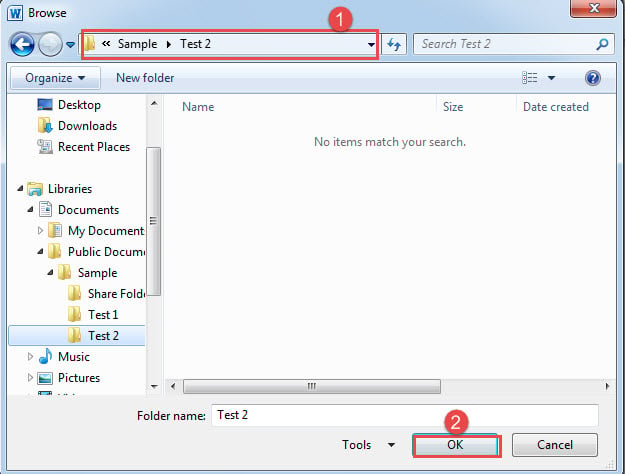
然後,宏將突出顯示所有單句段落,並使文檔保持打開狀態。 如果文檔不包含一個句子的段落,它將被關閉。 此外,還有一個消息框,指示每個文檔中一個句子的段落數。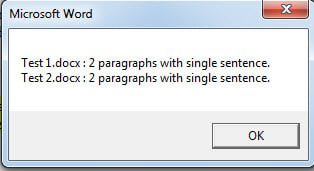
處理數據丟失事件
用戶錯誤和突然斷電可能導致 Word 死機。 而一個崩潰的 Word 不僅會影響日常工作,還會導致 文件損壞但這絕不是資料災難中最令人惱火的部分。最好還是使用資料修復工具立即恢復資料。
作者簡介:
陳薇薇(Vera Chen)是 DataNumen,Inc.是數據恢復技術的全球領導者,包括 恢復Excel 以及 pdf 維修軟件產品。 欲了解更多信息,請訪問 萬維網。datanumen.COM