
有時,您可能希望向特定域中的所有聯繫人批量發送電子郵件。 在這種情況下,您可以使用本文介紹的方法來快速獲取。
由於某些原因,有時您可能需要向 Outlook 中特定域中的所有聯繫人發送電子郵件。 例如,您需要向電子郵件地址肯定在特定電子郵件域中的所有同事發送電子郵件。 如果您手動查找這些聯繫人,將非常麻煩。 因此,這裡我們將介紹一種快速獲取的方法。 以下是詳細步驟和VBA代碼。
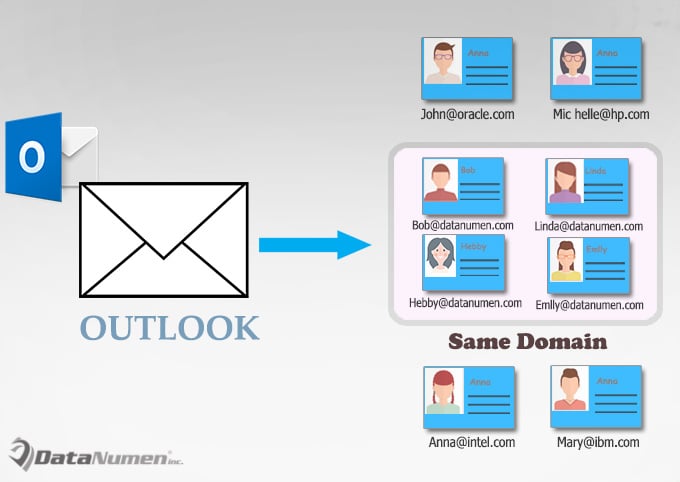
批量發送郵件給指定域內的所有聯繫人
- 首先,啟動Outlook應用程序。
- 然後按“Alt + F11”鍵按鈕訪問Outlook VBA編輯器,
- 接下來,您需要打開一個未使用的模塊或直接插入一個新模塊。
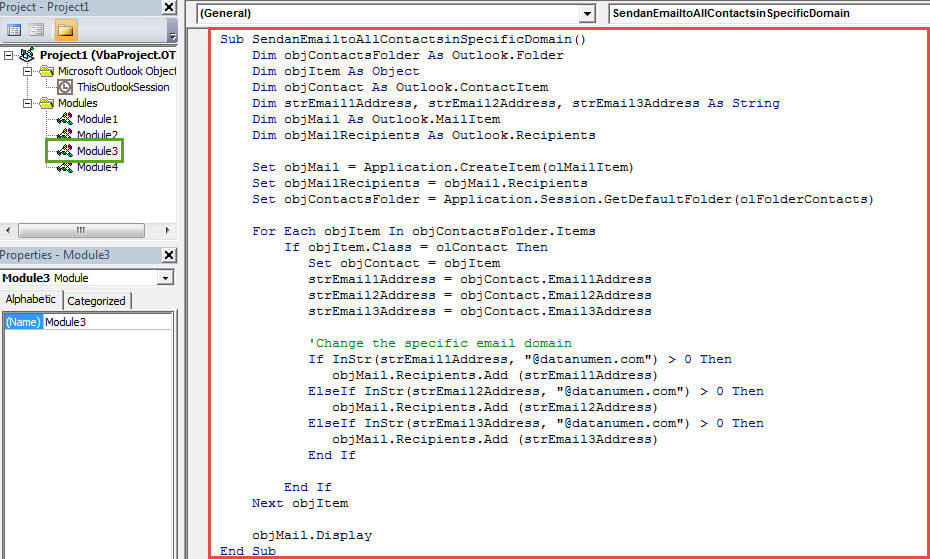
- 隨後,將以下VBA代碼複製並粘貼到其中。
Sub SendanEmailtoAllContactsinSpecificDomain()
    Dim objContactsFolder As Outlook.Folder
    Dim objItem As Object
    Dim objContact As Outlook.ContactItem
    Dim strEmail1Address, strEmail2Address, strEmail3Address As String
    Dim objMail As Outlook.MailItem
    Dim objMailRecipients As Outlook.Recipients

    Set objMail = Application.CreateItem(olMailItem)
    Set objMailRecipients = objMail.Recipients
    Set objContactsFolder = Application.Session.GetDefaultFolder(olFolderContacts)

    For Each objItem In objContactsFolder.Items
        If objItem.Class = olContact Then
           Set objContact = objItem
           strEmail1Address = objContact.Email1Address
           strEmail2Address = objContact.Email2Address
           strEmail3Address = objContact.Email3Address

           'Change the specific email domain
           If InStr(strEmail1Address, "@datanumen.com") > 0 Then
              objMail.Recipients.Add (strEmail1Address)
           ElseIf InStr(strEmail2Address, "@datanumen.com") > 0 Then
              objMail.Recipients.Add (strEmail2Address)
           ElseIf InStr(strEmail3Address, "@datanumen.com") > 0 Then
              objMail.Recipients.Add (strEmail3Address)
           End If

        End If
    Next objItem

    objMail.Display
End Sub
- 之後,您需要將Outlook宏安全級別更改為低。
- 或者,如果您經常需要發送此類電子郵件,還建議將新宏添加到快速訪問工具欄。
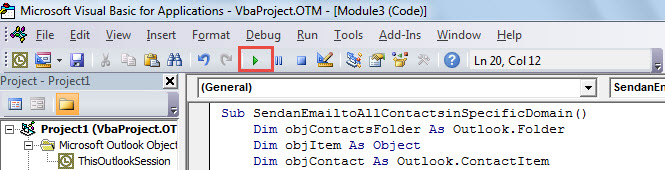
- 此時,您可以嘗試一下。 單擊工具欄中的“運行”圖標。

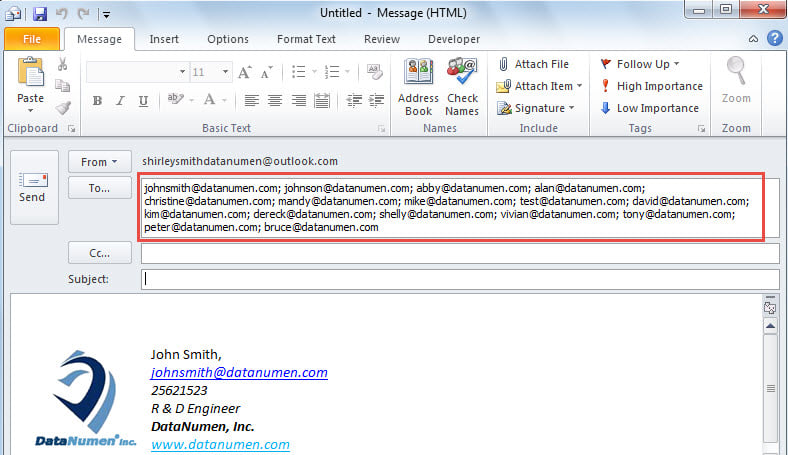
- 最終,將彈出一封新電子郵件。 您會發現“收件人”字段中已包含特定電子郵件域中的所有電子郵件地址,如下圖所示:

面對 PST 錯誤從不恐慌
用戶在遇到嚴重的 PST 問題時往往會感到恐慌,例如無法訪問的 PST 錯誤、感染病毒的 PST 文件或 腐敗的Outlook PST 數據等等。不過,最好冷靜下來,盡快嘗試解決問題。首先,您可以嘗試重新啟動 Outlook。如果問題仍然存在,您可以再次使用收件匣修復工具 Scanpst.exe。但是,如果此方法無效,您可以求助於更專業的工具,例如 DataNumen Outlook Repair.
作者簡介:
Shirley Zhang是的數據恢復專家 DataNumen,Inc.是數據恢復技術的全球領導者,包括 損壞的SQL 和Outlook修復軟件產品。 欲了解更多信息,請訪問 萬維網。datanumen.COM