
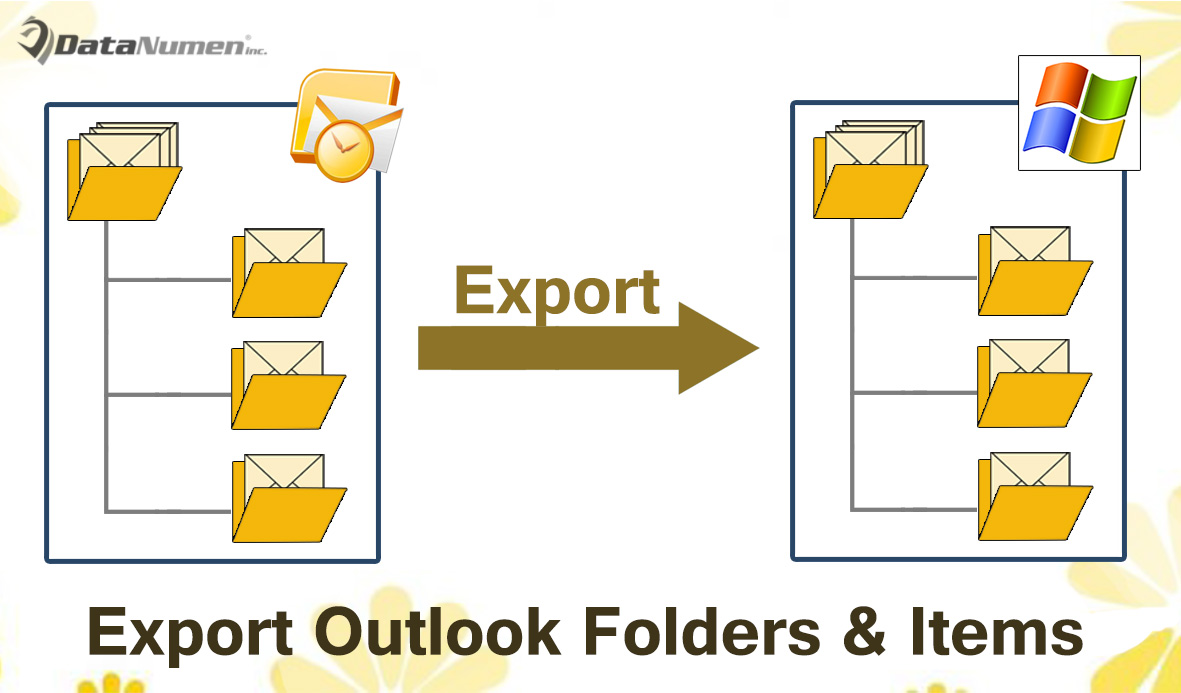
有時,您可能希望將包含所有子文件夾和項目的Outlook文件夾批量導出到Windows文件夾。 本文將教您一種應用Outlook VBA的方法。
如果您希望將Outlook文件夾導出到本地驅動器,並且所有項目都位於同一文件夾結構中,那麼如果您選擇手動保存和導出,則將花費大量時間。 因此,為什麼不採用其他手段,例如任何導出工具或VBA代碼? 在這裡,我們將向您介紹這樣的VBA代碼。 它將使您像微風一樣實現它。
將Outlook文件夾中的所有子文件夾和項目導出到Windows文件夾
- 首先,啟動 Outlook 程式。
- 然後在Outlook主窗口中,按“ Alt + F11”快捷鍵。
- 隨後,將彈出“ Microsoft Visual Basic for Applications”窗口。
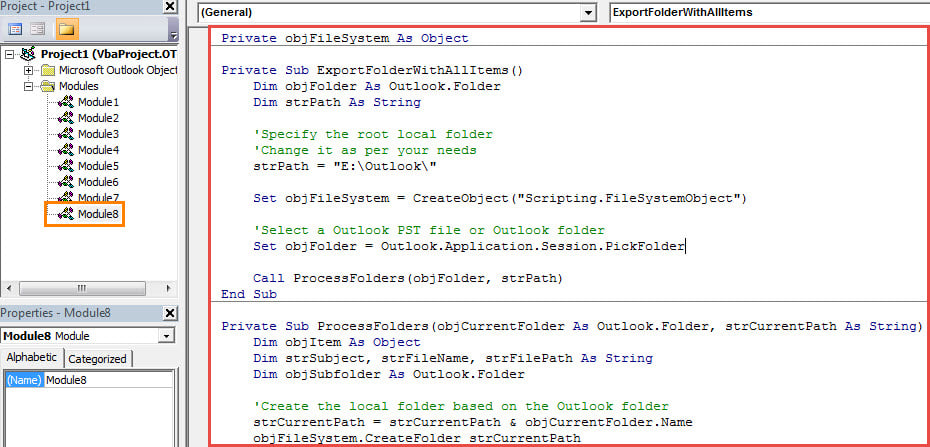
- 接下來,您需要打開一個空白模塊,並將以下VBA代碼複製到其中。
Private objFileSystem As Object

Private Sub ExportFolderWithAllItems()
    Dim objFolder As Outlook.Folder
    Dim strPath As String

    'Specify the root local folder
    'Change it as per your needs
    strPath = "E:\Outlook\"

    Set objFileSystem = CreateObject("Scripting.FileSystemObject")

    'Select a Outlook PST file or Outlook folder
    Set objFolder = Outlook.Application.Session.PickFolder

    Call ProcessFolders(objFolder, strPath)

    MsgBox "Complete", vbExclamation
End Sub

Private Sub ProcessFolders(objCurrentFolder As Outlook.Folder, strCurrentPath As String)
    Dim objItem As Object
    Dim strSubject, strFileName, strFilePath As String
    Dim objSubfolder As Outlook.Folder

    'Create the local folder based on the Outlook folder
    strCurrentPath = strCurrentPath & objCurrentFolder.Name
    objFileSystem.CreateFolder strCurrentPath

    For Each objItem In objCurrentFolder.Items

        strSubject = objItem.Subject

        'Remove unsupported characters in the subject
        strSubject = Replace(strSubject, "/", " ")
        strSubject = Replace(strSubject, "\", " ")
        strSubject = Replace(strSubject, ":", "")
        strSubject = Replace(strSubject, "?", " ")
        strSubject = Replace(strSubject, Chr(34), " ")

        strFileName = strSubject & ".msg"

        i = 0
        Do Until False
           strFilePath = strCurrentPath & "\" & strFileName
           'Check if there exist a file in the same name
           If objFileSystem.FileExists(strFilePath) Then
              'Add a sequence order to the file name
              i = i + 1
              strFileName = strSubject & " (" & i & ").msg"
           Else
              Exit Do
          End If
        Loop

        'Save as MSG file
        objItem.SaveAs strFilePath, olMSG
    Next

    'Process subfolders recursively
    If objCurrentFolder.folders.Count > 0 Then
       For Each objSubfolder In objCurrentFolder.folders
           Call ProcessFolders(objSubfolder, strCurrentPath & "\")
       Next
    End If
End Sub
- 之後,您需要確保Outlook允許宏設置中的宏。
- 最終,您可以嘗試一下。
- 首先,回到新的宏窗口。
- 接下來,單擊“ ExportFolderWithAllItems”子例程。
- 然後按F5鍵按鈕運行此宏。
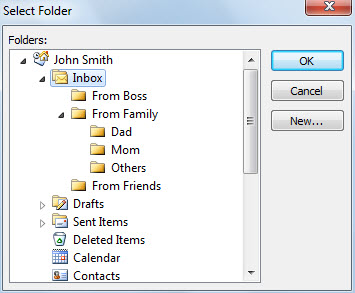
- 之後,您需要選擇一個特定的文件夾。

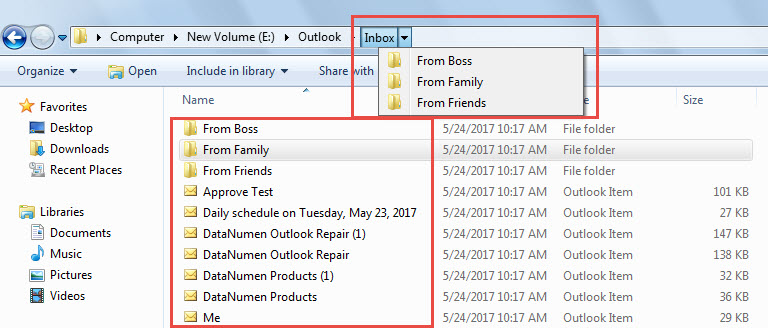
- 最後,當您收到一條消息“ Complete”時,您可以訪問預定義的本地文件夾。 您會發現所有項目都保存在相同的文件夾結構中。

防止Outlook崩潰導致數據丟失
您可能遇到過很多 Outlook 崩潰的情況。大多數情況下,重新啟動後 Outlook 就能正常運作。但是,也存在 PST 檔案損壞的情況。這時,您需要盡力恢復 PST 數據,例如使用像 Outlook Pro 這樣的專業工具。 DataNumen Outlook Repair。 它能夠 修復Outlook 錯誤並從受感染的PST文件中提取數據而不會費勁。
作者簡介:
Shirley Zhang是的數據恢復專家 DataNumen,Inc.是數據恢復技術的全球領導者,包括 SQL Server 修復 和Outlook修復軟件產品。 欲了解更多信息,請訪問 萬維網。datanumen.COM