
如果要讓Outlook自動保存發件人的所有附件,這些發件人的電子郵件地址位於特定域中,則可以閱讀本文。 在這裡,我們將為您介紹一種快速的方法。
也許您公司中的所有員工都使用同一域中的電子郵件地址。 由於您經常發送帶有各種附件的電子郵件,因此您可能希望Outlook自動保存此類電子郵件中的附件。 在這種情況下,將要求Outlook自動檢查電子郵件的發件人域並自動保存附件。 現在,在下面的內容中,我們將共享一段能夠輕鬆實現的VBA代碼。
自動保存來自特定域中發件人的所有附件
- 首先,根據“運行Outlook VBA編輯器”如何在Outlook中運行VBA代碼“。
- 然後,將以下代碼放入未使用的模塊中。
Public WithEvents objInboxItems As Outlook.Items

Private Sub Application_Startup()
   Set objInboxItems = Session.GetDefaultFolder(olFolderInbox).Items
End Sub

Private Sub objInboxItems_ItemAdd(ByVal Item As Object)
   Dim objMail As Outlook.MailItem
   Dim strSenderAddress As String
   Dim strSenderDomain As String
   Dim objAttachment As Attachment
   Dim strFolderPath As String
   Dim strFileName As String

   If Item.Class = olMail Then
      Set objMail = Item

      'Get sender domain
      strSenderAddress = objMail.SenderEmailAddress
      strSenderDomain = Right(strSenderAddress, Len(strSenderAddress) - InStr(strSenderAddress, "@"))

      'Change to the specific domain as per your needs
      If strSenderDomain = "datanumen.net" Then
         If objMail.Attachments.Count > 0 Then
            For Each objAttachment In objMail.Attachments
                'Change the folder path where you want to save attachments
                strFolderPath = "E:\Attachments\"
                strFileName = objMail.Subject & " " & Chr(45) & " " & objAttachment.FileName
                objAttachment.SaveAsFile strFolderPath & strFileName
            Next
         End If
      End If
   End If
End Sub
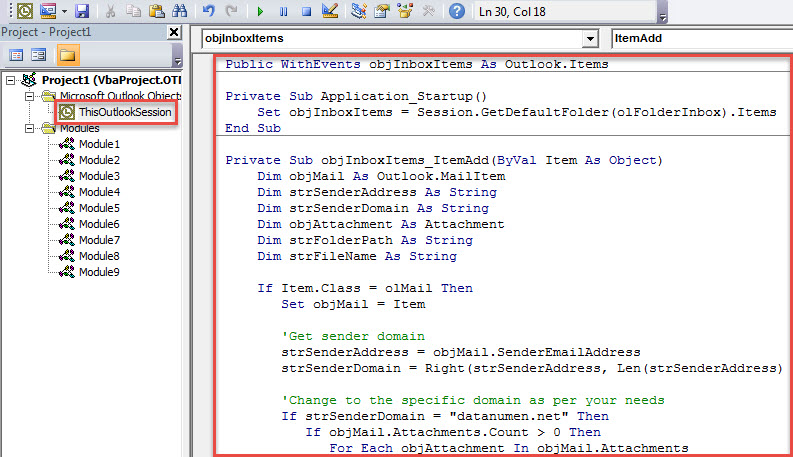
- 之後,重新啟動 Outlook 以啟動此巨集。
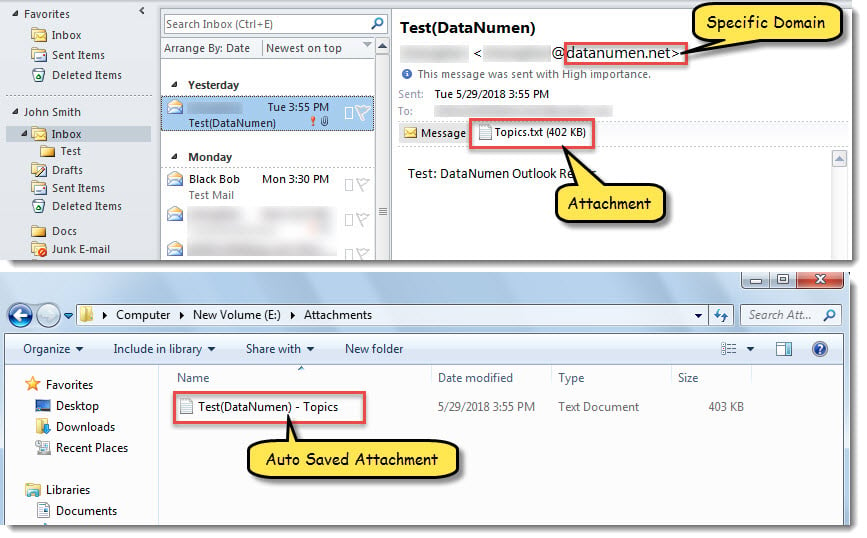
- 從那時起,每當收到一封電子郵件進入您的收件箱時,Outlook都會自動檢查發件人域。 如果它與預定義域相同並且包含附件,則Outlook將自動將附件保存到特定的本地文件夾。

從不打開未知域中發件人的附件
建議不要輕易信任和下載未知域中的附件。 這是因為它們可能擁有惡意軟件或病毒。 打開它們後,Outlook文件可能會受到攻擊。 換句話說,您可能會受到Outlook文件損壞的影響。 當時,即使 掃描儀 無法為您提供幫助。 您唯一的選擇要么是功能更強大的工具,要么是專業的PST恢復服務。
作者簡介:
Shirley Zhang是的數據恢復專家 DataNumen,Inc.是數據恢復技術的全球領導者,包括 損壞的mdf 和Outlook修復軟件產品。 欲了解更多信息,請訪問 萬維網。datanumen.COM