
使用UTM轉換器,您可以輕鬆將UTM坐標轉換為緯度和經度值。 通用橫軸墨卡托(UTM)坐標由區域編號,東,北和半球(N / S)組成。
立即下載
如果您想盡快開始使用該軟體,那麼您可以:
否則,如果要DIY,可以閱讀以下內容。
讓我們準備GUI
如圖所示,在 Excel 表格中留出前 4 行用於存放地圖基準面、區域和半球。這 3 個值將用於 Excel 表格中的所有行。從第 5 行 A 列開始,將這些資訊新增為標題。
- DLS_KEY
- RM
- 輕鬆
- 北向
- 緯度
- 經度
輸入A列至D列的值,並在E列和F列顯示輸出,即緯度和經度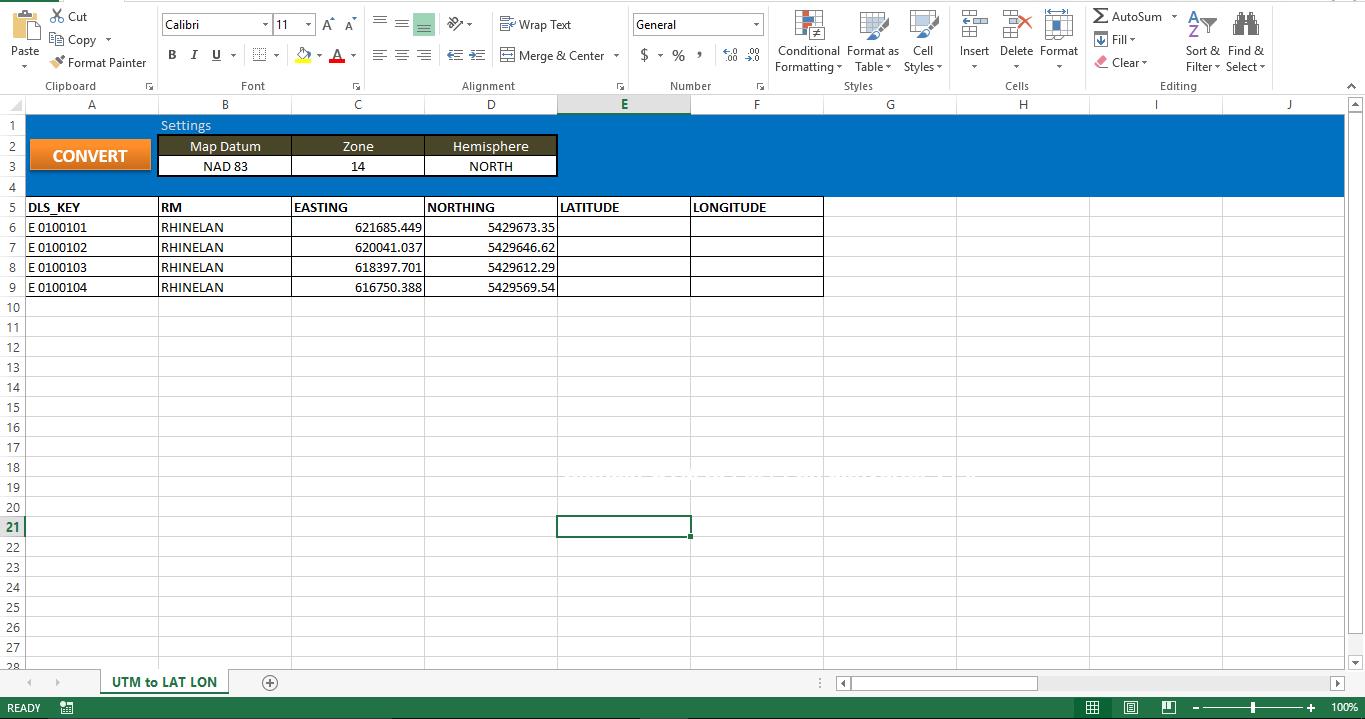
讓它發揮作用
將腳本複製到新模塊中,並將宏附加到工作表上的按鈕。 請確保您的機器具有Internet Explorer。 沒有IE,此腳本將無法工作。
讓我們測試一下
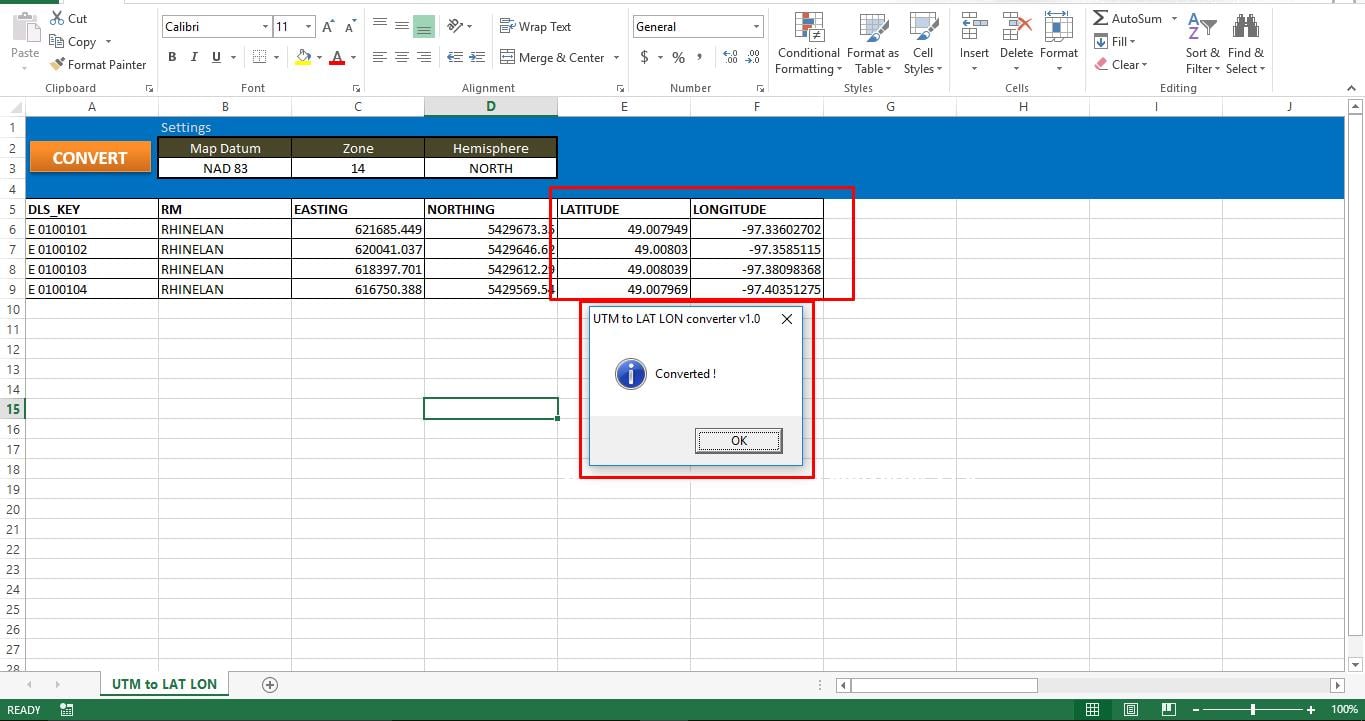
運行宏時,您可以輕鬆地從Excel應用程序的狀態欄中跟踪狀態。 由於我們在每次轉換之間都造成了一些暫停,因此宏會花一些時間將所有UTM坐標轉換為緯度和經度值。 處理完所有記錄後,您可以在屏幕上看到一條彈出消息。 如果該宏不能將數據保存在工作表上,則可能是由於Excel文件損壞。 修復損壞的Excel文件 並再次運行腳本。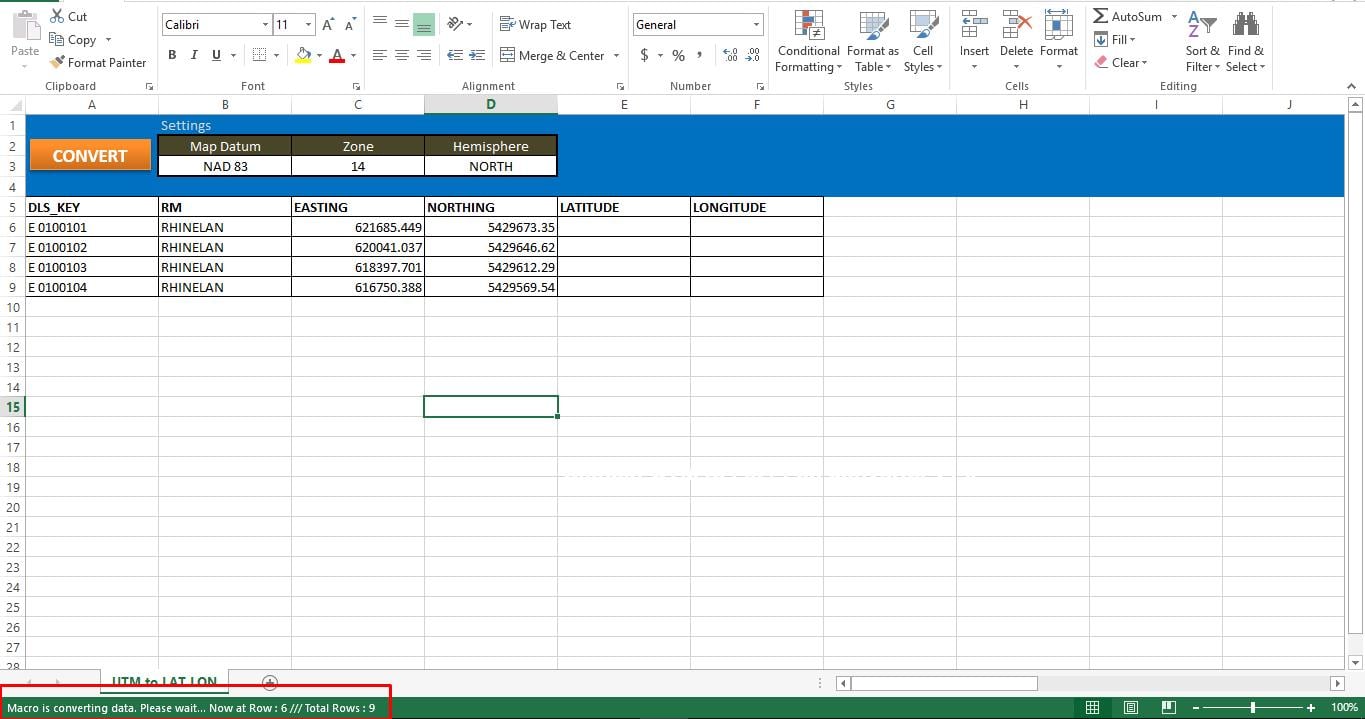
腳本:
Sub UTM_Converter()

' Place all your declarations here
    Dim i As Long
    Dim browobject As Object
    Dim obj1 As Object
    Dim obj2 As Object

    Set browobject = CreateObject("InternetExplorer.Application")

    browobject.Visible = False

'Process each row in the excle till the macro meets the last used row
    For r = 6 To 9

' Navigate to the URL to process data
        browobject.navigate "http://www.rcn.montana.edu/resources/converter.aspx"

' Inform Users about the status
        Application.StatusBar = "Macro is converting data. Please wait... Now at Row : " & r & " /// Total Rows : " & Sheets("UTM to LAT LON").Range("C" & Rows.Count).End(xlUp).Row

' As this is dynamic, we have to wait for the browobject to process input and generate output
        Do While browobject.Busy
            Application.Wait DateAdd("s", 1, Now)
        Loop
        Application.Wait (Now() + TimeValue("00:00:02"))

'Lets populate the form
        browobject.document.getElementById("mapDatum").Value = "1"
        browobject.document.getElementById("utmZone").Value = "14"
        browobject.document.getElementById("utmHemi").Value = "N"
'utmEasting
        browobject.document.getElementById("utmEasting").Value = Sheets("UTM to LAT LON").Range("C" & r).Value
'utmNorthing
        browobject.document.getElementById("utmNorthing").Value = Sheets("UTM to LAT LON").Range("D" & r).Value

        Set obj2 = browobject.document.getElementsByTagName("input")
        v_length = 0
        While v_length < obj2.Length
            If obj2(v_length).Value = "Convert Standard UTM" Then
                GoTo comehere
            End If
            v_length = v_length + 1
        Wend

        comehere:
        obj2(v_length).Click
' Wait while browobject loading...
        Do While browobject.Busy
            Application.Wait DateAdd("s", 1, Now)
        Loop
        Application.Wait (Now() + TimeValue("00:00:02"))

'Show converted data on the sheet
        Sheets("UTM to LAT LON").Range("F" & r).Value = browobject.document.getElementById("decimalLongitude").Value
        Sheets("UTM to LAT LON").Range("E" & r).Value = browobject.document.getElementById("decimalLatitude").Value

    Next r

' Show browobject
    browobject.Visible = False
    browobject.Quit

' Clean up
    Set browobject = Nothing
    Set obj1 = Nothing
    Set obj2 = Nothing

    Application.StatusBar = ""
'Inform User that entire process was completed
    MsgBox "Converted !", vbInformation, "UTM to LAT LON converter v1.0"
End Sub
作者簡介:
Nick Vipond是的數據恢復專家 DataNumen,Inc.是數據恢復技術的全球領導者,包括 維修文件 和Outlook恢復軟件產品。 欲了解更多信息,請訪問 萬維網。datanumen.COM