
有時,您可能希望從聯絡人中刪除所有特定網域的電子郵件地址。在這種情況下,您肯定不願意逐一刪除。因此,本文將教您更便捷的方法。
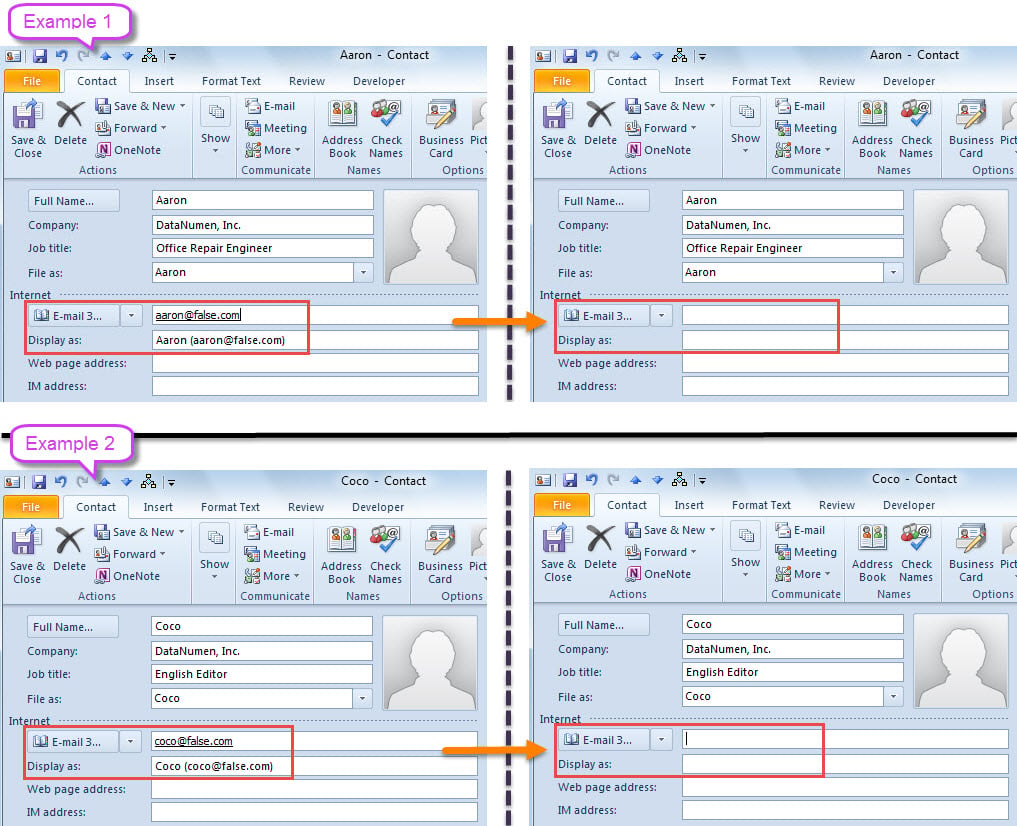
例如,一家公司更改其名稱。 同時,公司域也被更改。 但是,在Outlook中,您在該公司中存儲了許多聯繫人,這些聯繫人的電子郵件地址位於舊域中。 當然,這些電子郵件地址不再有效。 因此,在這種情況下,如果您想一次性刪除這些電子郵件地址,您可以使用以下方式。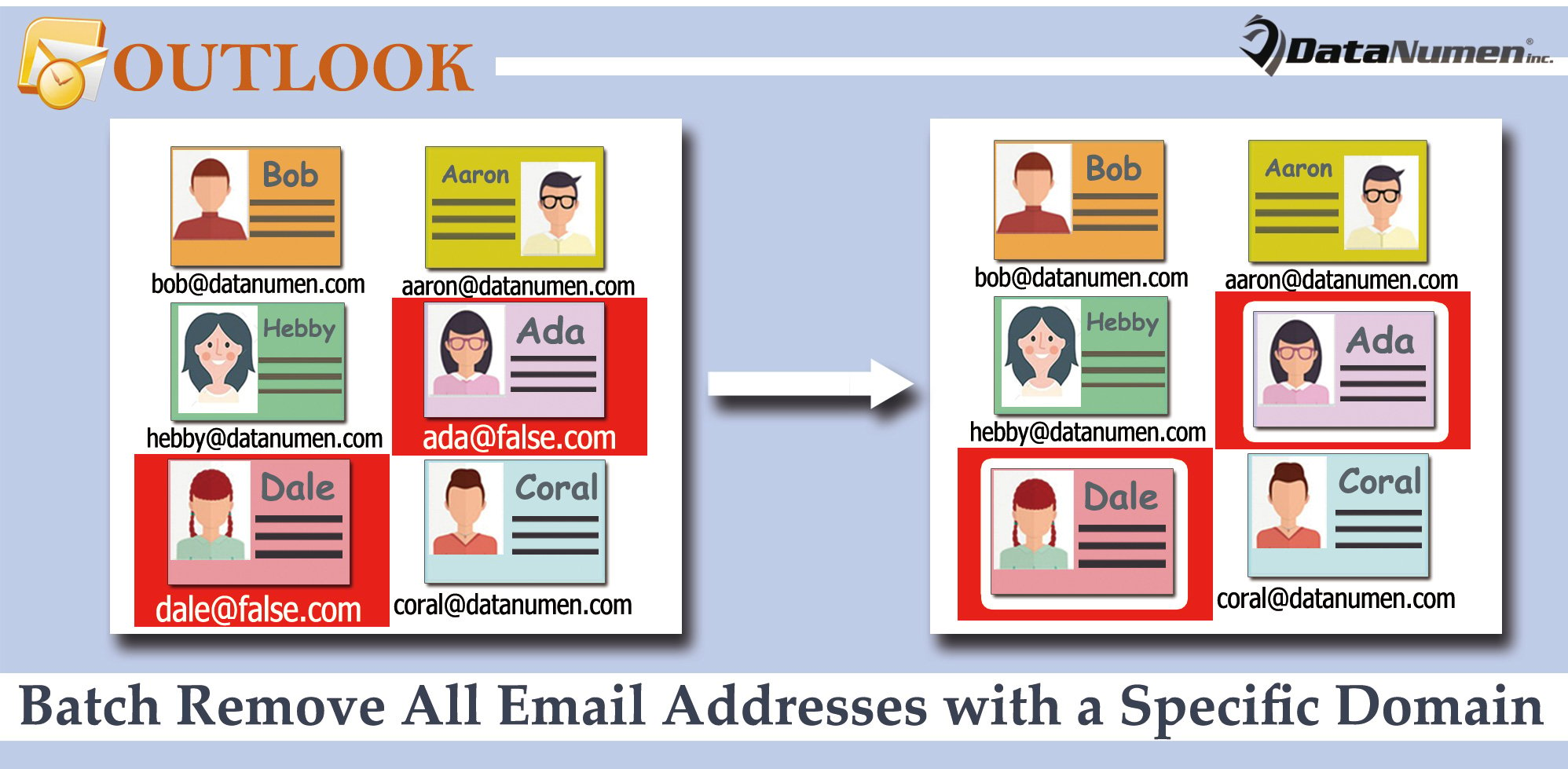
從聯繫人中批量刪除具有特定域的所有電子郵件地址
- 首先,使用快速鍵「Alt + F11」存取 Outlook VBA 編輯器。
- 然後,在新窗口中,將以下VBA代碼放在一個空模塊中。
Dim strDomain As String

Sub BatchRemoveAllEmailAddressesInSpecificDomain()
    Dim objStore As Store
    Dim objFolder As Folder
    Dim lTotalCount As Long

    'Input the specific domain
    strDomain = InputBox("Enter the specific domain:", , "@false.com")

    If Len(strDomain) <> 0 Then
       lTotalCount = 0
       'Process all Contact folders in your Outlook
       For Each objStore In Application.Session.Stores
           For Each objFolder In objStore.GetRootFolder.Folders
               If objFolder.DefaultItemType = olContactItem Then
                  Call ProcessContactFolders(objFolder, lTotalCount)
               End If
           Next
       Next

       'Prompt you
       MsgBox lTotalCount & " email addresses in " & strDomain & " are removed!", vbInformation + vbOKOnly
    End If
End Sub

Sub ProcessContactFolders(ByVal objCurrentFolder As Folder, ByRef lCount As Long)
    Dim objContacts As Items
    Dim i As Long
    Dim objContact As ContactItem

    Set objContacts = objCurrentFolder.Items

    For i = objContacts.Count To 1 Step -1
        If TypeName(objContacts(i)) = "ContactItem" Then
           Set objContact = objContacts(i)

           'Check 3 email addresses of each contact
           If InStr(objContact.Email1Address, strDomain) > 0 Then
              lCount = lCount + 1
              objContact.Email1Address = ""
              objContact.Email1DisplayName = ""
           ElseIf InStr(objContact.Email2Address, strDomain) > 0 Then
              lCount = lCount + 1
              objContact.Email2Address = ""
              objContact.Email2DisplayName = ""
           ElseIf InStr(objContact.Email3Address, strDomain) > 0 Then
              lCount = lCount + 1
              objContact.Email3Address = ""
              objContact.Email3DisplayName = ""
           End If

           objContact.Save
        End If
     Next

     If objCurrentFolder.Folders.Count > 0 Then
        For Each objSubfolder In objCurrentFolder.Folders
            Call ProcessContactFolders(objSubfolder, lCount)
        Next
     End If
End Sub
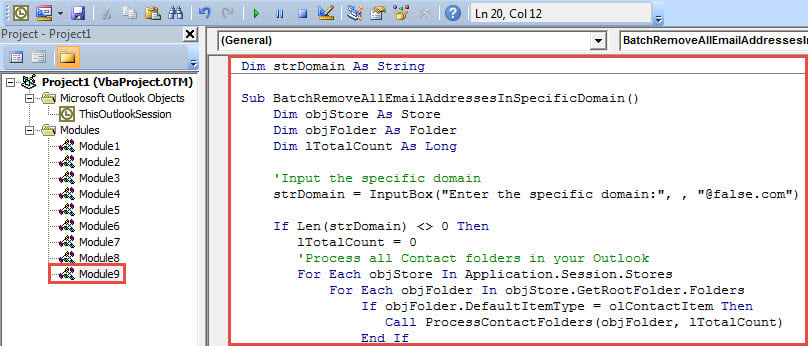
- 之後,將光標放在“BatchRemoveAllEmailAddressesInSpecificDomain”子程序中。
- 最後,點擊“F5”鍵按鈕觸發這個宏。
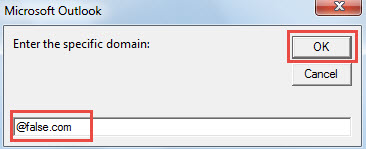
- 隨後,在彈出的對話框中輸入特定的域。

- 單擊“確定”後,宏將運行。
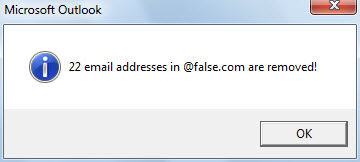
- 完成後,您將收到有關結果的消息。

- 現在,您可以檢查聯繫人。 具有特定域的所有電子郵件地址都必須消失。

保留您的 Outlook 文件
隨著圍繞您的 Outlook 的風險越來越多,保護您寶貴的 Outlook 數據變得越來越困難。 例如,您不僅應該堅持定期備份數據,還必須注意您的操作。 輕易相信來自未知發件人的任何電子郵件是不明智的。 否則,如果它攜帶病毒,您的 Outlook 文件將被感染。 那時,您必須嘗試 Outlook修復 通過出色的修復工具,例如 DataNumen Outlook Repair.
作者簡介:
Shirley Zhang是的數據恢復專家 DataNumen,Inc.是數據恢復技術的全球領導者,包括 恢復 Sql Server 和Outlook修復軟件產品。 欲了解更多信息,請訪問 萬維網。datanumen.COM