
如果希望Outlook自動打開來自特定發件人的傳入電子郵件的附件,則可以閱讀本文。 在這裡,我們將指導您如何實現它。
例如,老闆經常通過電子郵件向您發送幾個重要的文件附件。 為了盡快對您的老闆做出反應,您需要在收到附件時將其打開。 在這種情況下,您可能希望有一種更聰明的方法讓Outlook自動打開老闆發送的電子郵件附件。 現在,我們將向您展示這種方法。
自動打開來自特定發件人的傳入電子郵件附件
- 首先,啟動 Outlook 應用程式。
- 然後,通過快捷方式–“ Alt + F11”訪問VBA編輯器
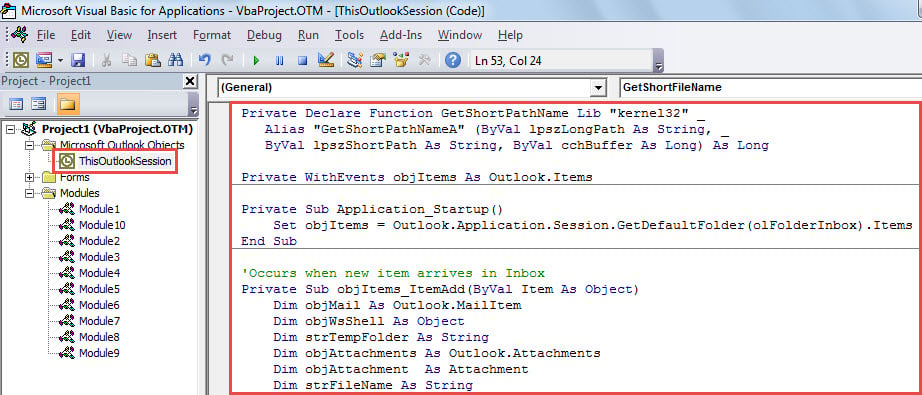
- 接下來,將以下VBA代碼放入“ ThisOutlookSession”項目中。
Private Declare Function GetShortPathName Lib "kernel32" _
 Alias "GetShortPathNameA" (ByVal lpszLongPath As String, _
 ByVal lpszShortPath As String, ByVal cchBuffer As Long) As Long

Private WithEvents objItems As Outlook.Items

Private Sub Application_Startup()
    Set objItems = Outlook.Application.Session.GetDefaultFolder(olFolderInbox).Items
End Sub

'Occurs when new item arrives in Inbox
Private Sub objItems_ItemAdd(ByVal Item As Object)
    Dim objMail As Outlook.MailItem
    Dim objWsShell As Object
    Dim strTempFolder As String
    Dim objAttachments As Outlook.Attachments
    Dim objAttachment As Attachment
    Dim strFileName As String

    If Item.Class = olMail Then
       Set objMail = Item
       'Change sender email address
       If objMail.SenderEmailAddress = "boss@datanumen.com" Then
          Set objWShell = CreateObject("WScript.Shell")
          strTempFolder = Environ("Temp") & "\"

          Set objWsShell = CreateObject("WScript.Shell")
          Set objAttachments = objMail.Attachments
          If objAttachments.Count > 0 Then
             For Each objAttachment In objAttachments
                 strFileName = objAttachment.DisplayName
                 On Error Resume Next
                 Kill strTempFolder & strFileName
                 On Error GoTo 0

                 'Save the attachment
                 objAttachment.SaveAsFile strTempFolder & strFileName

                 'Open the attachment
                 strFileName = GetShortFileName(strTempFolder & strFileName)
                 On Error Resume Next
                 objWsShell.Run strFileName
             Next
          End If
        End If
    End If
End Sub

Function GetShortFileName(ByVal FullPath As String) As String
    Dim lAns As Long
    Dim sAns As String
    Dim iLen As Integer

    On Error Resume Next

    If Dir(FullPath) <> "" Then
       sAns = Space(255)
       lAns = GetShortPathName(FullPath, sAns, 255)
       GetShortFileName = Left(sAns, lAns)
    End If
End Function
- 隨後,關閉VBA編輯器。
- 最後,重新啟動 Outlook 應用程式以啟動新巨集。
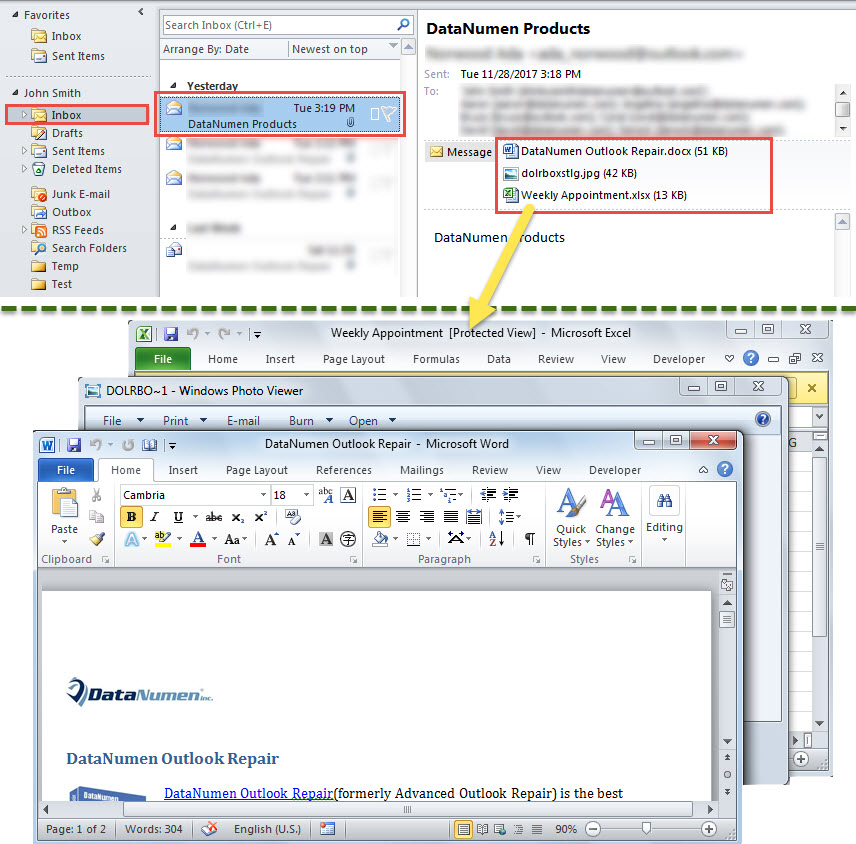
- 從現在開始,每次當來自特定發件人的新郵件到達您的收件箱時,Outlook都會自動打開此郵件中的附件。

應用收件箱修復工具
當您的Outlook數據文件損壞時,您將怎麼辦? 實際上,首先,您可以使用內置的Outlook修復工具– 掃描儀。 它能夠解決與Outlook有關的一些小問題。 如果該實用程序失敗,則是時候採用一種經驗更豐富,更可靠的外部工具,例如 DataNumen Outlook Repair.
作者簡介:
Shirley Zhang是的數據恢復專家 DataNumen,Inc.是數據恢復技術的全球領導者,包括 損壞的mdf 和Outlook修復軟件產品。 欲了解更多信息,請訪問 萬維網。datanumen.COM