
默認情況下,在Outlook中,當您刪除文件夾時,其項目也將移動到“已刪除項目”文件夾中。 如果希望Outlook將文件夾中的項目自動移動到其父文件夾,然後再將其刪除,則可以使用本文中共享的方法。
當您刪除資料夾時,Outlook 會警告您其所有內容也會移至「已刪除郵件」資料夾。但大多數情況下,您只想刪除此資料夾,而不刪除其中儲存的項目。因此,您希望這些項目能夠自動移動到該資料夾的父資料夾。本文將教您如何使用 VBA 實現此功能。如果您對 VBA 一無所知,可以先閱讀我之前的文章——“如何在Outlook中運行VBA代碼“。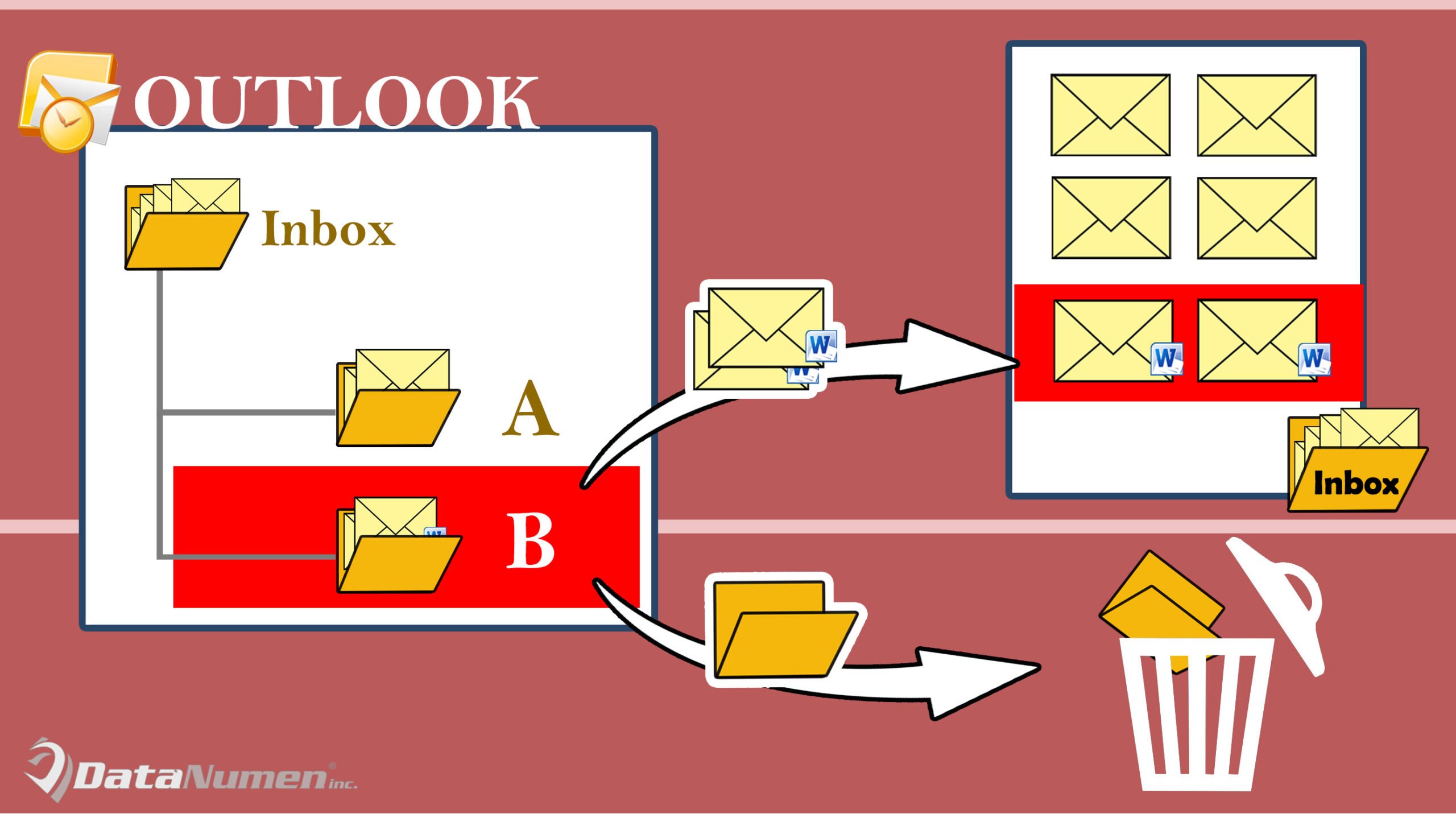
在刪除文件夾之前將其自動移動到其父文件夾中
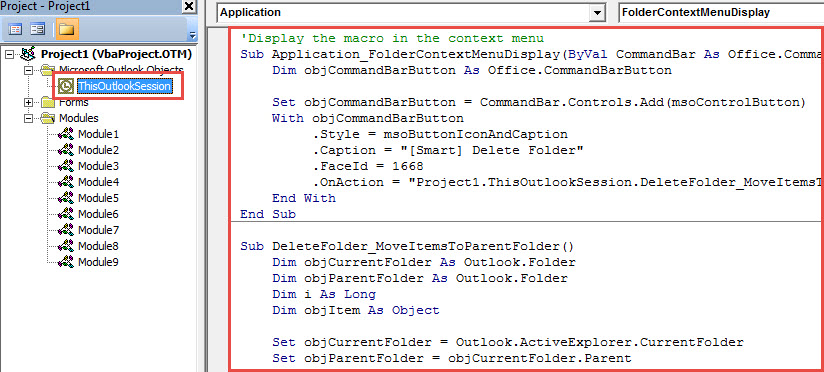
- 首先,通過“ Alt + F11”訪問Outlook VBA編輯器。
- 然後,在新窗口中,打開“ ThisOutlookSession”項目。
- 隨後,將以下VBA代碼複製並粘貼到該項目中。
'Display the macro in the context menu
Sub Application_FolderContextMenuDisplay(ByVal CommandBar As Office.CommandBar, ByVal Folder As Outlook.Folder)
    Dim objCommandBarButton As Office.CommandBarButton

    Set objCommandBarButton = CommandBar.Controls.Add(msoControlButton)
    With objCommandBarButton
         .Style = msoButtonIconAndCaption
         .Caption = "[Smart] Delete Folder"
         .FaceId = 1668
         .OnAction = "Project1.ThisOutlookSession.DeleteFolder_MoveItemsToParentFolder"
    End With
End Sub

Sub DeleteFolder_MoveItemsToParentFolder()
    Dim objCurrentFolder As Outlook.Folder
    Dim objParentFolder As Outlook.Folder

    Set objCurrentFolder = Outlook.ActiveExplorer.CurrentFolder
    Set objParentFolder = objCurrentFolder.Parent

    Dim i As Long
    'Move items to parent folder
    For i = objCurrentFolder.Items.Count To 1 Step -1
        objCurrentFolder.Items.Item(i).Move objParentFolder
    Next

    'Delete the current folder
    objCurrentFolder.Delete
End Sub
- 之後,您可以立即射擊。
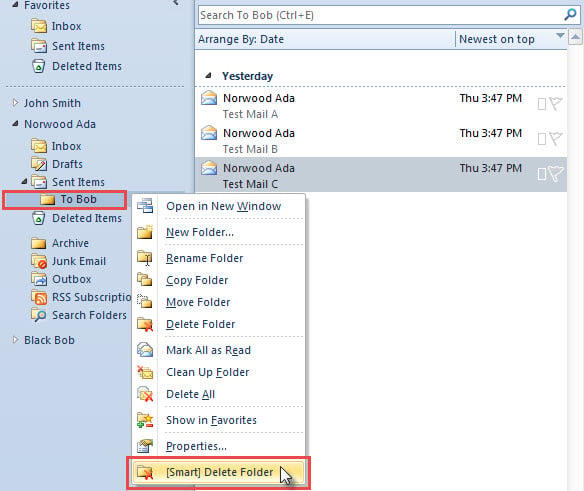
- 首先,右鍵單擊要刪除的子文件夾。
- 然後,從上下文菜單中選擇“ [智能]刪除文件夾”選項。

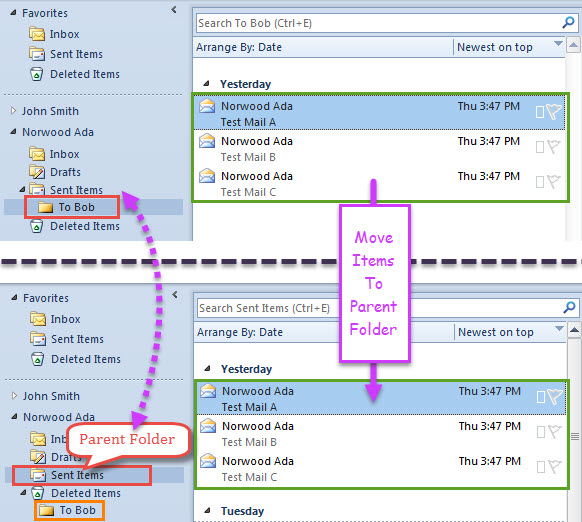
- Outlook將立即刪除該文件夾,並將其項目移至其父文件夾。
- 在我的實例中,我刪除了“ To Bob”子文件夾。 它的父文件夾是“已發送郵件”。 因此,其所有項目已移至“已發送項目”,如以下屏幕截圖所示。

請注意,Outlook容易受到攻擊
您應該牢記一個毋庸置疑的事實– Outlook容易出錯或損壞。 因此,您必須提防Outlook數據文件周圍的所有潛在威脅,包括病毒,不當退出等。 此外,您最好準備一個功能強大且可信的Outlook修復工具,例如 DataNumen Outlook Repair。 它可以幫助您 修復Outlook 數分鐘之內的問題
作者簡介:
Shirley Zhang是的數據恢復專家 DataNumen,Inc.是數據恢復技術的全球領導者,包括 mdf修復 和Outlook修復軟件產品。 欲了解更多信息,請訪問 萬維網。datanumen.COM