
在 Outlook 中轉發電子郵件時,原始寄件者和收件者的電子郵件地址會包含在郵件正文中。出於安全考慮,此時最好刪除這些地址。本文將教您如何讓 Outlook 自動執行此操作。
在許多情況下,您需要將一些電子郵件轉發給其他人。 默認情況下,原始電子郵件的標題將顯示在轉發電子郵件的正文中。 標題將包括原始發件人和收件人的電子郵件地址。 此時,出於安全或隱私考慮,您可能要刪除這些電子郵件地址。 但是,手動刪除它們太繁瑣了。 因此,在這裡我們將指導您使Outlook代表您自動完成此任務。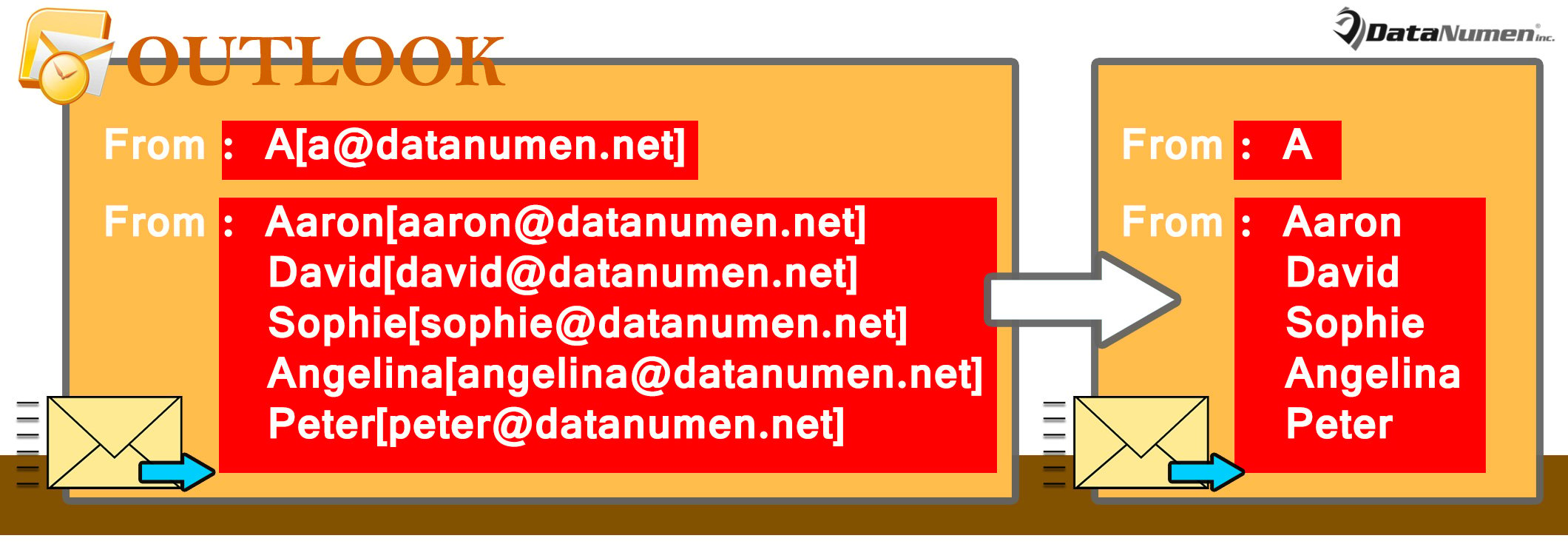
轉發電子郵件時自動刪除原始發件人和收件人的電子郵件地址
- 首先,啟動 Outlook。
- 然後,按“ Alt + F11”鍵按鈕訪問VBA編輯器。
- 接下來,將以下VBA代碼複製到“ ThisOutlookSession”項目中。
Public WithEvents objExplorer As Outlook.Explorer
Public WithEvents objInspectors As Outlook.Inspectors
Public WithEvents objMail As Outlook.MailItem

Private Sub Application_Startup()
    Set objExplorer = Outlook.Application.ActiveExplorer
    Set objInspectors = Outlook.Application.Inspectors
End Sub

Private Sub objExplorer_Activate()
    On Error Resume Next
    If objExplorer.Selection.Item(1).Class = olMail Then
       Set objMail = objExplorer.Selection.Item(1)
    End If
End Sub

Private Sub objInspectors_NewInspector(ByVal Inspector As Inspector)
    If Inspector.CurrentItem.Class = olMail Then
       Set objMail = Inspector.CurrentItem
    End If
End Sub

Private Sub objMail_Forward(ByVal Forward As Object, Cancel As Boolean)
    Dim objRegExp As Object
    Dim strHTMLBody As String

    Forward.Display
    strHTMLBody = Forward.HTMLBody

    'Find email addresses in the body via Regular Expression
    Set objRegExp = CreateObject("vbscript.RegExp")
    With objRegExp
        .Pattern = "(?:[a-z0-9!#$%&'*+/=?^_`{|}~-]+(?:\.[a-z0-9!#$%&'*+/=?^_`{|}~-]+)*|""(?:[\x01-\x08\x0b\x0c\x0e-\x1f\x21\x23-\x5b\x5d-\x7f]|\\[\x01-\x09\x0b\x0c\x0e-\x7f])*"")@(?:(?:[a-z0-9](?:[a-z0-9-]*[a-z0-9])?\.)+[a-z0-9](?:[a-z0-9-]*[a-z0-9])?|\[(?:(?:25[0-5]|2[0-4][0-9]|[01]?[0-9][0-9]?)\.){3}(?:25[0-5]|2[0-4][0-9]|[01]?[0-9][0-9]?|[a-z0-9-]*[a-z0-9]:(?:[\x01-\x08\x0b\x0c\x0e-\x1f\x21-\x5a\x53-\x7f]|\\[\x01-\x09\x0b\x0c\x0e-\x7f])+)\])"
        .IgnoreCase = True
        .Global = True
    End With

    'Remove email addresses
    If objRegExp.Test(strHTMLBody) Then
       Set objFoundResults = objRegExp.Execute(strHTMLBody)
       For i = 1 To objFoundResults.Count
           Forward.HTMLBody = Replace(Forward.HTMLBody, objFoundResults.Item(i - 1).Value, "")
       Next
    End If

    'Remove useless characters
    Forward.HTMLBody = Replace(Forward.HTMLBody, "[mailto:]", "")
    Forward.HTMLBody = Replace(Forward.HTMLBody, "()", "")
End Sub
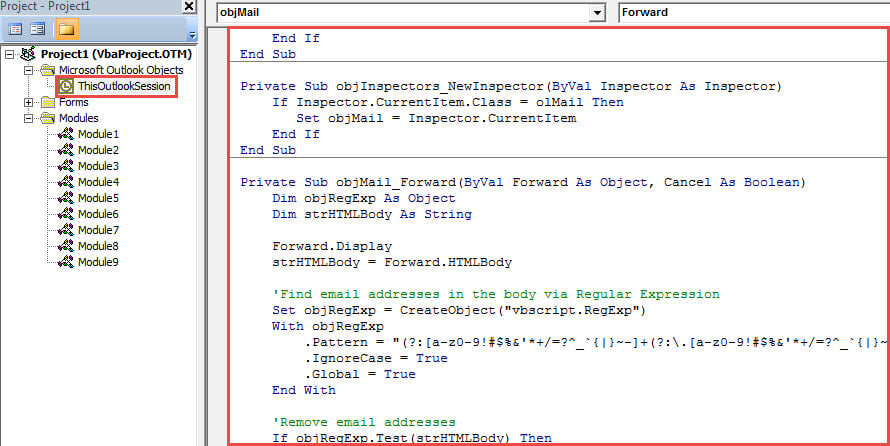
- 之後,重新啟動 Outlook 程式以啟動此新巨集。
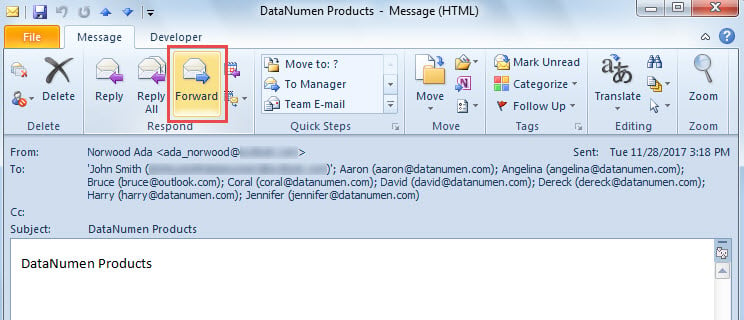
- 最終,您可以嘗試一下:
- 選擇或打開電子郵件。
- 然後,單擊“響應”組中的“轉發”按鈕。

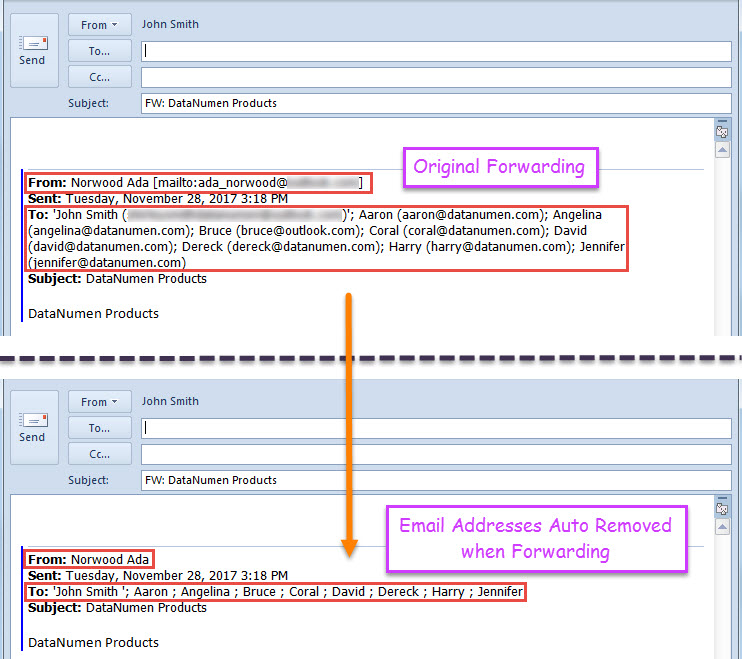
- 最後,將顯示新的轉發電子郵件,其中原始發件人和收件人的電子郵件地址已被刪除。

在展望腐敗的情況下冷靜下來
當您在Outlook中遇到任何問題時,您可能會感到恐慌,害怕 Outlook損壞。 但是,老實說,匆忙和擔心通常會給Outlook帶來很多其他問題。 因此,在相關情況下不要驚慌,而要保持冷靜。 而且,如果您保留了強大的PST修復工具,例如 DataNumen Outlook Repair,您只需使用它即可解決Outlook問題。
作者簡介:
Shirley Zhang是的數據恢復專家 DataNumen,Inc.是數據恢復技術的全球領導者,包括 修復SQL 和Outlook修復軟件產品。 欲了解更多信息,請訪問 萬維網。datanumen.COM