
Con el convertidor UTM, puede convertir fácilmente las coordenadas UTM en valores de latitud y longitud. Una coordenada Universal Transverse Mercator (UTM) se compone de un número de zona, un este, un norte y un hemisferio (N / S).
Descargar Ahora
Si desea comenzar a utilizar el software lo antes posible, puede:
De lo contrario, si desea hacer bricolaje, puede leer el contenido a continuación.
Preparemos la GUI
Como se muestra en la imagen, deje las primeras 4 filas de la hoja de cálculo para almacenar el Datum del mapa, la Zona y el Hemisferio. Estos 3 valores se utilizarán para todas las filas de la hoja de cálculo. En la fila 5, comenzando desde la columna A, agregue estos valores como encabezados.
- DLS_CLAVE
- RM
- DIRECCIÓN DEL ESTE
- NORTE
- LATITUD
- LONGITUD
Se ingresa el valor en las Columnas A a la Columna D y la salida, es decir, Latitud y Longitud se muestra en las Columnas E y F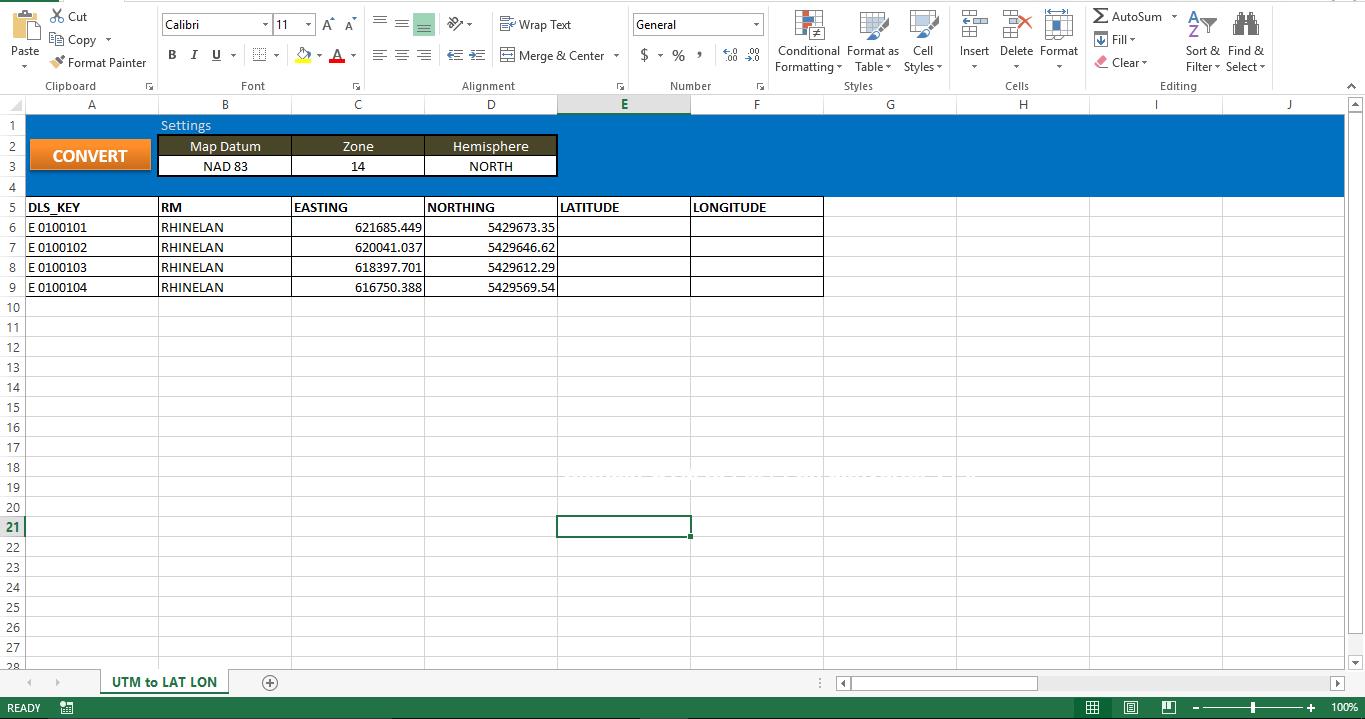
Hagámoslo funcional
Copie el script en un módulo nuevo y adjunte la macro al botón de la Hoja. Asegúrese de que su máquina tenga Internet Explorer. Sin IE, este script no funcionará.
Vamos a probarlo
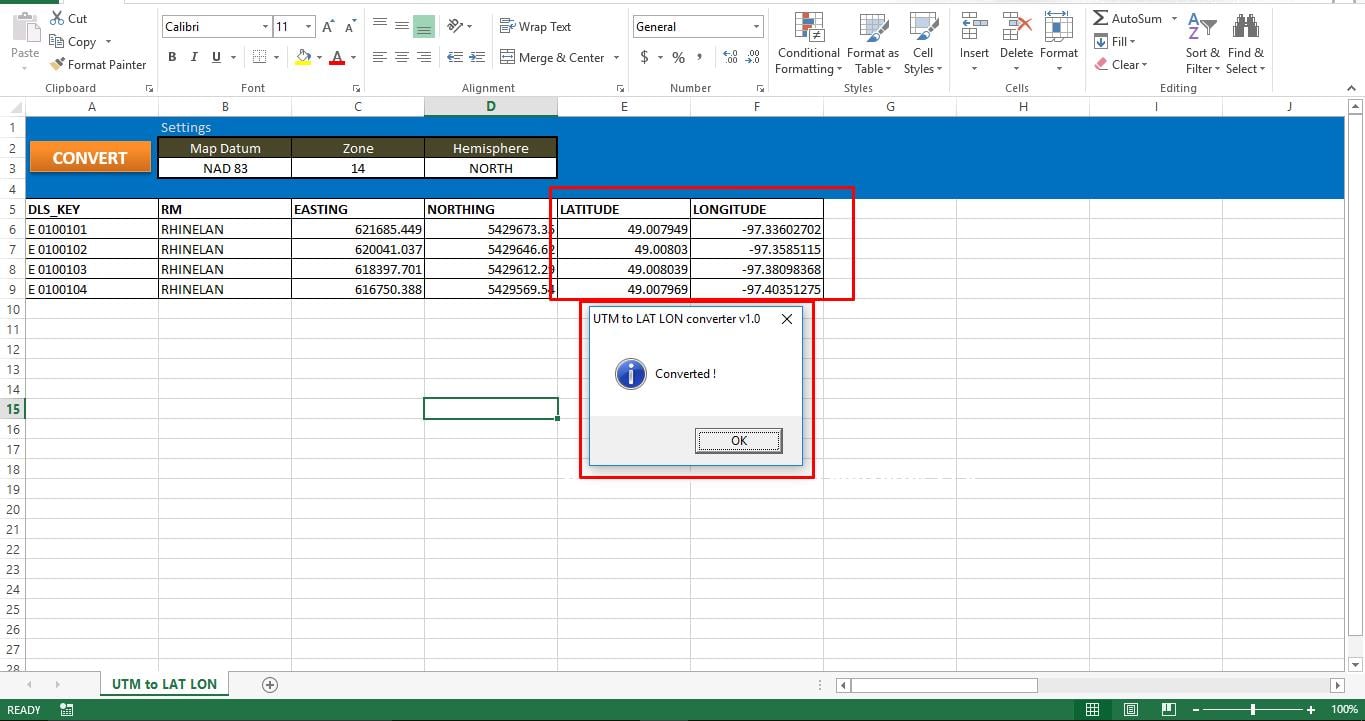
Cuando ejecuta la macro, puede rastrear fácilmente el estado desde la barra de estado de su aplicación Excel. Como hemos inducido manualmente una pausa entre cada conversión, la macro se tomará el tiempo para convertir todas sus coordenadas UTM en valores Lat y Long. Cuando se procesan todos los registros, puede ver un mensaje emergente en la pantalla. Si la macro no puede guardar datos en hojas, podría deberse a daños en su archivo de Excel. Reparar archivo de Excel dañado y vuelva a ejecutar el script.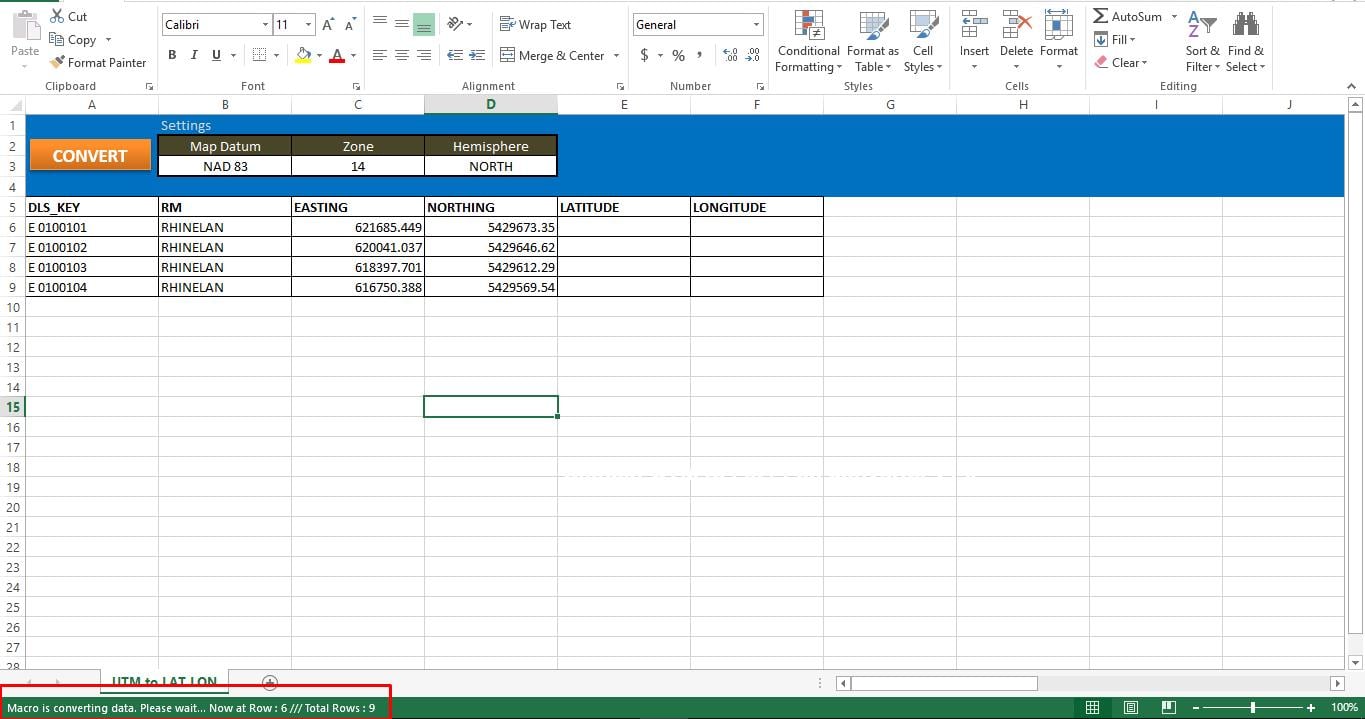
Guión:
Sub UTM_Converter()

' Place all your declarations here
    Dim i As Long
    Dim browobject As Object
    Dim obj1 As Object
    Dim obj2 As Object

    Set browobject = CreateObject("InternetExplorer.Application")

    browobject.Visible = False

'Process each row in the excle till the macro meets the last used row
    For r = 6 To 9

' Navigate to the URL to process data
        browobject.navigate "http://www.rcn.montana.edu/resources/converter.aspx"

' Inform Users about the status
        Application.StatusBar = "Macro is converting data. Please wait... Now at Row : " & r & " /// Total Rows : " & Sheets("UTM to LAT LON").Range("C" & Rows.Count).End(xlUp).Row

' As this is dynamic, we have to wait for the browobject to process input and generate output
        Do While browobject.Busy
            Application.Wait DateAdd("s", 1, Now)
        Loop
        Application.Wait (Now() + TimeValue("00:00:02"))

'Lets populate the form
        browobject.document.getElementById("mapDatum").Value = "1"
        browobject.document.getElementById("utmZone").Value = "14"
        browobject.document.getElementById("utmHemi").Value = "N"
'utmEasting
        browobject.document.getElementById("utmEasting").Value = Sheets("UTM to LAT LON").Range("C" & r).Value
'utmNorthing
        browobject.document.getElementById("utmNorthing").Value = Sheets("UTM to LAT LON").Range("D" & r).Value

        Set obj2 = browobject.document.getElementsByTagName("input")
        v_length = 0
        While v_length < obj2.Length
            If obj2(v_length).Value = "Convert Standard UTM" Then
                GoTo comehere
            End If
            v_length = v_length + 1
        Wend

        comehere:
        obj2(v_length).Click
' Wait while browobject loading...
        Do While browobject.Busy
            Application.Wait DateAdd("s", 1, Now)
        Loop
        Application.Wait (Now() + TimeValue("00:00:02"))

'Show converted data on the sheet
        Sheets("UTM to LAT LON").Range("F" & r).Value = browobject.document.getElementById("decimalLongitude").Value
        Sheets("UTM to LAT LON").Range("E" & r).Value = browobject.document.getElementById("decimalLatitude").Value

    Next r

' Show browobject
    browobject.Visible = False
    browobject.Quit

' Clean up
    Set browobject = Nothing
    Set obj1 = Nothing
    Set obj2 = Nothing

    Application.StatusBar = ""
'Inform User that entire process was completed
    MsgBox "Converted !", vbInformation, "UTM to LAT LON converter v1.0"
End Sub
Introducción del autor:
Nick Vipond es un experto en recuperación de datos en DataNumen, Inc., que es el líder mundial en tecnologías de recuperación de datos, incluyendo reparar archivo doc y productos de software de recuperación de Outlook. Para más información visite www.datanumen.com