
1. Giriş
Bugünkü rəqəmsal dünyada məlumatlar kraldır və məlumatları idarə etmək və təhlil etmək imkanı əhəmiyyətli bir üstünlük ola bilər. Oracle DB geniş istifadə olunan relyasiya verilənlər bazası sistemidir, lakin Excel-in istifadəçi dostu interfeysi və qabaqcıl məlumatların manipulyasiyası imkanları onu məlumatların təhlili və hesabatı üçün üstünlük verilən bir vasitəyə çevirir.
1.1 Oracle-ı Excel-ə çevirmə alətinin əhəmiyyəti
Oracle DB öz məlumat təhlili və manipulyasiya alətləri dəstini təklif edir, lakin əsasən verilənlər bazası idarəetmə sistemi olduğundan, Excel-in təklif etdiyi bəzi qabaqcıl məlumat təhlili və vizuallaşdırma imkanlarından məhrumdur. "Oracle-ı Excel-ə Çevir" alətləri məlumatları Oracle DB-dən Excel-ə problemsiz şəkildə köçürmək üçün bir vasitə təmin etməklə bu boşluğu aradan qaldırır. Bu alətlər yalnız məhsuldarlığı artırmaqla yanaşı, istifadəçilərə Oracle DB-dən götürülmüş məlumatlar üzərində şərti formatlama, pivot cədvəlləri, diaqramlar və daha çox kimi Excel-in güclü xüsusiyyətlərindən istifadə etməyə imkan verir.
1.2 Excel fayllarını təmir edin
Excel istifadəçisi olaraq sizə də edə biləcək effektiv alət lazımdır Excel fayllarını təmir edinKimi DataNumen Excel Repair:
1.3 Bu müqayisənin məqsədləri
Bu müqayisənin məqsədi ən yaxşı "Oracle-ı Excel-ə Çevir" alətlərinin bəzilərinin hərtərəfli icmalını təqdim etməkdir. Bu, hər bir alətin funksionallığını, üstünlüklərini və məhdudiyyətlərini anlamağınıza kömək etmək üçün hazırlanmışdır. Bu məlumatla tələblərinizə ən yaxşı cavab verən bir alət seçə biləcəksiniz. Bundan əlavə, bu müqayisə hər bir alətin onu digərlərindən fərqləndirən unikal xüsusiyyətlərinə dair bir fikir təqdim edəcəkdir.
2. Oracle üçün dbForge Studio Oracle məlumatlarını Excel-ə ixrac edin
dbForge Studio, istifadəçilərə sadə və mürəkkəb olmayan bir prosedurla Oracle-dan Excel-ə məlumatları ixrac etməyə imkan verən Oracle DB üçün çox yönlü və istifadəçi dostu bir vasitədir. Excel, CSV, XML və daha çox daxil olmaqla birdən çox formatda məlumatları ixrac etmək üçün rahatlıq təmin edir.
dbForge Studio ilə istifadəçilər məlumatların itirilməsindən narahat olmadan Oracle DB-dən məlumatları çıxara və Excel-ə köçürə bilərlər. Bu, məlumatların təhlükəsiz ötürülməsini təmin edir. İxrac edilən məlumatlar Excel-də qabaqcıl məlumat analitikası və hesabatlar yaratmaq üçün istifadə edilə bilər. Bundan əlavə, təkrarlanan tapşırıqlar zamanı xeyli vaxta qənaət edən məlumatların ixrac prosesini avtomatlaşdırmaq üçün bir xüsusiyyət təqdim edir.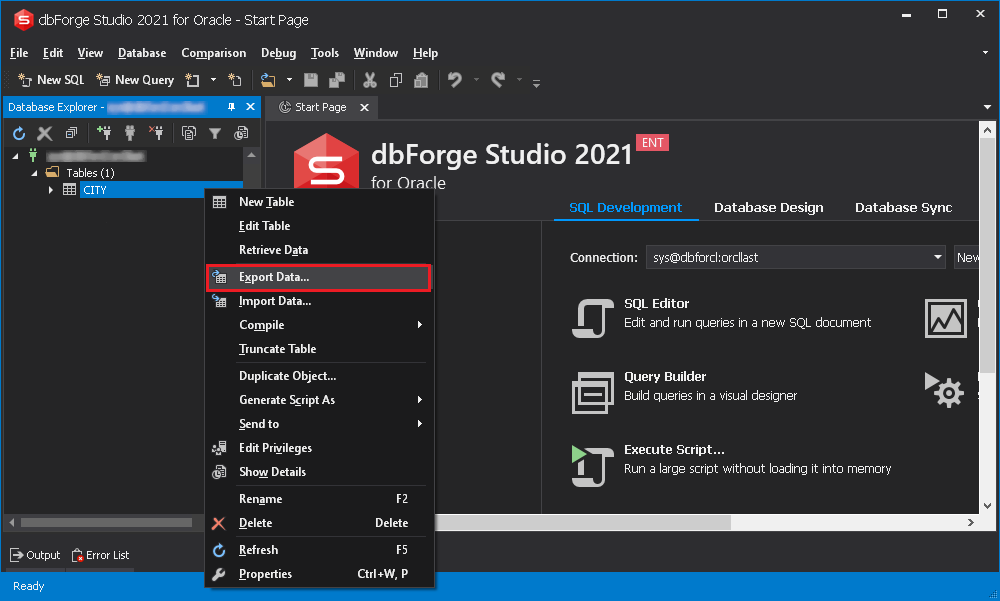
2.1 Müsbət
- Birdən çox format: Excel, HTML, XML, CSV və s. kimi müxtəlif formatlarda məlumatları ixrac etmək seçimini təmin edir.
- Avtomatlaşdırma: Məhsuldarlığı artıraraq gündəlik işləri avtomatlaşdırmağa imkan verir.
- Rahat GUI: İstifadəsi asan interfeys təklif edərək, onu həm texnologiyadan anlayan istifadəçilər, həm də yeni başlayanlar üçün əlçatan edir.
2.2 Minuslar
- Qiymət: Digər alətlərlə müqayisədə, dbForge Studio, xüsusən də kiçik müəssisələr üçün daha bahalı bir seçim ola bilər.
- Uyğunluq problemləri: Bəzən Oracle-ın müəyyən versiyaları ilə uyğunluqla bağlı narahatlıqlar barədə məlumatlar daxil olub.
3. Oracle-dan Excel-ə Ağıllı Çeviricilər
Intelligent Converters, Oracle DB məlumatlarını Excel-ə ixrac etmək üçün xüsusi bir vasitədir. O, Oracle və Excel-in bütün versiyalarını dəstəkləyir və məlumat ötürülməsi zamanı məlumatların bütövlüyünü qoruyur.
Intelligent Converters, məlumatların Oracle DB-dən Excel-ə ötürülməsi üçün sadə, lakin güclü bir vasitədir. Məlumat ixrac etmə qabiliyyəti ilə yanaşı, indekslər və ilkin açarlar da daxil olmaqla orijinal Oracle məlumatlarının formatlanmasını da saxlayır. Bu, müstəqil bir tətbiqdir, yəni işləməsi üçün əlavə kitabxanalara ehtiyac yoxdur və bu da onu rahat bir seçim halına gətirir.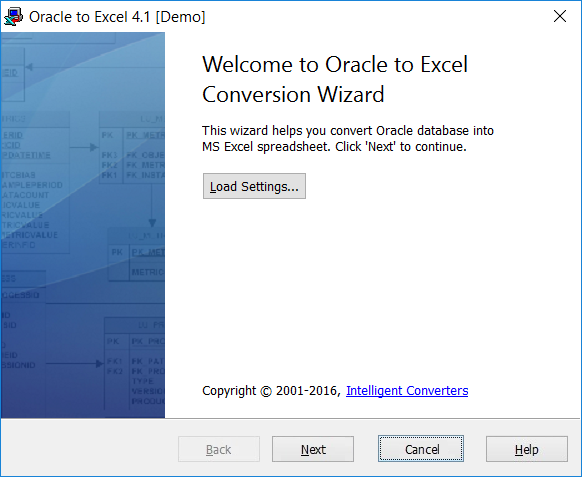
3.1 Müsbət
- Uyğunluq: Oracle və Excel-in bütün versiyalarını dəstəkləyir.
- Məlumatların bütövlüyü: Konversiya zamanı məlumat strukturunu və formatını qoruyur.
- Müstəqil: İşləmək üçün əlavə kitabxana və ya proqram təminatı tələb etmir.
3.2 Minuslar
- Avtomatlaşdırma yoxdur: Məlumatların çevrilməsi prosesinin avtomatlaşdırılması üçün seçim təklif etmir.
- Məhdud xüsusiyyətlər: Digər alətlərlə müqayisədə daha az funksiya təmin edir.
4. Withdata Software OracleToExcel
Withdata Software OracleToExcel, məlumatları Oracle DB-dən Excel-ə problemsiz və səmərəli şəkildə ixrac etmək üçün xüsusi olaraq hazırlanmış peşəkar bir vasitədir.
Withdata Software şirkətinin OracleToExcel proqramı məlumatların Oracle-dan Excel-ə təhlükəsiz və sürətli çevrilməsini həyata keçirir. Bu proqram, istifadəçilərə eyni anda birdən çox cədvəl ixrac etməyə imkan verən toplu emal kimi fərqli xüsusiyyəti ilə seçilir. Həmçinin, məlumatların ötürülməsi prosesi zamanı məlumatları hər hansı bir itki və ya dəyişiklikdən qoruyur.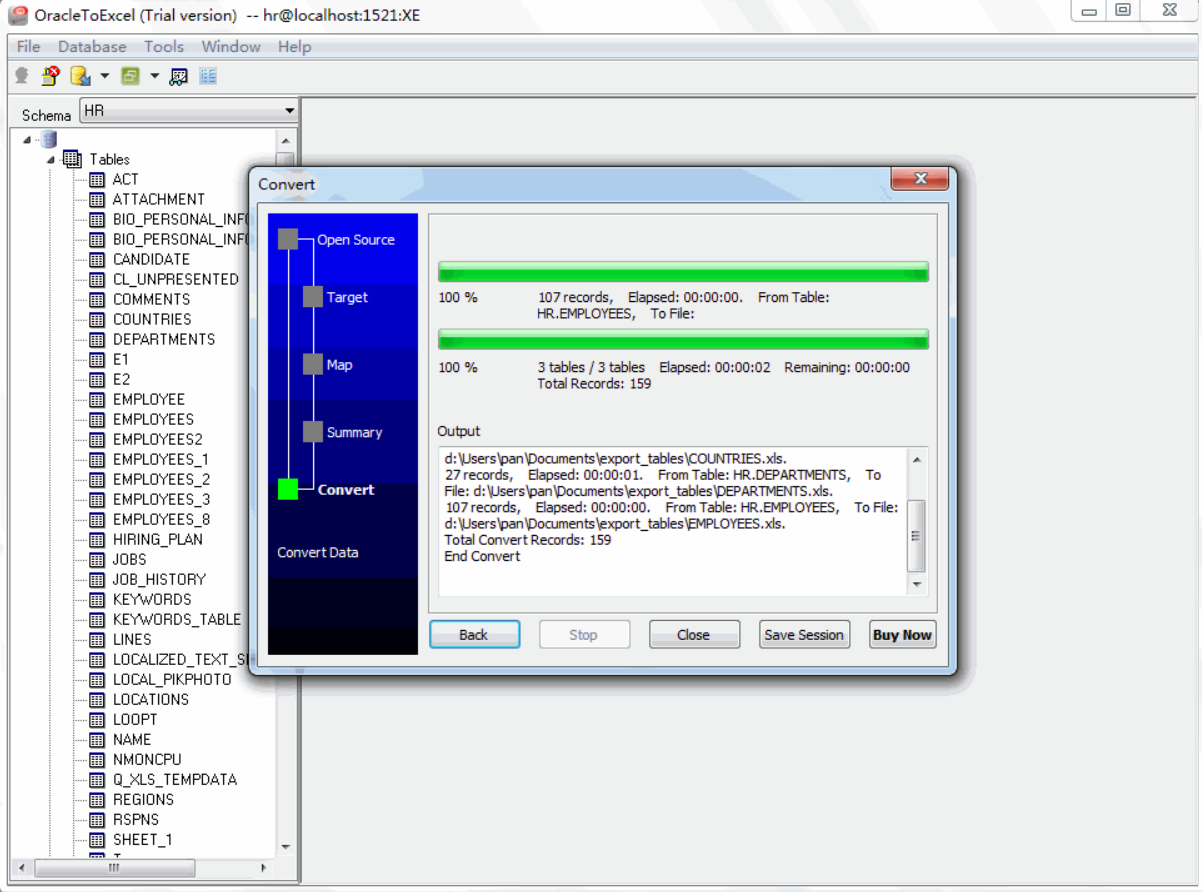
4.1 Müsbət
- Batch Processing: Alət istifadəçilərə çox vaxta qənaət edərək birdən çox cədvəli köçürməyə imkan verir.
- Effektiv: Sürətli və təhlükəsiz məlumat ötürülməsini təmin edir.
- Özelleştirilebilir: İstifadəçilərə tələblərinə uyğun olaraq məlumat ötürülməsini tənzimləməyə imkan verir.
4.2 Minuslar
- Mürəkkəb interfeys: İstifadəçilər interfeysi bir az mürəkkəb tapa bilər, xüsusən də yenidirlər.
- Məhdud format dəstəyi: O, yalnız Excel-ə məlumatların ixracını dəstəkləyir, başqa formatlara deyil.
5. Spectral Core FullConvert Oracle-ı Excel-ə çevirin
Spectral Core FullConvert, Oracle istifadəçilərinə məlumatlarını təhlükəsiz şəkildə ixrac etməyə kömək etmək üçün hazırlanmış güclü bir vasitədir. üstün olmaq məlumatların bütövlüyünə və sürətinə xələl gətirmədən.
Spectral Core FullConvert, Oracle verilənlər bazasını Excel-ə problemsiz çevirmə təklif edir. Genişmiqyaslı məlumatların köçürülməsi üçün qurulmuşdur və milyonlarla qeydi sürətlə idarə edə bilir. Alət, istifadəçilərə çevirmə prosesini ətraflı səviyyədə idarə etməyə imkan verən qabaqcıl özelleştirme seçimləri təklif edir. Həmçinin, İT mütəxəssisləri üçün istifadə rahatlığını genişləndirərək əmr sətri əməliyyatını dəstəkləyir.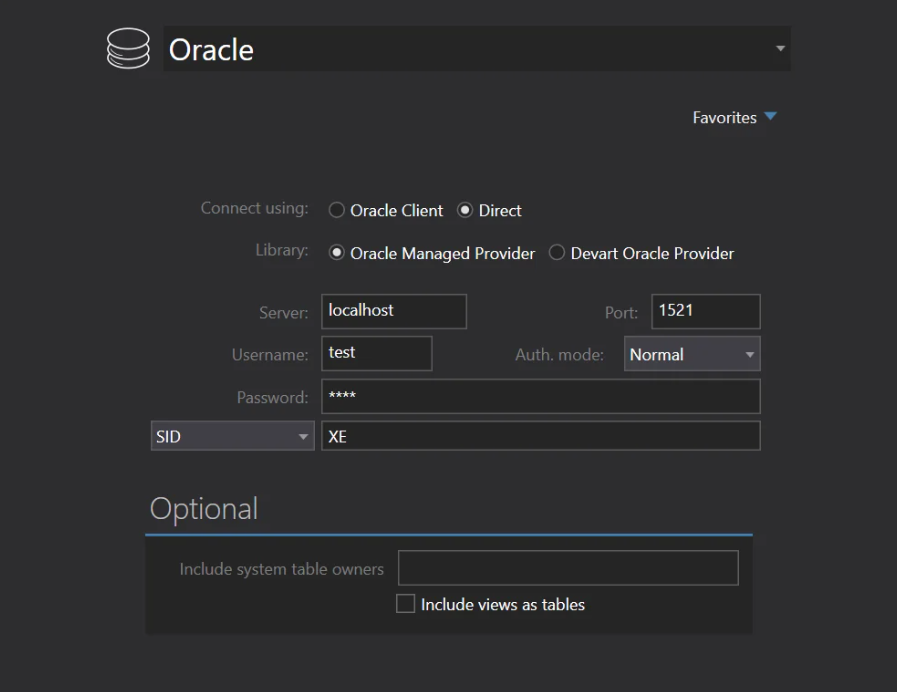
5.1 Müsbət
- Komanda xətti əməliyyatı: Texniki bilikləri olan istifadəçilər üçün praktiki seçim təklif edən komanda xətti interfeysi vasitəsilə istifadə edilə bilər.
- Bacarıq: Böyük miqyaslı məlumat çevrilmələrini səmərəli şəkildə idarə edə bilir.
- Qranul Nəzarət: İstifadəçilər məlumatların çevrilməsi prosesinin əhatə dairəsini və həcmini idarə edə bilərlər.
5.2 Minuslar
- Öyrənmə əyrisi: Daha az intuitiv interfeys öyrəşmək üçün vaxt tələb edir.
- Qiymət: Yüksək səviyyəli funksiyalar nisbətən yüksək qiymət etiketi ilə gəlir.
6. SoftDeluxe Oracle-dan Excel-ə
SoftDeluxe Oracle to Excel, Oracle DB məlumatlarını Excel formatına ixrac etmək üçün istifadəçi dostu bir vasitədir və bu da onu çoxsaylı müəssisələr və fərdlər üçün əlçatan edir.
SoftDeluxe Oracle-dan Excel-ə keçid sadəlik və funksionallığın əlamətidir. Geniş texniki bilik tələb etmədən Oracle-dan Excel-ə məlumatların əngəlsiz çevrilməsini təmin etmək üçün hazırlanmışdır. Güclü imkanlarla yanaşı intuitiv interfeys təqdim edən bu xidmət, yeni başlayanlardan tutmuş peşəkarlara qədər bütün istifadəçi növləri üçün uyğundur.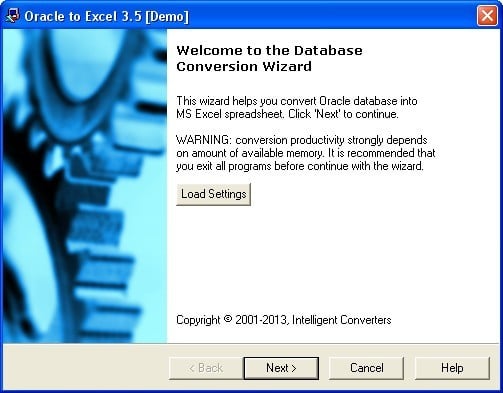
6.1 Müsbət
- İstifadəçi dostu interfeys: O, sadə, lakin effektiv GUI təklif edir, öyrənmə əyrisini azaldır və onun istifadəsini artırır.
- Effektiv və Etibarlı: Məlumatların bütövlüyünü təmin edərək, sürətli və etibarlı məlumat ötürülməsini təmin edir.
- Əlverişli: Rəqibləri ilə müqayisədə daha səmərəli bir həll yolu təqdim edir.
6.2 Minuslar
- Məhdud Fərdiləşdirmə: Bəzi digər alətlər kimi geniş fərdiləşdirmə seçimləri təklif etmir.
- Komanda xətti dəstəyi yoxdur: yüksək səviyyəli istifadəçilər üçün çətin ola biləcək komanda xətti əməliyyatına icazə vermir.
7. OracleToExcel
OracleToExcel, Oracle DB məlumatlarının Excel-ə rahat ötürülməsini asanlaşdırmaq üçün hazırlanmış sadə bir proqramdır. İstifadə rahatlığı və sabit performansı ilə tanınır.
OracleToExcel sadə dizaynı və sadə işləməsi ilə tanınır. Hətta təcrübəsiz istifadəçilər belə, Oracle DB məlumatlarını Excel-ə köçürmək üçün bu proqramdan istifadə edə bilərlər. Bu proqram, köçürmə zamanı məlumatların bütövlüyünü təmin edir və məlumat obyektlərinin manipulyasiyasında əhəmiyyətli dərəcədə nəzarət təklif edir.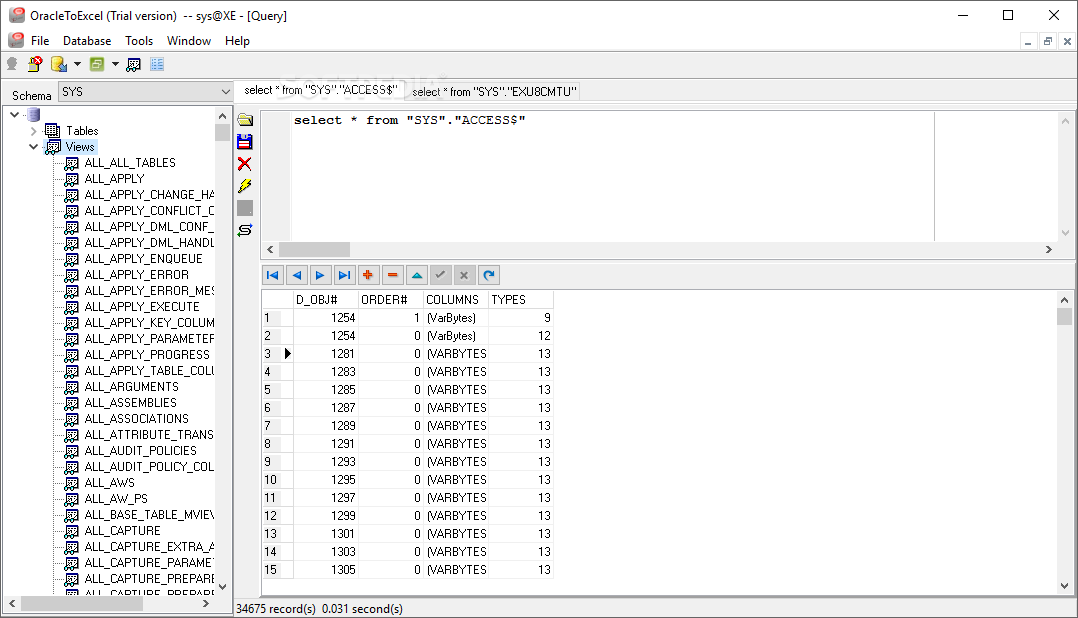
7.1 Müsbət
- İstifadəsi asan: Onun sadələşdirilmiş interfeysi istifadəçilərin proqram vasitəsilə manevr etmələrini çox asanlaşdırır.
- Data Integrity: O, ötürmə zamanı orijinal məlumatın bütövlüyünün qorunmasını təmin edir.
- Məlumat Obyektlərinə Nəzarət: İstifadəçilər ötürmə üçün xüsusi məlumat obyektlərinin seçilməsində kifayət qədər nəzarətə malikdirlər.
7.2 Minuslar
- Məhdud Xüsusiyyətlər: O, əsas funksiyalar dəstini təklif edir və digər alətlərdə olan qabaqcıl seçimlərdən məhrumdur.
- Avtomatlaşdırma Yoxdur: Təkrarlanan tapşırıqları avtomatlaşdırmaq üçün daxili xüsusiyyətə malik deyil ki, bu da müntəzəm istifadəçilər üçün çatışmazlıq ola bilər.
8. Sobolsoft Excel Oracle İdxal, İxrac və Çevirmə Proqramı
Adından da göründüyü kimi, Sobolsoft Excel Oracle İdxal, İxrac və Çevirmə Proqramı, Oracle DB və Excel arasında məlumatların asan, təhlükəsiz və səmərəli ötürülməsini təmin edən çoxfunksiyalı bir proqramdır.
Sobolsoft Excel Oracle İdxal, İxrac və Çevirmə Proqramı, Excel və Oracle DB arasında məlumat ötürülməsi ilə bağlı tapşırıqları asanlaşdırır. Bu proqram istifadəçilərə çevrilmə üçün xüsusi məlumatları seçməyə imkan verir və yüksək dərəcədə nəzarət təklif edir. O, yalnız Oracle məlumatlarını Excel-ə ixrac etməklə məhdudlaşmayaraq, həm də idxal və çevrilməni asanlaşdıraraq daha geniş spektrli məlumat çevrilməsi ehtiyaclarını ödəmək qabiliyyəti ilə seçilir.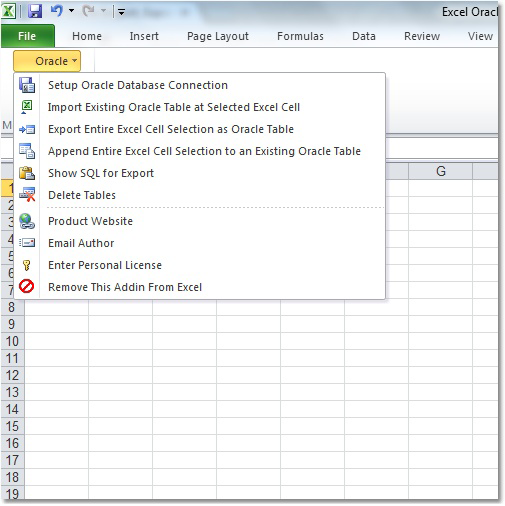
8.1 Müsbət
- Çoxfunksiyalı: Oracle-ı Excel-ə ixrac etməklə yanaşı, ikisi arasında məlumatların idxalını və çevrilməsini də dəstəkləyir.
- İstifadəçi Nəzarəti: İstifadəçilərə hansı məlumatların çevriləcəyini seçmək üçün rahatlıq verir.
- Ardıcıllıq: Sürətli və dəqiq məlumat çevrilməsini təmin edən ardıcıl performans təmin edir.
8.2 Minuslar
- Kompleks interfeys: İnterfeys yeni başlayanlar və ya texniki olmayan istifadəçilər üçün çaşdırıcı ola bilər.
- Məhdud Dəstək: Oracle və Excel-in müəyyən versiyaları ilə uyğun olmaya bilər.
9. SQL Maestro Oracle Məlumat Sihirbazı
SQL Maestro Oracle Data Wizard, məlumatların çevrilməsi üçün hərtərəfli bir yanaşma təklif edərək, Oracle məlumatlarını Excel-ə peşəkarcasına çevirən güclü çoxfunksiyalı bir vasitədir.
SQL Maestro Oracle Data Wizard məlumatların çevrilməsi üçün geniş xüsusiyyətləri ilə seçilir. O, yalnız məlumatları Oracle-dan Excel-ə ixrac etmir, həm də məlumatları idxal etmək, onları çevirmək və hərtərəfli məlumatların idarə edilməsi imkanları təklif edir. Bundan əlavə, bu sehrbaz əsaslı alət istifadə rahatlığını artıran SQL skriptlərinin vizual quruluşunu təklif edir.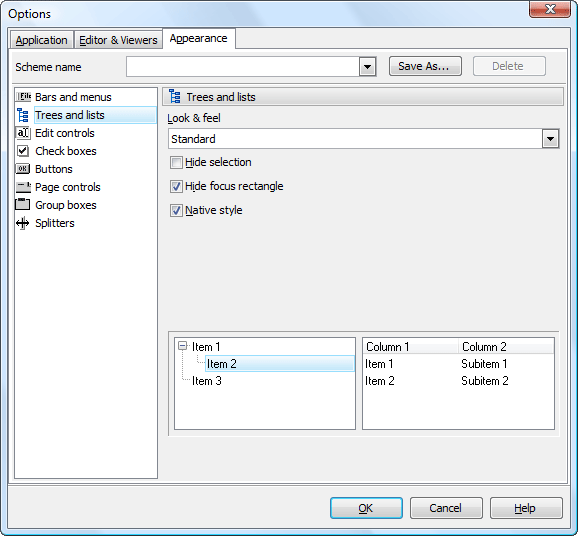
9.1 Müsbət
- Çoxfunksiyalı: O, verilənlərin idxalı/ixracı, məlumatların dəyişdirilməsi və SQL skriptlərinin qurulması daxil olmaqla müxtəlif funksiyaları təmin edir.
- İstifadəçi dostu: Sehrbaz əsaslı interfeysi ilə məlumatların çevrilməsi daha asan olur.
- Çox yönlü: Excel ilə məhdudlaşmayan müxtəlif məlumat formatlarını dəstəkləyir.
9.2 Minuslar
- Öyrənmə əyrisi: Güclü olsa da, yeni başlayanlar əvvəlcə ondan istifadə etməkdə çətinlik çəkə bilər.
- Bahalı: Xüsusiyyətlərin çeşidi digər sadə alətlərlə müqayisədə daha yüksək qiymətə malikdir.
10. Xülasə
Müxtəlif Oracle və Excel çevirmə alətlərini müqayisə etdikdən sonra aydın olur ki, hər bir məhsulun öz güclü və zəif tərəfləri var. Buna görə də, düzgün aləti seçərkən xüsusi tələblərinizi, büdcənizi və texniki bacarıqlarınızı nəzərə almaq vacibdir.
10.1 Ümumi Müqayisə Cədvəli
| Alət | Xüsusiyyətləri | İstifadə rahatlığı | qiymət | Müştəri dəstəyi |
|---|---|---|---|---|
| Oracle üçün dbForge Studio Oracle məlumatlarını Excel-ə ixrac edin | Multiformat, Avtomatlaşdırma, GUI | Yüksək | Orta dərəcədə yüksəkdir | yaxşı |
| Oracle-dan Excel-ə Ağıllı Çeviricilər | Uyğunluq, Məlumatların bütövlüyü, Bağımsız | Mühit | Aşağı | orta |
| Withdata Software OracleToExcel | Toplu emal, səmərəli, fərdiləşdirilə bilən | Mühit | Mühit | yaxşı |
| Spectral Core FullConvert Oracle-ı Excel-ə çevirin | Komanda xətti, Tutum, Qranul Nəzarət | Aşağı | Yüksək | yaxşı |
| SoftDeluxe Oracle-dan Excel-ə | İstifadəçi dostu, Effektiv, Əlverişli | Yüksək | Aşağı | orta |
| OracleToExcel | İstifadəsi asan, verilənlərin tamlığı, verilənlər obyektlərinə nəzarət | Yüksək | Mühit | yaxşı |
| Sobolsoft Excel Oracle İdxal, İxrac və Çevirmə Proqramı | Çoxfunksiyalı, İstifadəçi Nəzarəti, Davamlılıq | Mühit | Mühit | yaxşı |
| SQL Maestro Oracle Məlumat Sihirbazı | Çoxfunksiyalı, İstifadəçi dostu, Çox yönlü | Mühit | Yüksək | yaxşı |
10.2 Müxtəlif Ehtiyaclara əsasən tövsiyə olunan alət
Əgər əlverişli bir seçim axtarırsınızsa, SoftDeluxe Oracle-dan Excel-ə yaxşı funksionallıqla düzgün seçim ola bilər. Böyük miqyaslı məlumat çevrilmələri üçün Spectral Core FullConvert güclü bir seçimdir. Withdata Software OracleToExcel toplu emal üçün əladır, SQL Maestro Oracle Data Wizard isə yalnız məlumatları ixrac etmək deyil, həm də idxal etmək və çevirmək üçün geniş xüsusiyyətlər təqdim edir.
11. Nəticə
Uyğun bir Oracle-dan Excel-ə çevirmə vasitəsini seçmək vəzifəsi, çevrilmənin miqyası, büdcə, bacarıq səviyyəsi və xüsusi ehtiyaclarınız kimi müxtəlif amillərdən asılıdır. Unutmaq olmaz ki, "hamıya uyğun" bir həll yolu yoxdur və sizin üçün ideal vasitə başqası üçün eyni olmaya bilər.
11.1 Oracle-ı Excel-ə Çevirmək Alətinin Seçimi ilə Bağlı Yekun Düşüncələr və Nəticələr
Oracle-ı Excel-ə çevirmək üçün bir vasitə seçərkən, əvvəlcə çevirmə ehtiyaclarınızı qiymətləndirin. Daha sonra, xüsusən də komandanızda texniki bacarıqlar məhduddursa, alətin istifadəsinin asanlığını nəzərə alın. Həmçinin, büdcənizi nəzərə almağı unutmayın. Ehtiyaclarınız mürəkkəbdirsə və büdcə problem deyilsə, geniş xüsusiyyətlərə malik bir vasitə daha yaxşı seçim ola bilər. Digər tərəfdən, məhdud büdcə ilə yalnız əsas çevirməyə ehtiyacınız varsa, sadə, əlverişli bir vasitə ehtiyaclarınıza daha yaxşı xidmət edə bilər.
Bundan əlavə, son alış-veriş etməzdən əvvəl həmişə aləti sınaqdan keçirin. Bu, alətin tələblərinizə nə dərəcədə uyğun olduğunu və investisiya qoymağa dəyər olub olmadığını anlamağınıza kömək edəcək. Bu mülahizələri nəzərə alaraq, məlumatların miqrasiyası ehtiyaclarınız üçün düzgün Oracle-dan Excel-ə çevirmə alətini seçmək daha asan olacaq.
Müəllif Giriş:
Vera Çen məlumatların bərpası üzrə mütəxəssisdir DataNumenməhsul daxil olmaqla, geniş çeşiddə məhsullar təqdim edən təmir DWG faylları.