
有时,您可能希望将包含所有子文件夹和项目的 Outlook 文件夹批量导出到 Windows 文件夹。 本文将教您这样一种应用Outlook VBA 的方法。
当您想要将所有项目都在同一文件夹结构中的 Outlook 文件夹导出到本地驱动器时,如果您选择手动保存和导出,将会花费您很多时间。 因此,您为什么不求助于其他方式,例如任何导出工具或 VBA 代码? 下面我们就为大家揭开这样一段VBA代码。 它将使您轻而易举地实现它。
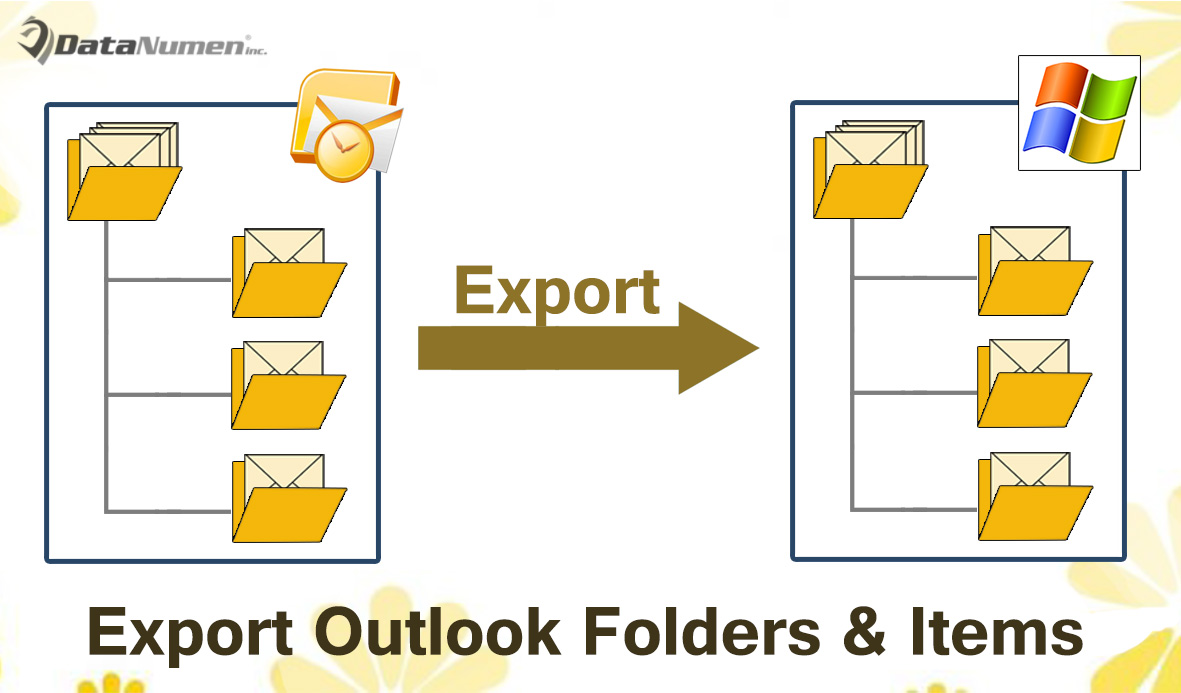
将 Outlook 文件夹中的所有子文件夹和项目导出到 Windows 文件夹
- 首先,启动 Outlook 程序。
- 然后在 Outlook 主窗口中,按“Alt + F11”快捷键。
- 随后,将弹出“Microsoft Visual Basic for Applications”窗口。
- 接下来您需要打开一个空白模块并将以下 VBA 代码复制到其中。
Private objFileSystem As Object

Private Sub ExportFolderWithAllItems()
    Dim objFolder As Outlook.Folder
    Dim strPath As String

    'Specify the root local folder
    'Change it as per your needs
    strPath = "E:\Outlook\"

    Set objFileSystem = CreateObject("Scripting.FileSystemObject")

    'Select a Outlook PST file or Outlook folder
    Set objFolder = Outlook.Application.Session.PickFolder

    Call ProcessFolders(objFolder, strPath)

    MsgBox "Complete", vbExclamation
End Sub

Private Sub ProcessFolders(objCurrentFolder As Outlook.Folder, strCurrentPath As String)
    Dim objItem As Object
    Dim strSubject, strFileName, strFilePath As String
    Dim objSubfolder As Outlook.Folder

    'Create the local folder based on the Outlook folder
    strCurrentPath = strCurrentPath & objCurrentFolder.Name
    objFileSystem.CreateFolder strCurrentPath

    For Each objItem In objCurrentFolder.Items

        strSubject = objItem.Subject

        'Remove unsupported characters in the subject
        strSubject = Replace(strSubject, "/", " ")
        strSubject = Replace(strSubject, "\", " ")
        strSubject = Replace(strSubject, ":", "")
        strSubject = Replace(strSubject, "?", " ")
        strSubject = Replace(strSubject, Chr(34), " ")

        strFileName = strSubject & ".msg"

        i = 0
        Do Until False
           strFilePath = strCurrentPath & "\" & strFileName
           'Check if there exist a file in the same name
           If objFileSystem.FileExists(strFilePath) Then
              'Add a sequence order to the file name
              i = i + 1
              strFileName = strSubject & " (" & i & ").msg"
           Else
              Exit Do
          End If
        Loop

        'Save as MSG file
        objItem.SaveAs strFilePath, olMSG
    Next

    'Process subfolders recursively
    If objCurrentFolder.folders.Count > 0 Then
       For Each objSubfolder In objCurrentFolder.folders
           Call ProcessFolders(objSubfolder, strCurrentPath & "\")
       Next
    End If
End Sub
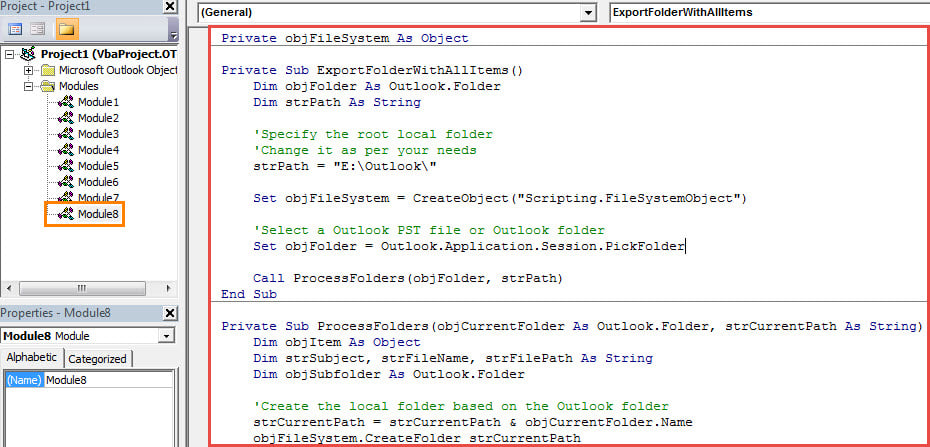
- 之后,您需要确保您的 Outlook 允许宏设置中的宏。
- 最终,您可以尝试一下。
- 首先,回到新的宏窗口。
- 接下来单击“ExportFolderWithAllItems”子程序。
- 然后按 F5 键按钮运行此宏。
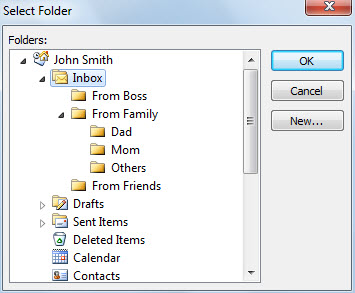
- 之后,您需要选择一个特定的文件夹。

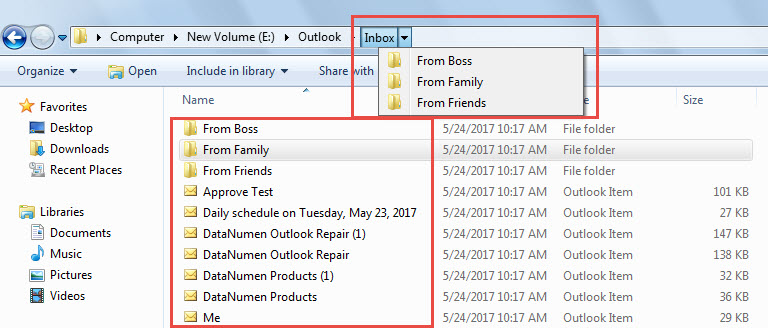
- 最后,当您收到一条消息说“完成”时,您可以访问预定义的本地文件夹。 您会发现所有项目都保存在相同的文件夹结构中。

防止 Outlook 崩溃导致数据丢失
您可能遇到过很多 Outlook 崩溃的情况。大多数情况下,重启后 Outlook 就能正常工作。但是,也存在 PST 文件损坏的情况。这时,您需要尽力恢复 PST 数据,例如使用像 Outlook Pro 这样的专业工具。 DataNumen Outlook Repair。 它能够 修复Outlook 错误并从受损的 PST 文件中提取数据而不费吹灰之力。
作者简介:
Shirley Zhang 是一位数据恢复专家 DataNumen, Inc.,它是数据恢复技术领域的世界领先者,包括 SQL Server 修复 和 outlook 修复软件产品。 欲了解更多信息,请访问 datanumen.com