
如果您想在撰写电子邮件时快速将收件人姓名插入正文,您可以阅读这篇文章。 在这里,我们将向您介绍一种方便的方法。
有时,您可能需要在撰写电子邮件时将所有收件人的姓名输入正文。 毫无疑问,手动将名称一个一个地提取和插入到正文中是相当繁琐和麻烦的。 因此,为了帮助您快速完成,在此为您分享一个高效的方法。 继续阅读以获取其详细步骤。
将收件人姓名插入电子邮件正文
- 首先,通过“Alt + F11”打开 VBA 编辑器。
- 然后,在“Microsoft Visual Basic for Applications”窗口中,根据“启用MS Word对象库”的说明启用“如何在 VBA 中添加对象库引用“。
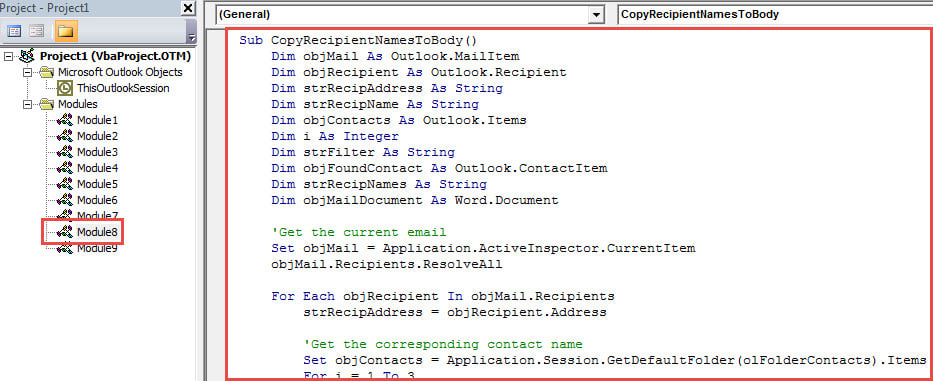
- 接下来,将下面的 VBA 代码复制到一个空模块中。
Sub CopyRecipientNamesToBody()
    Dim objMail As Outlook.MailItem
    Dim objRecipient As Outlook.Recipient
    Dim strRecipAddress As String
    Dim strRecipName As String
    Dim objContacts As Outlook.Items
    Dim i As Integer
    Dim strFilter As String
    Dim objFoundContact As Outlook.ContactItem
    Dim strRecipNames As String
    Dim objMailDocument As Word.Document

    'Get the current email
    Set objMail = Application.ActiveInspector.CurrentItem
    objMail.Recipients.ResolveAll

    For Each objRecipient In objMail.Recipients
        strRecipAddress = objRecipient.Address

        'Get the corresponding contact name
        Set objContacts = Application.Session.GetDefaultFolder(olFolderContacts).Items
        For i = 1 To 3
            strFilter = "[Email" & i & "Address] = " & strRecipAddress
            Set objFoundContact = objContacts.Find(strFilter)
            If Not (objFoundContact Is Nothing) Then
               strRecipNames = strRecipNames & objFoundContact.FullName & vbCr
               Exit For
            End If
        Next

        'If there isn't associated contact
        'Extract name from email address
        If objFoundContact Is Nothing Then
           strRecipName = Split(strRecipAddress, "@")(0)
           strRecipName = UCase(Left(strRecipName, 1)) & Right(strRecipName, Len(strRecipName) - 1)
           strRecipNames = strRecipNames & strRecipName & vbCr
        End If
    Next

    'Insert the names at the beginning of email
    Set objMailDocument = objMail.GetInspector.WordEditor
    objMailDocument.Range(0, 0).InsertAfter strRecipNames
End Sub
- 接下来,按照“如何在 Outlook 中运行 VBA 代码“。
- 之后,退出窗口。
- 最后,拍一张。
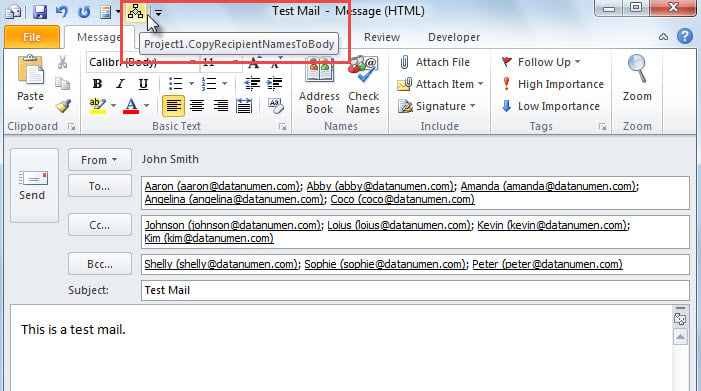
- 首先,撰写电子邮件并填写收件人。
- 然后,点击快速访问工具栏中的宏按钮。

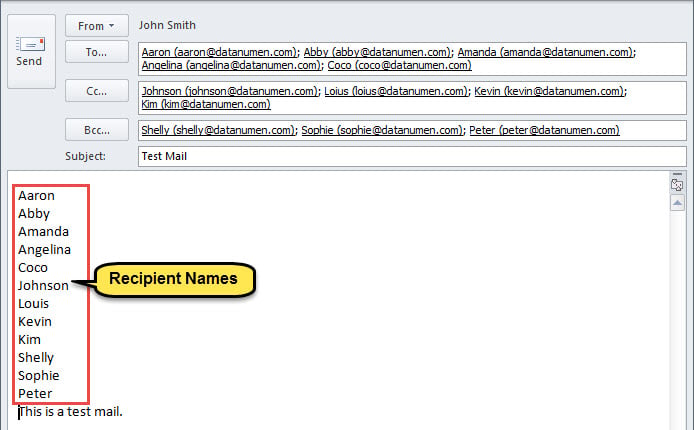
- 宏完成后,收件人姓名已插入电子邮件正文中,如下图所示。

防止 Outlook 损坏
由于 Outlook 易受攻击,因此很难保护 Outlook 免受损坏。 毫无疑问,你一定不愿意遇到 PST腐败. 因此,您最好采取一些有效的预防措施。 例如,您需要为 Outlook 进行一致的数据备份,熟悉如何使用收件箱修复工具,以及在附近放置一个强大的外部工具,例如 DataNumen Outlook Repair.
作者简介:
Shirley Zhang 是一位数据恢复专家 DataNumen, Inc.,它是数据恢复技术领域的世界领先者,包括 SQL Server 固定 和 outlook 修复软件产品。 欲了解更多信息,请访问 datanumen.com