
如果您的公司有明确的政策,您不应该向公司以外的人发送电子邮件,您可以使用本文介绍的方式。 它将教您如何使用 VBA 在电子邮件发送到公司外部时获得警告。
有时,为了保护数据安全,您的公司可能会要求您在使用企业邮箱帐户时,只能向公司内部人员发送电子邮件。 换句话说,您不允许向公司外部人员发送电子邮件,即外部域中的电子邮件地址。 然而,也许有时你有点健忘。 在这种情况下,您可能希望 Outlook 可以在您向外部公司发送电子邮件时自动警告您。 下面我们将重点讨论这个问题,并指导您如何通过 Outlook VBA 实现它。
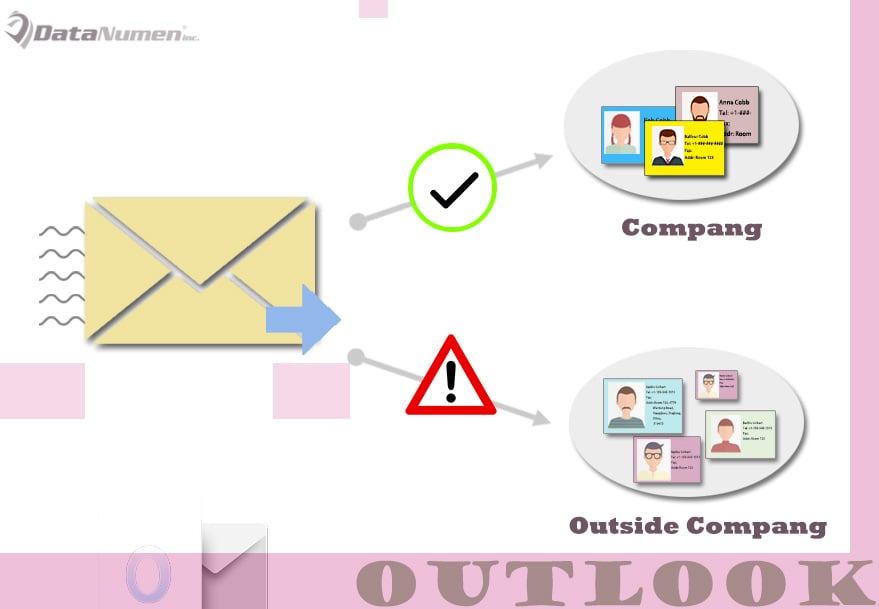
向公司外部人员发送电子邮件时收到警告
- 首先,启动 Outlook 程序。
- 然后按“Alt + F11”快捷键。
- 接下来,您将可以访问 Outlook VBA 编辑器窗口。
- 随后,打开“ThisOutlookSession”项目。
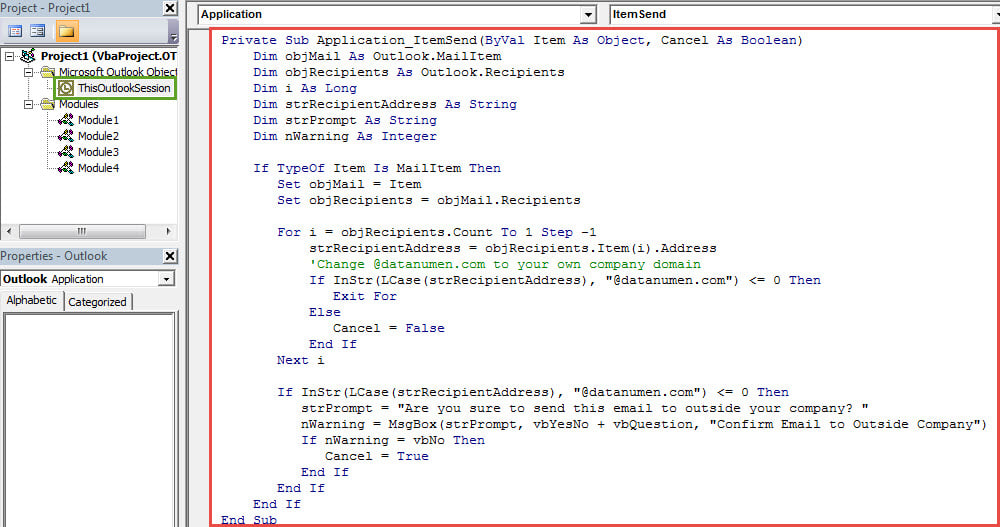
- 然后将以下 VBA 代码复制并粘贴到该项目窗口中。
Private Sub Application_ItemSend(ByVal Item As Object, Cancel As Boolean)
    Dim objMail As Outlook.MailItem
    Dim objRecipients As Outlook.Recipients
    Dim i As Long
    Dim strRecipientAddress As String
    Dim strPrompt As String
    Dim nWarning As Integer

    If TypeOf Item Is MailItem Then
       Set objMail = Item
       Set objRecipients = objMail.Recipients

       For i = objRecipients.Count To 1 Step -1
           strRecipientAddress = objRecipients.Item(i).Address
           'Change @datanumen.com to your own company domain
           If InStr(LCase(strRecipientAddress), "@datanumen.com") <= 0 Then
              Exit For
           Else
              Cancel = False
           End If
      Next i

      If InStr(LCase(strRecipientAddress), "@datanumen.com") <= 0 Then
         strPrompt = "Are you sure to send this email to outside your company? "
         nWarning = MsgBox(strPrompt, vbYesNo + vbQuestion, "Confirm Email to Outside Organization")
         If nWarning = vbNo Then
            Cancel = True
         End If
      End If
    End If
End Sub
- 之后,您应该签署此代码。
- 稍后更改您的 Outlook 宏设置以允许签名的宏。
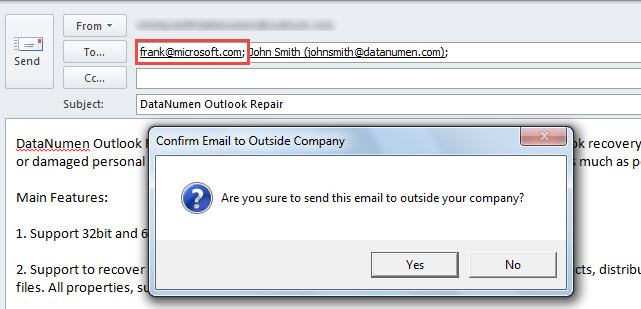
- 最后,从现在开始,每次当您打算向不在您公司域中的电子邮件地址发送电子邮件时,您都会收到如下截图所示的警告:

保持正确关闭 Outlook
如果您经常不正确地关闭 Outlook,例如由于突然断电而强制关闭,Outlook 往往会崩溃。 每次您的 Outlook 崩溃时,您的 PST 文件也会受到影响。 一旦您的 PST 文件遭到破坏,您将花费更多的精力来恢复 损坏的外观 数据比日常保护。 在这种情况下,scanpst.exe 将无济于事。 您别无选择,只能重新使用更强大的工具,例如 DataNumen Outlook Repair.
作者简介:
Shirley Zhang 是一位数据恢复专家 DataNumen, Inc.,它是数据恢复技术领域的世界领先者,包括 SQL Server 固定 和 outlook 修复软件产品。 欲了解更多信息,请访问 datanumen.com