
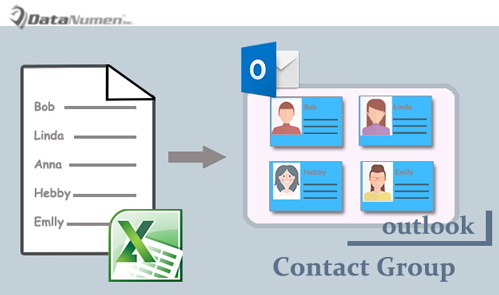
如果您想从 Excel 文件中的联系人列表创建 Outlook 联系人组,您可以使用本文介绍的 2 种方法。
一些用户正在寻求一种从包含联系人列表的 Excel 文件快速创建 Outlook 联系人组的方法。 当然,您可以手动创建这样的联系人组。 不过,有点麻烦。 因此,除了手动方法之外,这里我们将额外介绍另一种使用VBA 的快速方法。
方法一:手动创建
- 首先,打开 Excel 文件。
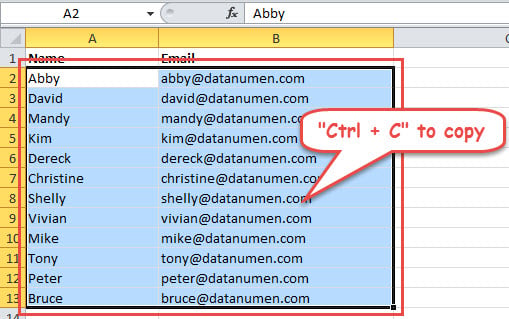
- 然后选择包含电子邮件地址的列。 或者,您也可以包括名称列。
- 接下来按“Ctrl + C”到所有选定的单元格。

- 之后,启动 Outlook 程序。
- 然后切换到“联系人”窗格并点击“新建联系人组”按钮。
- 随后,单击“添加成员”->“来自 Outlook 联系人”
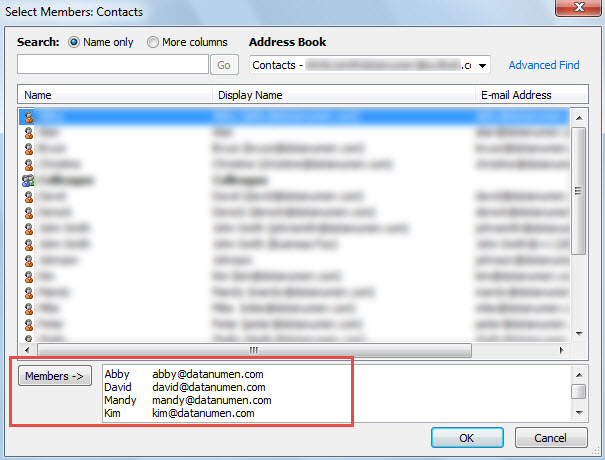
- 稍后单击“成员 ->”字段并按“Ctrl + V”键粘贴之前复制的联系人。

- 点击“确定”按钮。
- 然后为新联系人组指定一个名称。
- 最后点击“Save & Close”保存该组。
方法二:通过Outlook VBA创建
- 首先,在 Outlook 中按“Alt + F11”键按钮。
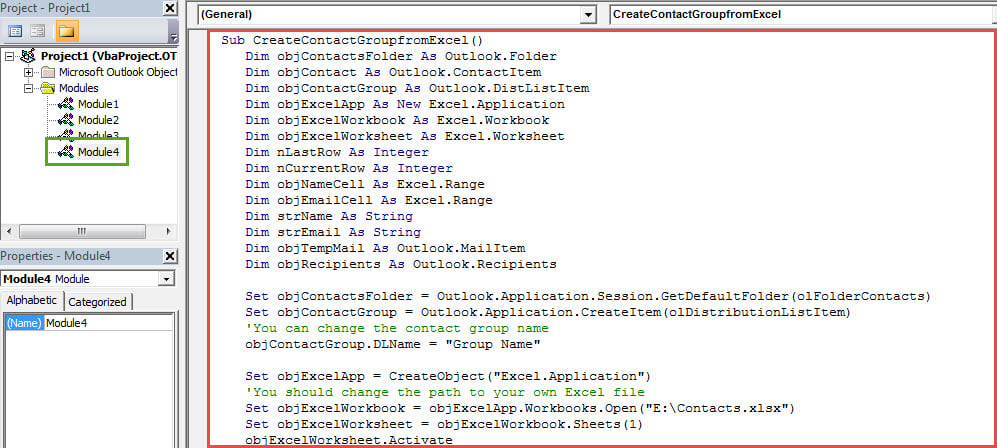
- 然后打开一个新模块。
- 随后,将以下代码复制并粘贴到其中。
Sub CreateContactGroupfromExcel()
    Dim objContactsFolder As Outlook.Folder
    Dim objContact As Outlook.ContactItem
    Dim objContactGroup As Outlook.DistListItem
    Dim objExcelApp As New Excel.Application
    Dim objExcelWorkbook As Excel.Workbook
    Dim objExcelWorksheet As Excel.Worksheet
    Dim nLastRow As Integer
    Dim nCurrentRow As Integer
    Dim objNameCell As Excel.Range
    Dim objEmailCell As Excel.Range
    Dim strName As String
    Dim strEmail As String
    Dim objTempMail As Outlook.MailItem
    Dim objRecipients As Outlook.Recipients

    Set objContactsFolder = Outlook.Application.Session.GetDefaultFolder(olFolderContacts)
    Set objContactGroup = Outlook.Application.CreateItem(olDistributionListItem)
    'You can change the contact group name
    objContactGroup.DLName = "Group Name"

    Set objExcelApp = CreateObject("Excel.Application")
    'You should change the path to your own Excel file
    Set objExcelWorkbook = objExcelApp.Workbooks.Open("E:\Contacts.xlsx")
    Set objExcelWorksheet = objExcelWorkbook.Sheets(1)
    objExcelWorksheet.Activate

    nLastRow = objExcelWorksheet.UsedRange.Rows.Count
    'The "A2" varies with the first contact's name cell in your own Excel file
    Set objNameCell = objExcelApp.Range("A2")
    objNameCell.Select

    While nCurrentRow <= nLastRow
          nCurrentRow = objNameCell.Row

          strName = objNameCell.Value

          If strName = "" Then
             GoTo NextRow
          End If

          Set objEmailCell = objExcelApp.ActiveCell.Offset(0, 1)
          strEmail = objEmailCell.Value

          Set objContact = objContactsFolder.Items.Find("[FullName] = '" & strName & "'")

          'If there is no such a contact, create it.
          If objContact Is Nothing Then
             Set objContact = Outlook.Application.CreateItem(olContactItem)
             With objContact
                  .FullName = strName
                  .Email1Address = strEmail
                  .Save
             End With
          End If

          'Add the contacts to the new contact group
          Set objTempMail = Application.CreateItem(olMailItem)
          objTempMail.Recipients.Add (strName)
          Set objRecipients = objTempMail.Recipients
          objContactGroup.AddMembers objRecipients

    NextRow:
          Set objNameCell = objExcelApp.ActiveCell.Offset(1, 0)
          objNameCell.Select
    Wend

    'Use "objContactGroup.Save" to straightly save it
    objContactGroup.Display
    objTempMail.Close olDiscard
    objExcelApp.Quit
End Sub
- 之后,点击工具栏中的“运行”图标。
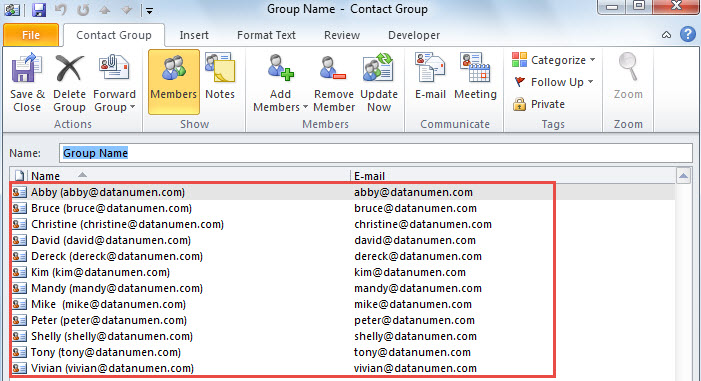
- 马上会出现一个新的联系人组,如下图:

巧妙处理恼人的前景问题
如果您在 Outlook 中经常遇到各种错误,强烈建议您保持卓越可靠 展望恢复 附近的工具,例如 DataNumen Outlook Repair. 在这种情况下,您可以通过它及时处理烦人的问题。
作者简介:
Shirley Zhang 是一位数据恢复专家 DataNumen, Inc.,它是数据恢复技术领域的世界领先者,包括 恢复sql 和 outlook 修复软件产品。 欲了解更多信息,请访问 datanumen.com