
때로는 Outlook 이메일의 일반 헤더 또는 인터넷 헤더만 인쇄해야 할 때가 있습니다. 이 글에서는 두 가지 빠르고 간단한 방법을 소개합니다.
이전 기사에서 – "헤더 및 사용자 이름없이 Outlook 이메일을 인쇄하는 2 가지 팁", 메일의 메시지 본문 만 인쇄하는 쉬운 방법을 배울 수 있습니다. 그러나 때로는 이메일의 일반 또는 인터넷 헤더, 즉 발신자, 수신자 및 기타 이메일 정보를 인쇄하고 싶을 수 있습니다. 그래서, 이하에서는 그것을 얻는 두 가지 방법을 가르쳐 드리겠습니다.
방법 1 : 수동 인쇄
인터넷 헤더 인쇄
- 처음에는 이메일을 두 번 클릭하여 메시지 창에서 엽니 다.
- 그런 다음 "파일"메뉴로 이동합니다.
- “정보”탭에서“속성”버튼을 클릭합니다.
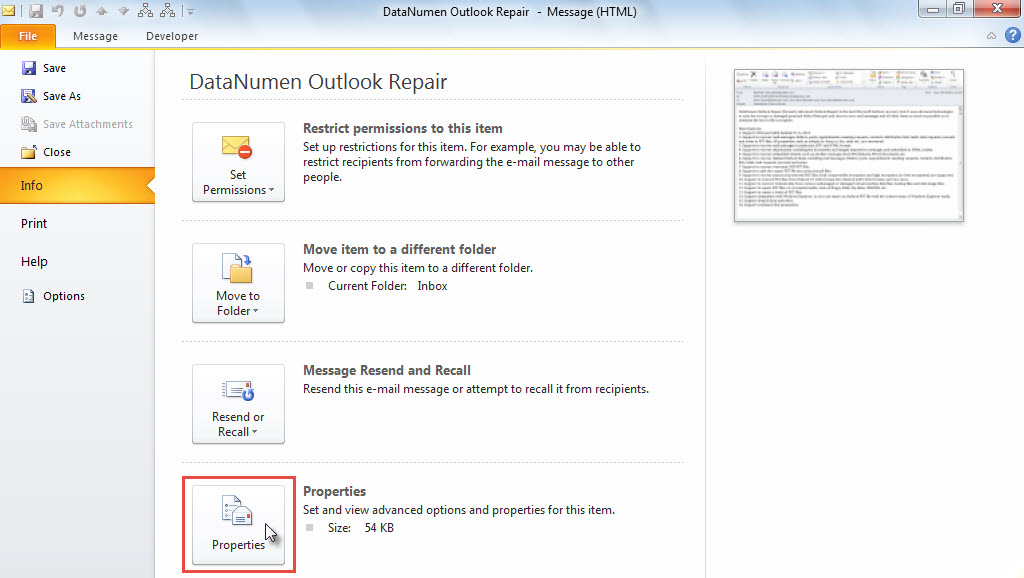
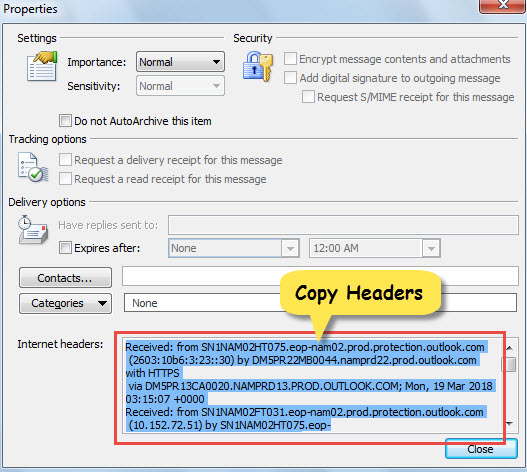
- "속성"창에서 "인터넷 헤더"상자를 클릭합니다.
- 다음으로 "Ctrl + A"를 눌러 모두 선택하고 "Ctrl + C"를 눌러 전체 헤더를 복사합니다.

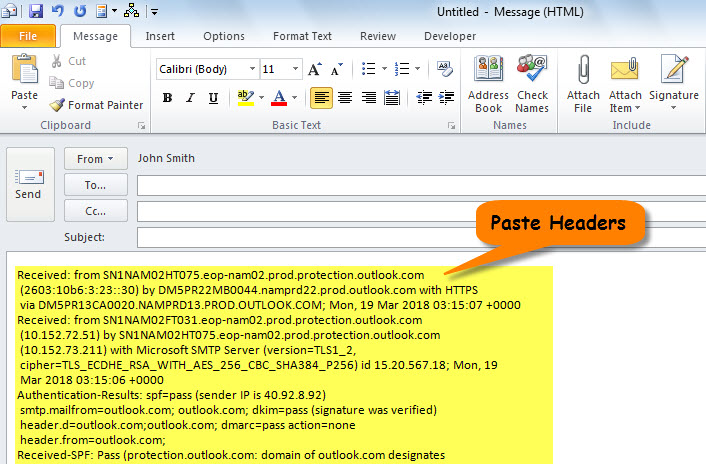
- 나중에 이메일 새 메일을 만들고 "Ctrl + V"를 눌러 헤더를 본문에 붙여 넣습니다.

- 마지막으로 "파일"> "인쇄"로 이동하여 새 메일을 인쇄합니다.
일반 헤더 인쇄
- 먼저 소스 이메일을 선택하거나 엽니 다.
- 그런 다음 "Forward"버튼을 클릭합니다.
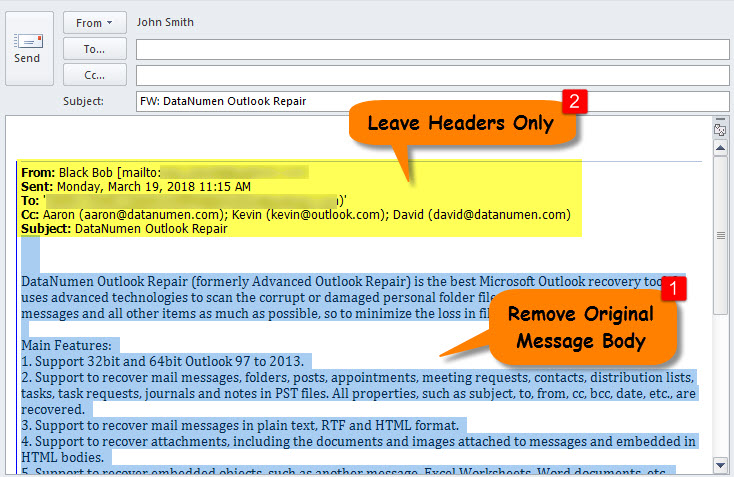
- 팝업 전달 메일에서 다음 스크린 샷과 같이 헤더 만 남기려면 원본 메일의 메시지 본문을 선택하고 제거합니다.

- 궁극적으로 평소와 같이 현재 전달 메일을 인쇄합니다.
방법 2 : VBA로 인쇄
인터넷 헤더 인쇄
- 우선, 원하는 메일을 열거나 선택하세요.
- 그런 다음 "Alt + F11"을 통해 Outlook VBA 편집기를 시작합니다.
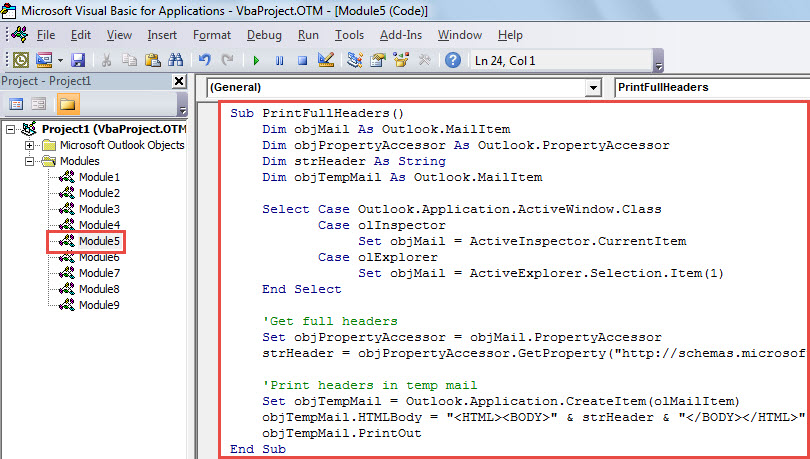
- 다음으로 다음 코드를 모듈에 넣습니다.
Sub PrintFullHeaders()
    Dim objMail As Outlook.MailItem
    Dim objPropertyAccessor As Outlook.PropertyAccessor
    Dim strHeader As String
    Dim objTempMail As Outlook.MailItem

    Select Case Outlook.Application.ActiveWindow.Class
           Case olInspector
                Set objMail = ActiveInspector.CurrentItem
           Case olExplorer
                Set objMail = ActiveExplorer.Selection.Item(1)
    End Select

    'Get full headers
    Set objPropertyAccessor = objMail.PropertyAccessor
    strHeader = objPropertyAccessor.GetProperty("http://schemas.microsoft.com/mapi/proptag/0x007D001E")

    'Print headers in temp mail
    Set objTempMail = Outlook.Application.CreateItem(olMailItem)
    objTempMail.HTMLBody = "<HTML><BODY>" & strHeader & "</BODY></HTML>"
    objTempMail.PrintOut
End Sub
- 마지막으로 툴바에서“실행”아이콘을 클릭합니다.
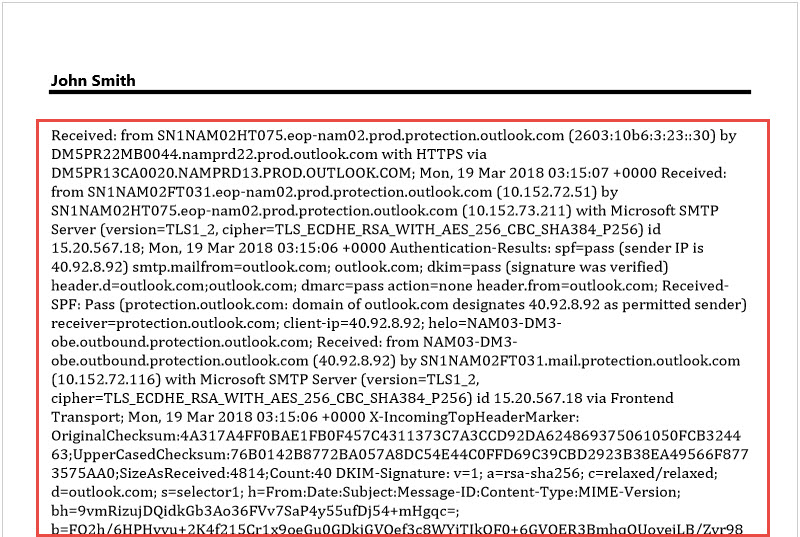
- 즉시 이메일의 인터넷 헤더가 인쇄됩니다.

일반 헤더 인쇄
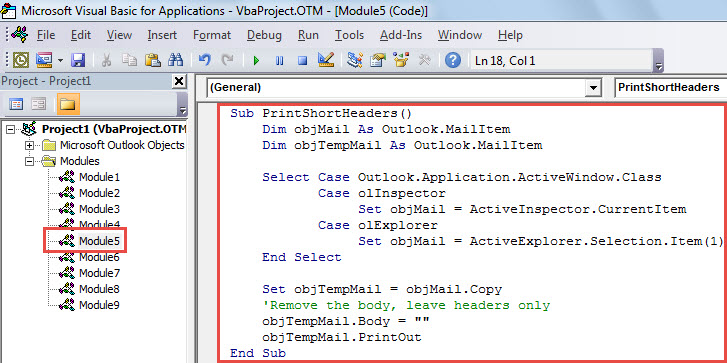
- VBA 편집기에서 아래 코드를 모듈에 복사하십시오.
Sub PrintShortHeaders()
    Dim objMail As Outlook.MailItem
    Dim objTempMail As Outlook.MailItem

    Select Case Outlook.Application.ActiveWindow.Class
           Case olInspector
                Set objMail = ActiveInspector.CurrentItem
           Case olExplorer
                Set objMail = ActiveExplorer.Selection.Item(1)
    End Select

    Set objTempMail = objMail.Copy
    'Remove the body, leave headers only
    objTempMail.Body = ""
    objTempMail.PrintOut
End Sub
- 그 후에이 매크로를 실행하십시오.
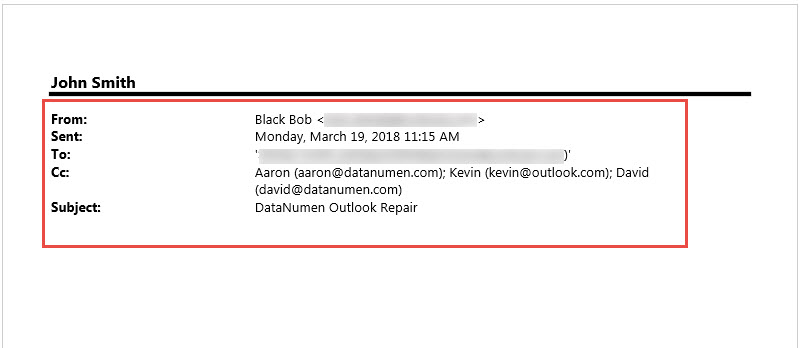
- 즉시 이메일의 일반 헤더가 인쇄됩니다.

알 수없는 메일주의
이메일 헤더에는 IP 주소를 포함한 이메일에 대한 많은 정보가 담겨 있습니다. 이메일이 의심스러운지 확인하려면 헤더를 확인해야 합니다. 솔직히 말해서, 알 수 없는 발신자로부터 온 이메일은 대부분 스팸이거나 악성 매크로를 포함하고 있을 가능성이 높으므로 신뢰하지 않는 것이 좋습니다. 이러한 악성 매크로는 Outlook 파일을 쉽게 공격할 수 있습니다. Outlook 파일이 손상된 경우 복구를 위해 여러 가지 노력을 기울여야 합니다. Outlook 수리. 다음과 같은 전문적이고 강력한 도구에 의지하지 않는 한 상당히 매듭이 있습니다. DataNumen Outlook Repair.
저자 소개 :
Shirley Zhang은 데이터 복구 전문가입니다. DataNumen, Inc.는 다음과 같은 데이터 복구 기술 분야의 세계적 리더입니다. SQL Server 부패 및 전망 수리 소프트웨어 제품. 자세한 내용은 WWW.datanumen.COM