
1. 소개
데이터베이스 세계에서 한 시스템에서 다른 시스템으로 데이터를 마이그레이션하는 것은 엄청난 작업이 될 수 있습니다. Microsoft에서 데이터를 이동하는 등 다양한 형태의 SQL에서 전환할 때 이 프로세스는 더욱 복잡해질 수 있습니다. SQL Server MSSQL에서 PostgreSQL로의 변환은 매우 중요한 작업입니다. 이러한 변환을 위한 전용 도구는 마이그레이션을 간소화하고 더욱 정확하고 효율적으로 처리하는 데 큰 도움이 됩니다.
1.1 MSSQL을 PostgreSQL로 변환하는 도구의 중요성
MSSQL과 PostgreSQL은 구문, 기능 및 제약 조건이 서로 다릅니다. 따라서 이러한 시스템 간에 데이터와 구조를 수동으로 전송하는 것은 시간이 오래 걸리고 오류가 발생하기 쉽습니다. MSSQL을 PostgreSQL로 변환하는 도구는 데이터와 데이터베이스 스키마를 변환하고, 두 시스템 간의 차이점을 효율적으로 매핑하며, 데이터 유형, 인덱스 및 기타 데이터베이스 요소를 자동으로 변환합니다. 이를 통해 기업은 데이터베이스 마이그레이션에 소요되는 시간과 리소스를 크게 절약할 수 있습니다.
1.2 MS SQL 복구 도구
MSSQL 데이터베이스를 PostgreSQL 데이터베이스로 변환하는 데 실패했다면 MSSQL 데이터베이스가 손상되었을 가능성이 높으므로 복구가 필요합니다. MS SQL 복구 도구같은 DataNumen SQL Recovery, 도움을 드리기 위해:
1.3 이 비교의 목적
이 비교 가이드의 목적은 시중에 나와 있는 다양한 MSSQL-PostgreSQL 변환 도구를 심층적으로 분석하는 것입니다. 이 가이드에서는 각 도구에 대한 간략한 소개와 장단점을 제공합니다. 이 비교를 통해 기업은 고유한 요구 사항과 제약 조건에 맞는 최적의 도구를 선택할 수 있는 유용한 정보를 얻을 수 있습니다. 이 가이드를 마치면 독자는 자신에게 맞는 MSSQL-PostgreSQL 변환 도구를 찾는 데 있어 명확한 방향을 제시받을 수 있을 것입니다.
2. 지능형 변환기 SQL Server PostgreSQL 코드 변환기
지능형 변환기 SQL Server PostgreSQL 코드 변환기는 이 두 시스템 간의 원활한 마이그레이션을 지원하도록 특별히 설계된 도구입니다. 이 도구는 테이블뿐만 아니라 뷰, 저장 프로시저 및 인덱스도 변환할 수 있습니다. 또한 SELECT 쿼리를 통해 데이터를 필터링할 수 있는 기능과 대규모 데이터베이스를 편리하게 처리할 수 있는 기능을 제공합니다.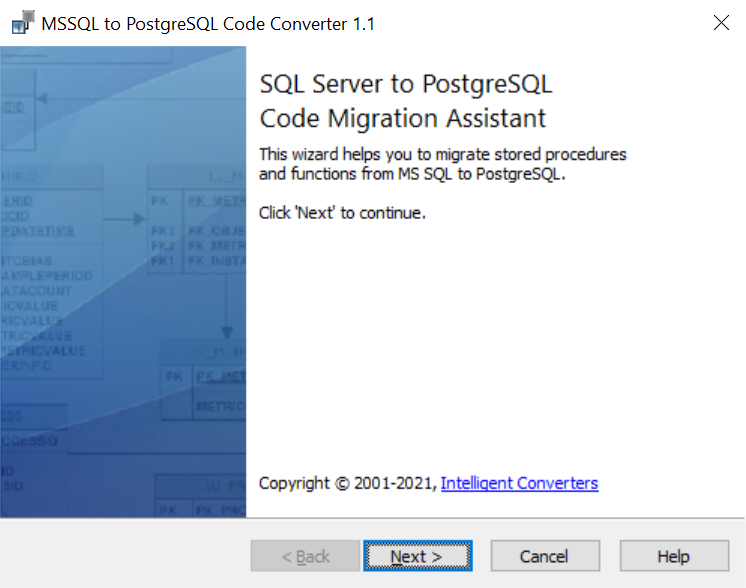
2.1 전문가
- 대규모 데이터베이스를 처리합니다. 지능형 변환기는 대규모 데이터베이스를 쉽고 빠르게 처리하도록 최적화되어 효율적인 마이그레이션 프로세스를 보장합니다.
- 인덱스, 뷰 및 저장 프로시저를 변환합니다. 이 도구는 테이블에만 국한되지 않습니다. 뷰, 저장 프로시저, 인덱스를 포함한 철저한 마이그레이션을 보장합니다.
- 데이터 필터링: 지능형 변환기를 사용하면 사용자는 SELECT 쿼리를 사용하여 데이터를 필터링하여 마이그레이션되는 항목을 더 효과적으로 제어할 수 있습니다.
2.2 단점
- 제한된 무료 버전: 무료 데모 버전의 도구를 제공하지만 기능이 제한되어 있으며 테이블당 50개의 데이터베이스 레코드만 마이그레이션합니다.
- 직접적인 클라우드 서비스 통합 없음: 다른 변환기와 달리 AWS 또는 Google Cloud와 같은 클라우드 서비스로 직접 마이그레이션할 수 있는 기능이 내장되어 있지 않습니다.
3. 스크라인 SQL Server PostgreSQL로 마이그레이션
Sqlines는 데이터 마이그레이션을 위한 다양한 도구를 제공합니다. SQL Server PostgreSQL에서도 사용 가능합니다. 이 도구는 데이터와 스키마 변환을 위한 명령줄 도구를 제공하여 유연성과 제어력을 높여줍니다. 테이블 구조, 뷰, 저장 프로시저뿐만 아니라 SQL 표현식과 함수도 변환할 수 있습니다.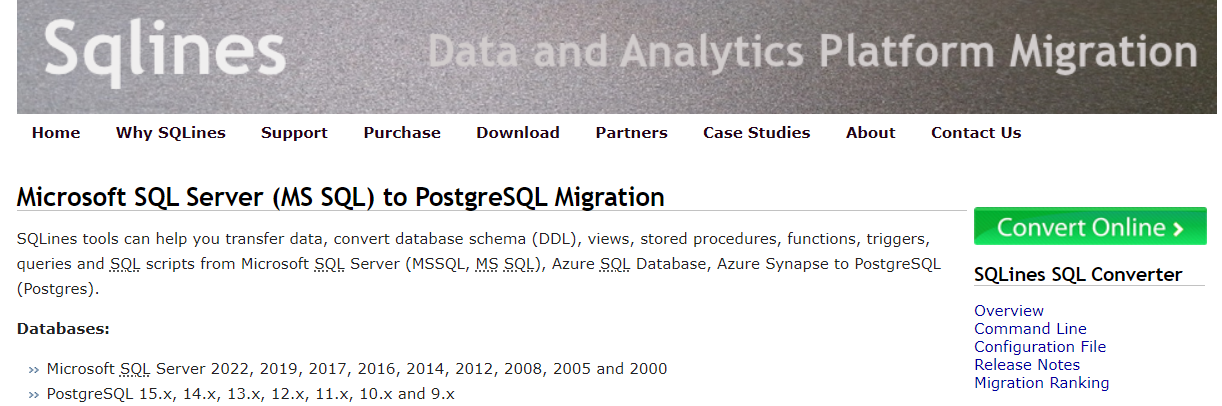
3.1 전문가
- 명령줄 인터페이스: 터미널에서 작업하는 것을 선호하는 사람들을 위해 Sqlines는 마이그레이션 프로세스에서 더 많은 제어와 유연성을 제공하는 명령줄 도구를 제공합니다.
- 포괄적인 변환: Sqlines는 변환 기능을 테이블, 뷰 및 프로시저로 제한하지 않습니다. 또한 SQL 표현식과 함수를 새로운 환경으로 가져옵니다.
- 폭넓은 지원: 게다가 SQL Server Sqlines는 PostgreSQL 외에도 다양한 데이터베이스를 지원하므로 데이터베이스 환경이 다양한 조직에 더욱 다목적으로 활용할 수 있는 도구입니다.
3.2 단점
- GUI 없음: Sqlines는 주로 명령줄을 통해 작동하는데, 이는 그래픽 인터페이스에 익숙한 일부 사용자에게는 사용자 친화적이지 않을 수 있습니다.
- 제한된 오류 처리: 일부 사용자는 불분명한 오류 메시지를 보고하여 문제 해결이 더 어려워졌습니다.
4. EnterpriseDB의 SQL에서 PostgreSQL로의 마이그레이션 툴킷
EnterpriseDB에서 개발한 이 마이그레이션 툴킷은 다음에서 마이그레이션을 지원하는 Java 기반 유틸리티입니다. SQL Server PostgreSQL로 변환합니다. 이 도구를 사용하면 데이터 유형을 자동으로 일치시키고 인덱스, 제약 조건 및 저장 프로시저를 효율적으로 관리할 수 있습니다.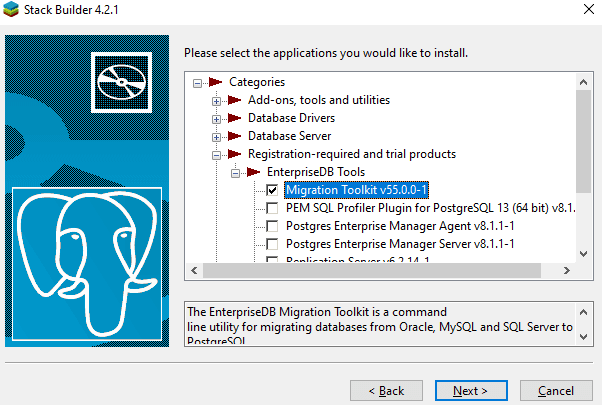
4.1 전문가
- 자바 기반: Java를 사용하여 구축된 이 툴킷은 다양한 시스템과의 호환성을 제공하여 플랫폼 간 원활한 마이그레이션 프로세스를 보장합니다.
- 복잡한 구조를 처리합니다. 이 시스템은 인덱스, 제약 조건 및 저장 프로시저를 처리할 수 있도록 설계되어 데이터베이스 구조의 모든 부분이 PostgreSQL로 적절하게 변환되도록 보장합니다.
- 맞춤형 마이그레이션: 이는 선택적 마이그레이션을 허용하므로 사용자가 마이그레이션해야 할 테이블과 구성 요소를 선택할 수 있습니다.
4.2 단점
- 기술 지식이 필요합니다: 사용하기 쉬운 표준 도구가 아닌 툴킷이기 때문에 해당 기능을 완전히 활용하려면 상당한 양의 기술 지식이 필요할 수 있습니다.
- 자바 의존성: Java 기반이므로 Java가 설치되지 않거나 제대로 지원되지 않는 환경에서는 이 툴킷을 실행하는 데 문제가 발생할 수 있습니다.
5. DB변환/DBSync SQL Server PostgreSQL로
DB변환/DBSync SQL Server PostgreSQL로의 마이그레이션은 데이터베이스를 다른 데이터베이스로 마이그레이션하는 데 도움이 되는 또 다른 강력한 도구입니다. SQL Server PostgreSQL로의 마이그레이션을 지원합니다. 두 시스템 간의 직접 마이그레이션과 동기화를 모두 지원합니다. 데이터뿐만 아니라 인덱스, 관계, 스키마까지 마이그레이션할 수 있습니다.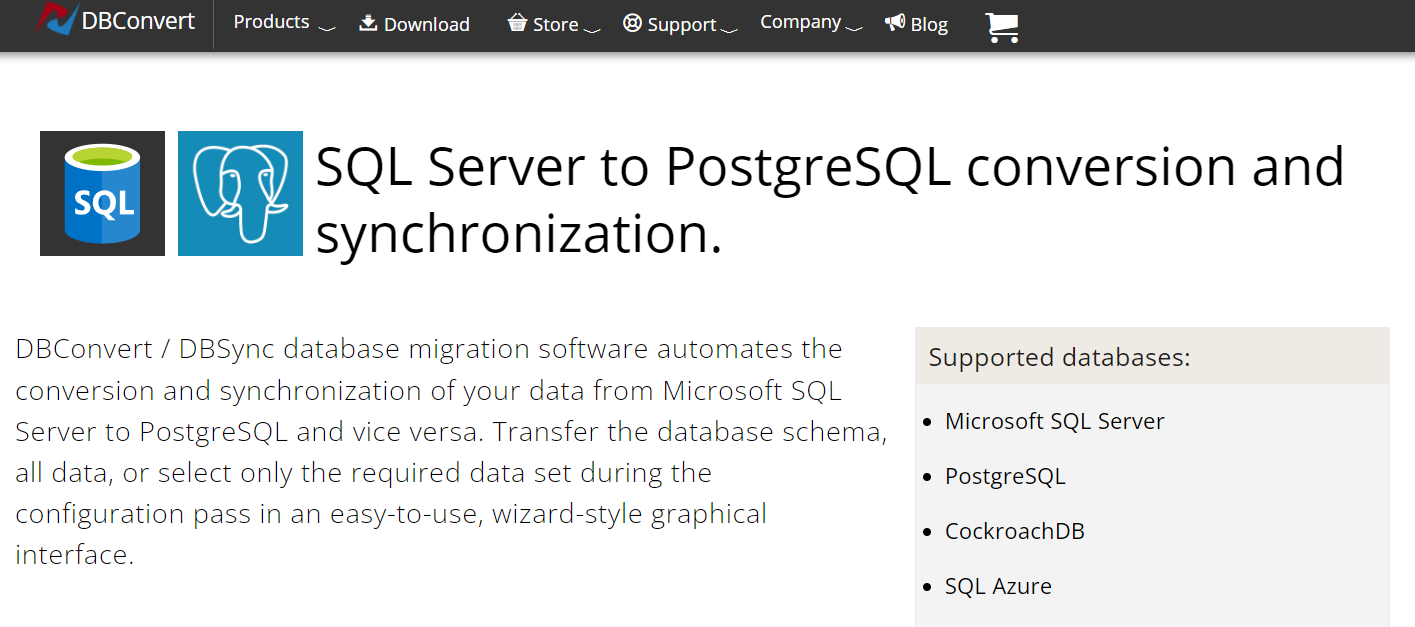
5.1 전문가
- 양방향 동기화: DBConvert/DBSync는 마이그레이션뿐만 아니라 간의 양방향 동기화도 제공합니다. SQL Server 및 PostgreSQL 환경.
- 스키마 및 관계를 마이그레이션합니다. 데이터 마이그레이션과 함께 인덱스, 스키마 및 관계를 새 데이터베이스 시스템으로 이동하는 것도 지원합니다.
- 명령줄 모드: 마이그레이션 프로세스를 자동화하기 위한 명령줄 모드를 제공하며, 이는 반복적인 작업에 매우 유용할 수 있습니다.
5.2 단점
- 라이선스 요구 사항: 이 도구는 무료로 사용할 수 없으며 사용하려면 라이센스를 구매해야 합니다.
- 사용자 친화적이지 않음: 기술적 배경이나 데이터베이스에 대한 이해가 부족한 사용자는 이 도구를 사용하는 데 어려움을 느낄 수 있습니다.
6. 달리보 sqlserver2pgsql
Dalibo의 sqlserver2pgsql은 주로 마이그레이션을 돕기 위해 설계된 오픈 소스 도구입니다. SQL Server 데이터베이스를 PostgreSQL로 변환합니다. 이 도구에서 제공하는 스크립트를 사용하면 변환이 가능합니다. SQL Server PostgreSQL과 호환되는 형식으로 덤프하여 마이그레이션 프로세스를 더 쉽게 만듭니다.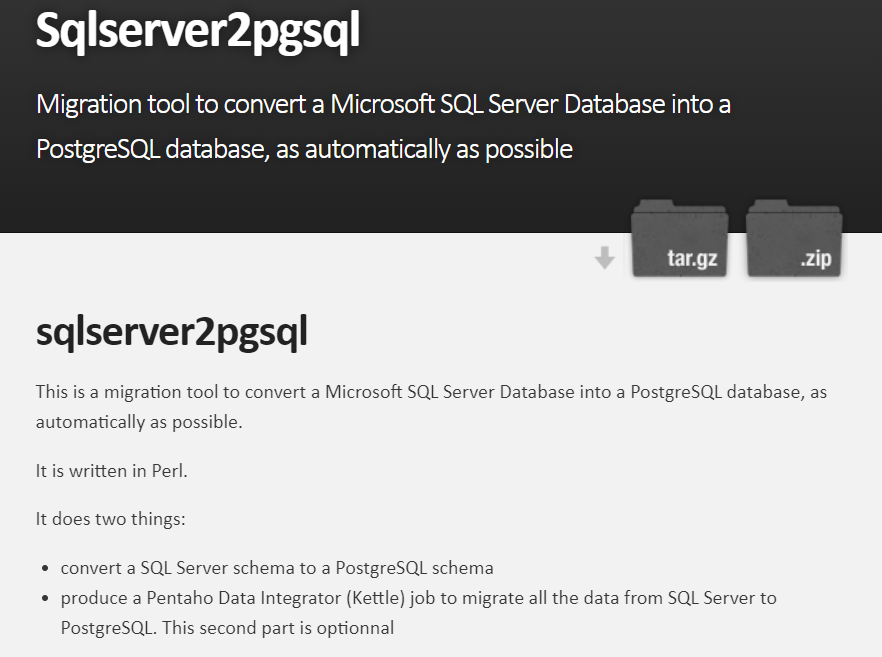
6.1 전문가
- 오픈 소스: 오픈 소스 도구인 sqlserver2pgsql은 특정 요구 사항에 맞게 수정할 수 있으므로 유연성과 비용 효율성을 제공합니다.
- 스크립트 기반 변환: 이 도구는 스크립트 기반 변환을 제공하므로 대규모 데이터베이스 마이그레이션을 더 쉽게 처리할 수 있습니다.
- 가장 많이 사용되는 객체를 처리합니다. sqlserver2pgsql은 가장 일반적으로 사용되는 SQL Server 366.0의 변환을 처리하는 것을 목표로 합니다. SQL Server 객체를 PostgreSQL로 전송합니다.
6.2 단점
- 초보 사용자에게는 적합하지 않습니다. 스크립트 기반 특성으로 인해 기술적 지식이 부족한 초보 사용자는 이 도구를 최대한 활용하는 것이 어려울 수 있습니다.
- GUI 없음: 다른 도구와 달리 sqlserver2pgsql은 전적으로 명령줄에서 작동하며 그래픽 사용자 인터페이스를 제공하지 않습니다.
7. RebaseData MSSQL to Postgres Online
RebaseData MSSQL to Postgres Online은 MSSQL을 PostgreSQL로 간편하게 변환해주는 온라인 서비스입니다. 다양한 입력 파일 형식을 지원하며, 그중에는 다음과 같은 형식이 포함됩니다. SQL Server 업로드된 파일을 안전하게 보관하고, 변환 후 업로드된 모든 파일을 삭제하여 사용자에게 높은 수준의 개인 정보 보호를 제공합니다.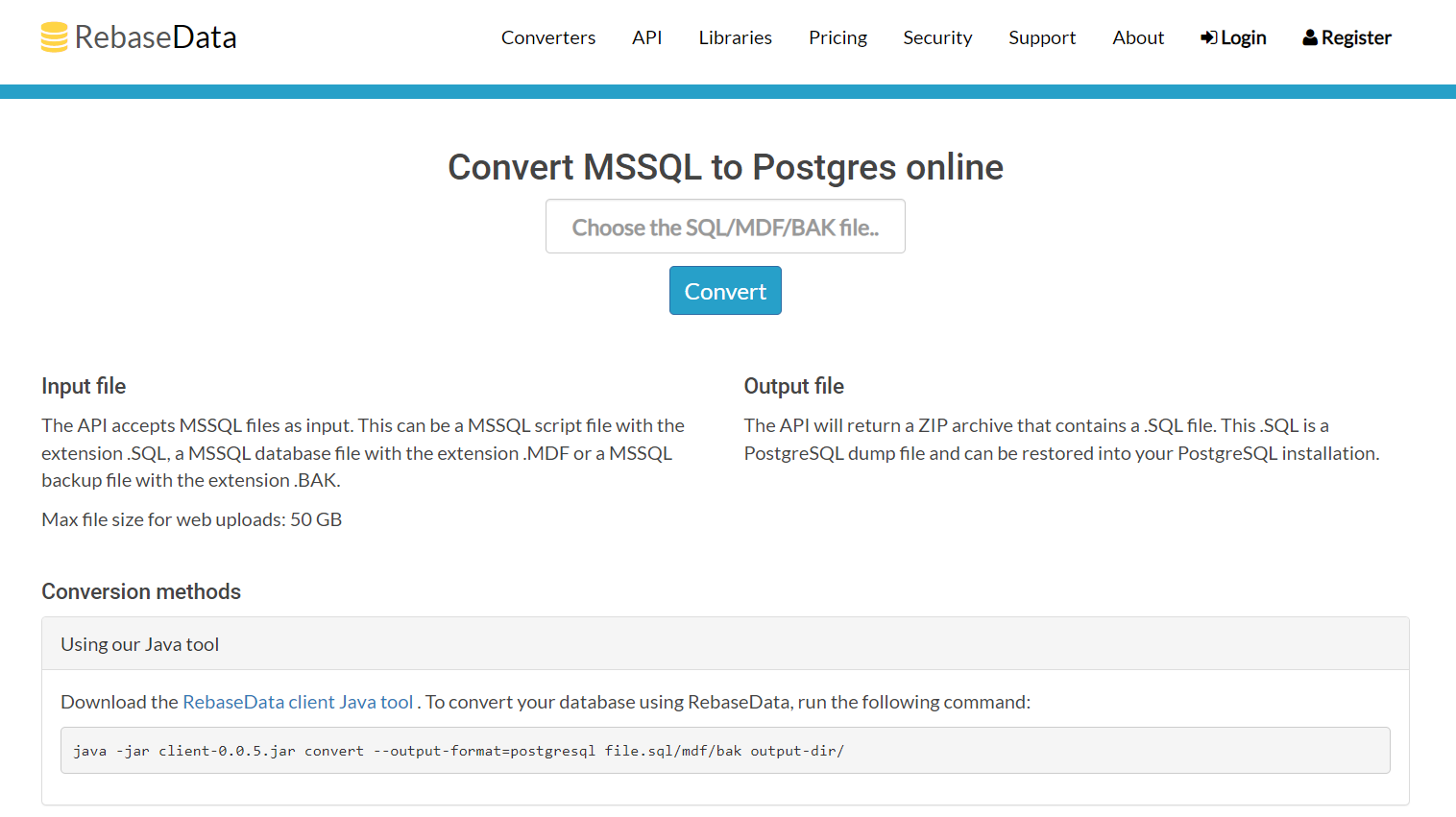
7.1 전문가
- 쉬운 웹 기반 변환: 온라인 도구로서 설치가 필요 없는 접근 가능하고 사용자 친화적인 인터페이스를 제공합니다.
- 다양한 입력 형식 지원: 이 도구는 MSSQL 덤프 파일에만 국한되지 않고 데이터 가져오기를 위한 다양한 다른 형식도 지원합니다.
- 프라이버시 중심: RebaseData는 변환 후 짧은 기간 내에 업로드된 모든 파일을 자동 삭제하여 사용자 개인정보 보호를 보장합니다.
7.2 단점
- 인터넷 연결에 의존: 온라인 서비스로서 적절한 기능을 위해서는 안정적이고 일관된 인터넷 연결이 전적으로 필요합니다.
- 제한된 무료 사용: 무료 변환을 제공하지만 유료 플랜 없이 변환할 수 있는 데이터베이스 크기에는 제한이 있습니다.
8. AWS 스키마 변환 도구
AWS Schema Conversion Tool은 데이터베이스 마이그레이션 프로젝트를 크게 단순화하는 Amazon Web Services 에코시스템의 일부입니다. 이 도구는 자동으로 변환합니다. SQL Server 데이터베이스 스키마를 PostgreSQL 형식으로 변환하고, 필요한 수동 변경 사항을 명확하게 표시합니다.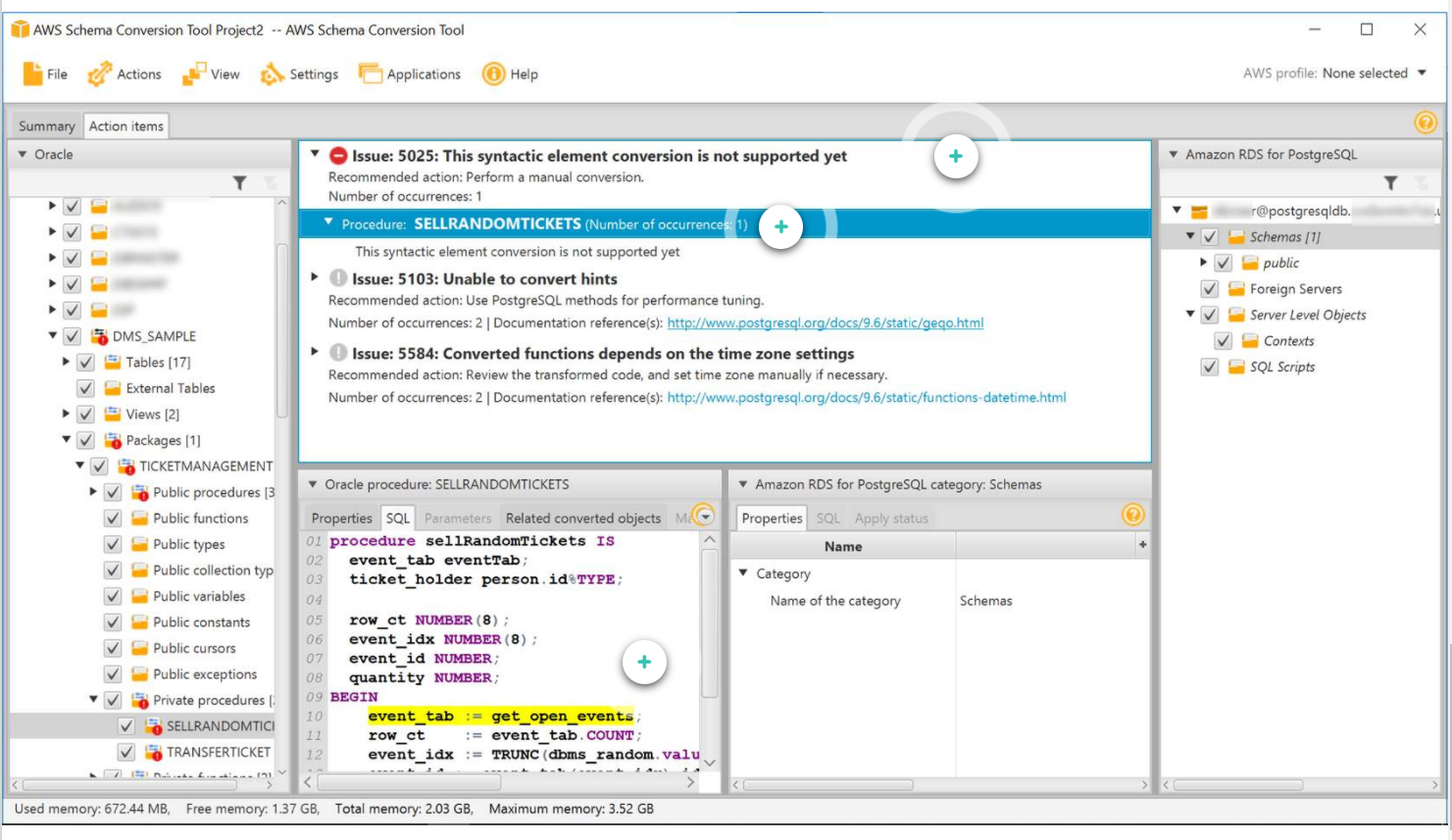
8.1 전문가
- 포괄적인 AWS 통합: AWS 제품군의 일부로서 다른 AWS 서비스와 원활하게 통합되고 AWS 관리형 데이터베이스로 쉽게 마이그레이션할 수 있습니다.
- 자동 스키마 변환: 이 도구는 소스 스키마와 대부분의 데이터베이스 코드 객체를 대상 데이터베이스와 호환되는 형식으로 자동 변환합니다.
- 상세보고 : AWS Schema Conversion Tool은 필요한 수동 개입을 강조하여 변환 프로세스에 대한 자세한 보고서를 제공합니다.
8.2 단점
- 플랫폼 종속성: 이 도구는 주로 AWS 클라우드 에코시스템 내에서 사용하기 위한 것이므로 AWS 서비스를 활용하지 않는 사람들의 사용이 제한될 수 있습니다.
- 모든 전환을 처리할 수 없음: 전체 변환이 불가능하고 수동 개입이 필요한 경우가 있는데, 이는 기술적인 지식이 없는 사용자에게는 까다로울 수 있습니다.
9. 변환 시도
Try-to-Convert는 MSSQL 코드를 PostgreSQL 코드로 변환하는 사용자 친화적인 온라인 도구입니다. 사용자는 SQL 스크립트를 쉽게 변환할 수 있으며, 변환하려는 SQL 스크립트를 브라우저에 붙여넣고 대상 SQL 구문으로 PostgreSQL을 선택하기만 하면 됩니다.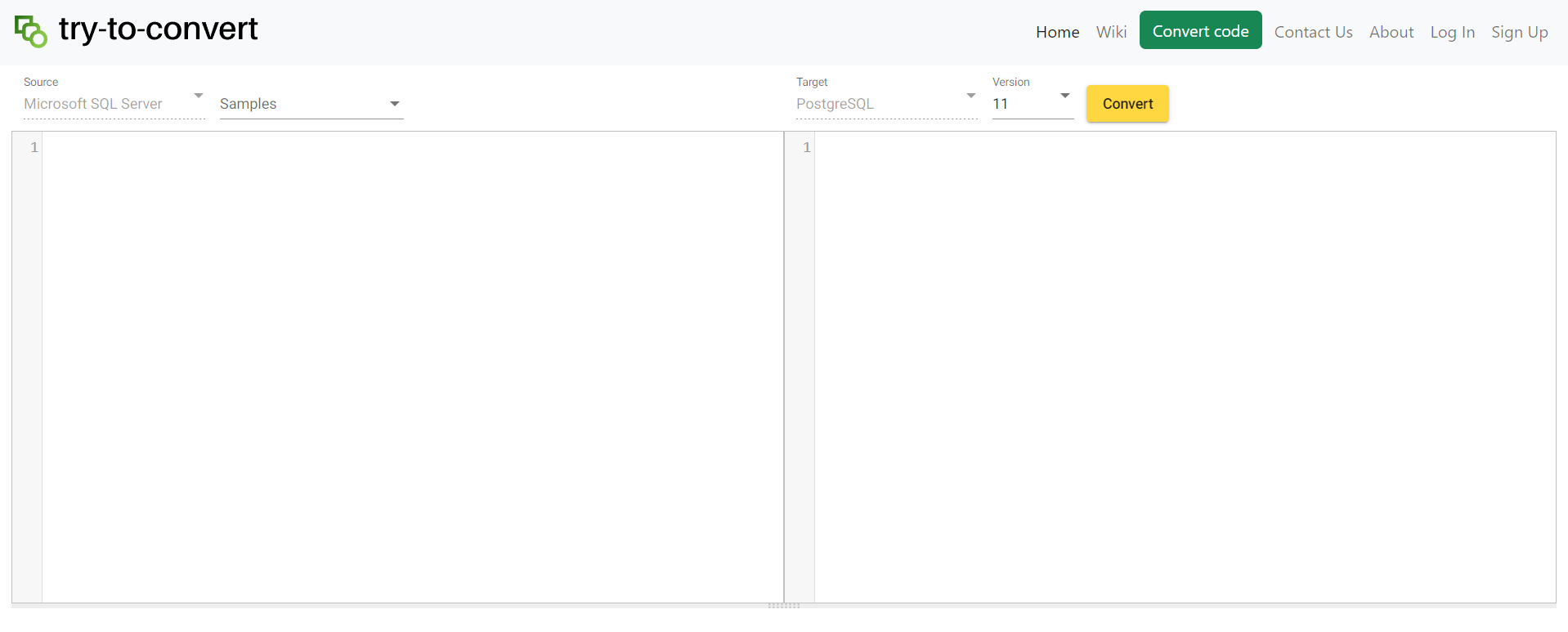
9.1 전문가
- 사용자 친화적 인 인터페이스: 웹 기반 플랫폼을 통해 Try-to-Convert는 사용자에게 명확하고 친숙한 인터페이스를 제공하며, 특히 기술적 배경이 제한된 사용자에게 적합합니다.
- SQL 스크립트 처리: 이 도구는 SQL 스크립트 변환에 매우 적합하며, 다양한 플랫폼에서 SQL 코드 변환이 필요한 사용자에게 편리한 솔루션을 제공합니다.
- 설치가 필요하지 않습니다: 온라인 도구이기 때문에 소프트웨어를 설치할 필요가 없습니다. 사용자는 웹 브라우저에서 간단히 사용할 수 있습니다.
9.2 단점
- 인터넷 종속: 오프라인으로 작업할 수 있는 독립형 소프트웨어 애플리케이션과 달리 Try-to-Convert를 사용하려면 안정적인 인터넷 연결이 필수적입니다.
- 코드 변환으로 제한됨: 이 도구는 코드 변환을 위해 엄격하게 설계되었으며 전체 데이터베이스를 데이터로 마이그레이션하는 것을 지원하지 않으므로 기능이 다소 제한됩니다.
10. Spectral Core Limited - 전체 변환 SQL Server PostgreSQL로
Spectral Core의 Full Convert는 빠르고 안정적인 데이터베이스 변환을 목표로 하는 간단하면서도 강력한 도구입니다. SQL Server PostgreSQL로의 변환을 지원합니다. 이 도구는 데이터 변환뿐만 아니라 대상 데이터베이스에 테이블, 스키마 및 인덱스를 자동으로 생성하는 기능도 제공합니다.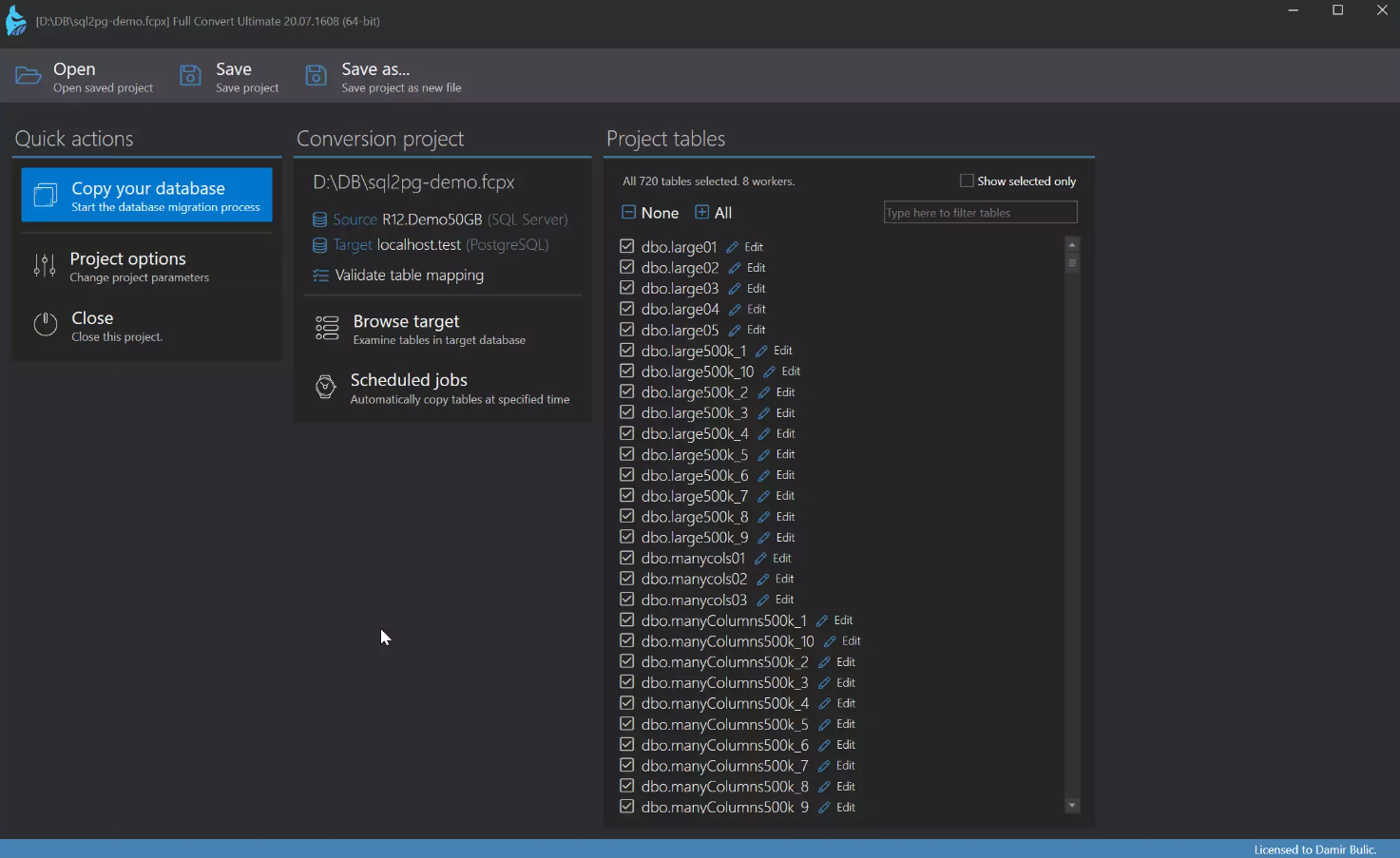
10.1 전문가
- 속도 및 효율성: Spectral Core의 Full Convert는 빠른 변환을 제공하는 데 중점을 두고 있으며 프로세스의 속도와 정확성을 자랑합니다.
- 포괄적인 변환: 데이터뿐만 아니라 테이블, 스키마, 인덱스, 관계의 변환도 지원하므로 데이터베이스 마이그레이션을 위한 포괄적인 솔루션입니다.
- 명령줄 지원: Full Convert는 편의성과 효율성을 위해 작업을 자동화하고 예약할 수 있는 명령줄 지원을 제공합니다.
10.2 단점
- 유료 소프트웨어: Full Convert는 무료 도구가 아니므로 소규모 조직이나 일회성 사용에 방해가 될 수 있습니다.
- 기술적인 지식이 없는 사용자를 위한 복잡성: 강력한 기능을 제공하지만 기술적인 지식이 없는 사용자가 그 잠재력을 최대한 이해하고 활용하기에는 복잡할 수 있습니다.
11. 아이스피러 SQL Server PostgreSQL로 마이그레이션
Ispirer 마이그레이션 및 현대화 툴킷은 전환을 위한 효과적인 솔루션을 제공하는 데 중점을 둡니다. SQL Server PostgreSQL용 코드로 변환하는 것을 목표로 합니다. 변환 위험을 획기적으로 줄이고 자동 번역을 통해 변환 과정에 소요되는 시간을 크게 단축합니다. SQL Server SQL, 뷰, 저장 프로시저, 함수, 트리거 및 기타 데이터베이스 객체를 PostgreSQL로 가져옵니다.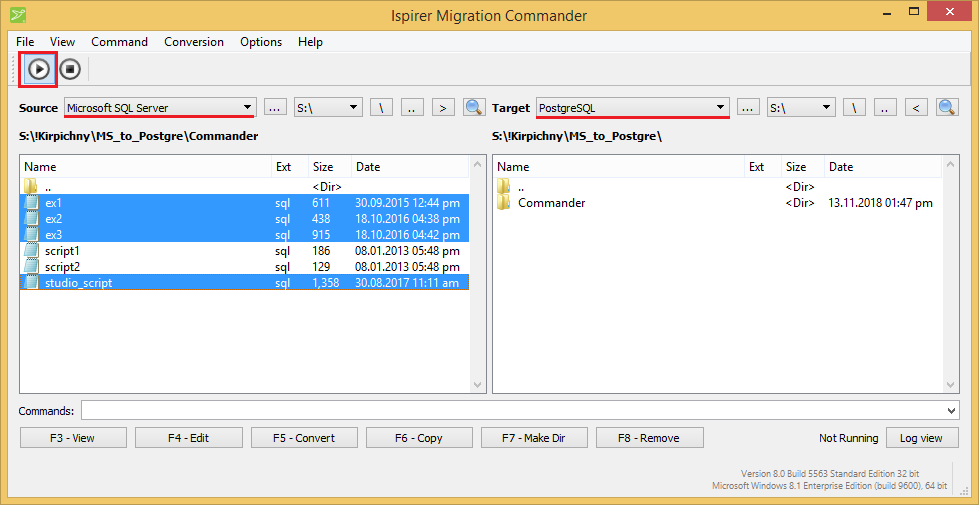
11.1 전문가
- 포괄적인 변환: Ispirer 툴킷은 완벽한 마이그레이션 솔루션을 제공하는 SQL 언어 구성을 포함한 다양한 데이터베이스 개체의 변환을 수행합니다.
- 전환 위험 감소: 이 툴킷은 SQL, 뷰, 저장 프로시저 등을 포함한 전체 데이터베이스를 자동으로 전송하여 변환 위험을 최소화하도록 설계되었습니다.
- 시간 절약: 자동화된 프로세스를 제공하고 요청 시 맞춤화를 제공함으로써 Ispirer는 변환 프로세스에서 상당한 시간을 절약합니다.
11.2 단점
- 비용: Ispirer는 무료 도구가 아니며, 특히 대규모 데이터베이스의 경우 비용이 많이 들 수 있습니다. 따라서 예산 제약이 있는 조직에는 적합하지 않을 수 있습니다.
- 제한된 무료 평가판: 무료 평가판 버전은 기능이 제한되어 있으며 정식 버전의 모든 기능을 지원하지는 않습니다.
12. 개요
12.1 전체 비교표
| 수단 | 기능 | 사용의 용이성 | 가격 | 고객센터 |
|---|---|---|---|---|
| 지능형 변환기 SQL Server PostgreSQL 코드 변환기 | 대규모 데이터베이스 처리, 인덱스, 뷰 및 저장 프로시저 변환, 데이터 필터링 | 사용자 친화적 인 | 결제됨 | 이메일 문의 |
| Sqlines SQL Server PostgreSQL로 마이그레이션 | CLI, 포괄적인 변환, 폭넓은 지원 | 기술 지식 필요 | 프리미엄 (Freemium) | 이메일 및 커뮤니티 지원 |
| EnterpriseDB의 SQL에서 PostgreSQL로의 마이그레이션 툴킷 | Java 기반, 복잡한 구조 처리, 맞춤형 마이그레이션 | 필요한 기술 지식 | 프리미엄 (Freemium) | 이메일 문의 |
| DB변환/DBSyncSQL Server PostgreSQL로 | 양방향 동기화, 스키마 및 관계 마이그레이션, 명령줄 모드 | 필요한 기술 지식 | 결제됨 | 이메일 및 전화 지원 |
| 달리보 sqlserver2pgsql | 오픈 소스, 스크립트 기반 변환, 가장 많이 사용되는 객체 처리 | 기술 지식 필요 | 무료 | 커뮤니티 지원 |
| RebaseDatat MSSQL to Postgres Online | 쉬운 웹 기반 변환, 다양한 입력 형식 지원, 개인 정보 보호 중심 | 매우 사용자 친화적 | 프리미엄 (Freemium) | 이메일 문의 |
| AWS 스키마 변환 도구 | 포괄적인 AWS 통합, 자동 스키마 변환, 세부 보고 | 사용자 친화적 인 | AWS 가격에 따라 지불 | 연중무휴 AWS 지원 |
| 변환 시도 | 사용자 친화적인 인터페이스, SQL 스크립트 처리, 설치 필요 없음 | 매우 사용자 친화적 | 무료 | 이메일 문의 |
| Spectral Core Limited - 전체 변환 SQL Server PostgreSQL로 | 속도 및 효율성, 포괄적인 변환, 명령줄 지원 | 유용한 기술 지식 | 결제됨 | 이메일 및 전화 지원 |
| 아이스피러 SQL Server PostgreSQL로 마이그레이션 | 포괄적인 전환, 전환 위험 감소, 시간 절약 | 필요한 기술 지식 | 결제됨 | 이메일, 전화 및 현장 지원 |
12.2 다양한 요구에 따른 권장 도구
위의 비교를 바탕으로 다양한 요구 사항에 대한 몇 가지 일반적인 권장 사항을 제공할 수 있습니다.
- 대규모 데이터베이스의 경우: 대규모 데이터베이스를 효율적으로 처리할 수 있는 지능형 SQL-PostgreSQL 변환기가 권장되는 도구입니다.
- 스크립트 기반 변환의 경우: Dalibo sqlserver2pgsql은 스크립트 기반 변환을 제공하여 매우 효과적이고 사용자 정의 가능한 옵션을 제공합니다.
- 사용 편의성을 위해: RebaseData MSSQL to Postgres Online은 직관적인 인터페이스 덕분에 기술적인 전문 지식이 부족한 사용자에게도 적합한 이상적인 도구입니다.
- AWS 통합의 경우: AWS Schema Conversion Tool은 이미 다른 AWS 서비스를 활용하고 있는 사람들에게 가장 적합합니다.
- 포괄적인 변환의 경우: Spectral Core Full Convert SQL to PostgreSQL은 데이터와 테이블뿐만 아니라 관계, 인덱스 등까지 포함하는 매우 포괄적인 변환 기능을 제공합니다.
- 예산에 민감한 사용자의 경우: Try-to-Convert는 사용자가 SQL 스크립트를 쉽게 변환할 수 있는 무료 도구입니다.
13. 결론
13.1 MSSQL을 PostgreSQL로 변환하는 도구 선택에 대한 최종 생각 및 핵심 사항
데이터베이스 분야에서 변환 또는 마이그레이션에 적합한 도구를 선택하는 것은 매우 중요한 결정이며, 이는 전적으로 사용자의 특정 요구 사항에 따라 달라집니다. 어떤 사용자는 RebaseData와 같은 도구의 사용자 친화적인 인터페이스를 선호할 수 있는 반면, 다른 사용자는 Dalibo sqlserver2pgsql처럼 강력한 스크립트 기반 기능을 제공하는 도구를 선호할 수 있습니다. 예산, 데이터베이스 규모, 기술 지식 수준, 그리고 AWS와 같은 생태계 사용 경험 유무와 같은 요소들이 이러한 선택에 중요한 영향을 미칩니다.
결론적으로, 최적의 도구는 여러분의 업무량, 비용, 사용 편의성에 완벽하게 부합하는 도구일 것입니다. 따라서 마이그레이션 프로젝트에 가장 중요한 요소들을 꼼꼼히 조사하는 것이 중요합니다. 가능하다면 유료 버전을 구매하기 전에 항상 체험판을 사용해 보고 도구를 미리 경험해 보는 것이 좋습니다.
데이터베이스 마이그레이션 프로세스는 복잡하지만 변환 도구를 올바르게 선택하면 여정이 덜 힘들고 효율적일 수 있습니다. 보다 원활하고 정확한 마이그레이션이 가능합니다!
저자 소개 :
Vera Chen은 데이터 복구 전문가입니다. DataNumen, 제품을 포함한 다양한 제품을 제공합니다. Excel 수리 파일.