
UTM 변환기를 사용하면 UTM 좌표를 위도 및 경도 값으로 쉽게 변환 할 수 있습니다. UTM (Universal Transverse Mercator) 좌표는 구역 번호, Easting, Northing 및 반구 (N / S)로 구성됩니다.
다운로드
원하는 경우tar가능한 한 빨리 소프트웨어를 사용하려면 다음을 수행 할 수 있습니다.
그렇지 않고 DIY를 원한다면 아래 내용을 읽을 수 있습니다.
GUI를 준비합시다
이미지에 표시된대로 Map Datum, Zone 및 Hemisphere를 유지하기 위해 Excel 시트의 상단 4 개 행을 그대로 둡니다. 이 세 값은 Excel 시트의 모든 행에 사용됩니다. 행 3에서 star열 A에서 시작하여 헤더로 추가
- DLS_KEY
- RM
- 동항
- 북거
- 위도
- 경도
A 열부터 D 열까지의 값이 입력되고 출력 즉, 위도와 경도가 E 열과 F 열에 표시됩니다.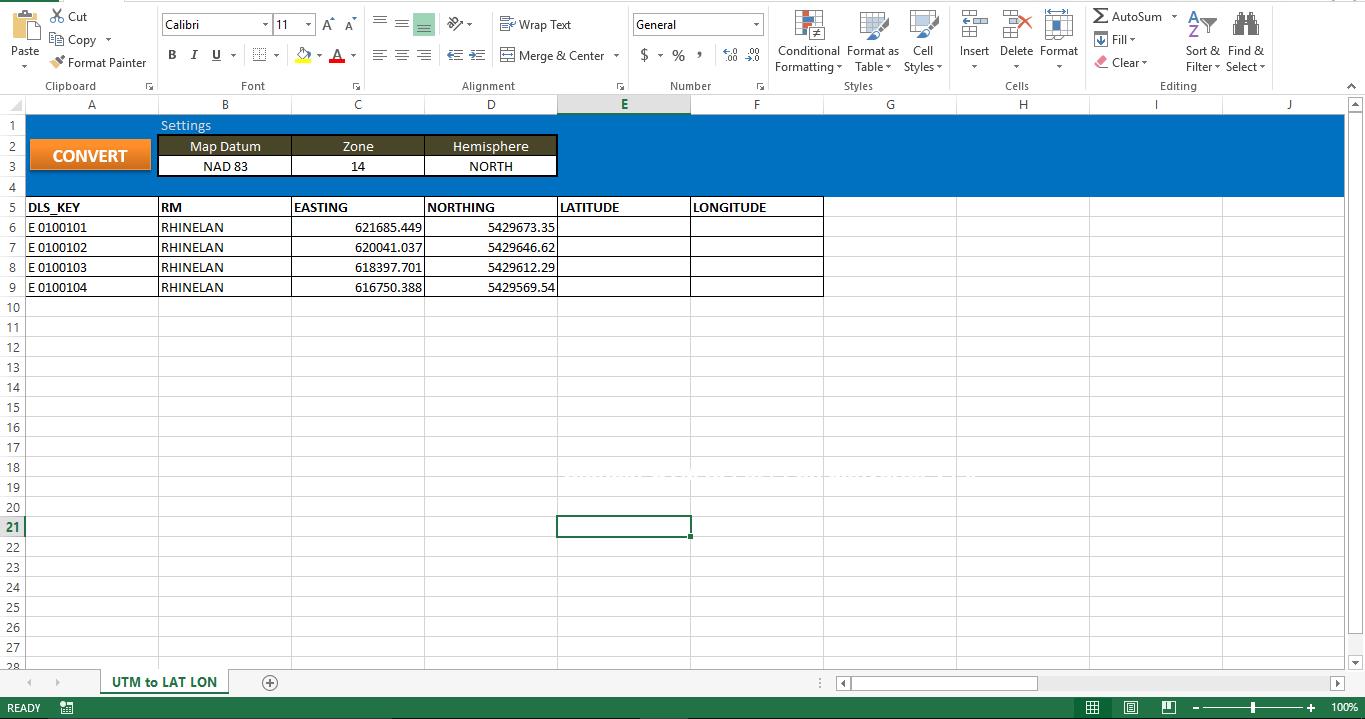
기능적으로 만들자
스크립트를 새 모듈에 복사하고 매크로를 시트의 버튼에 첨부합니다. 컴퓨터에 Internet Explorer가 있는지 확인하십시오. IE가 없으면이 스크립트는 작동하지 않습니다.
테스트 해보자
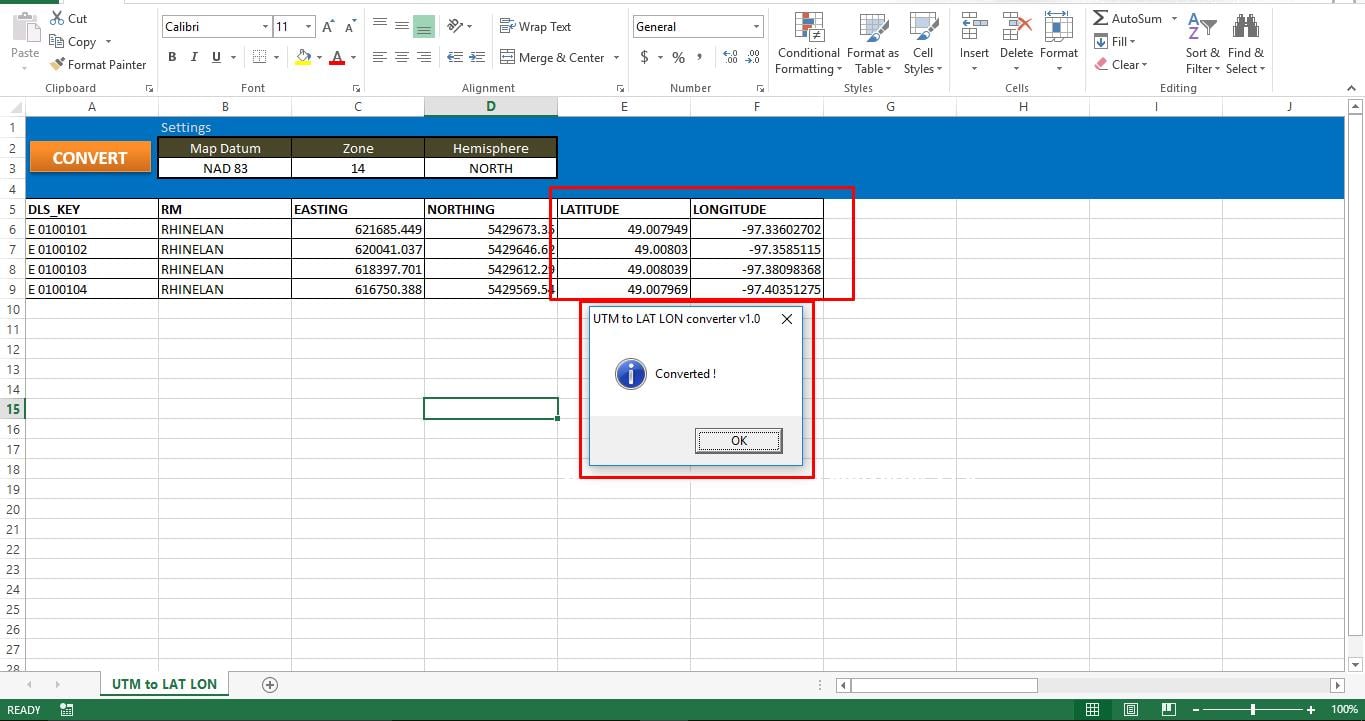
매크로를 실행하면 Excel 애플리케이션의 상태 표시 줄에서 상태를 쉽게 추적 할 수 있습니다. 각 변환 사이에 수동으로 약간의 일시 중지를 유도했기 때문에 매크로는 모든 UTM 좌표를 Lat 및 Long 값으로 변환하는 데 시간이 걸립니다. 모든 레코드가 처리되면 화면에 팝업 메시지가 표시됩니다. 매크로가 시트에 데이터를 저장할 수없는 경우 Excel 파일의 손상 때문일 수 있습니다. 손상된 Excel 파일 수정 스크립트를 다시 실행하십시오.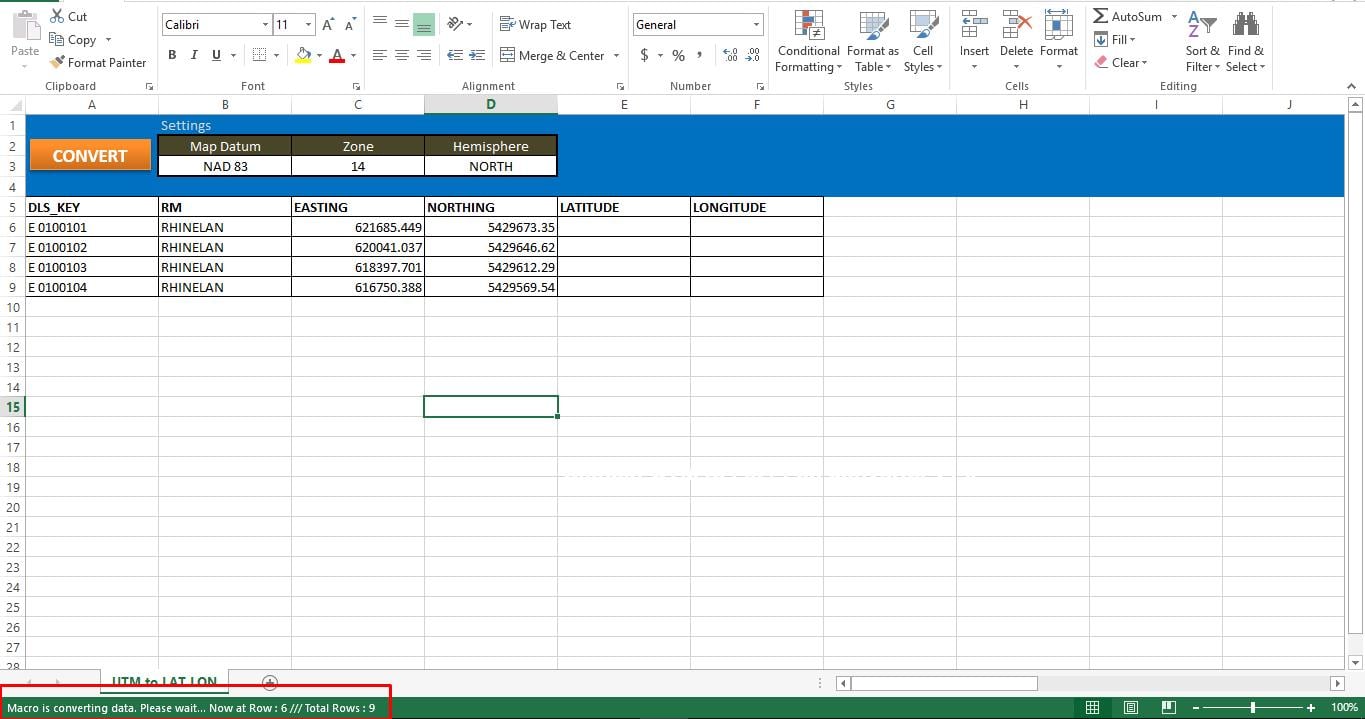
스크립트:
Sub UTM_Converter()

' Place all your declarations here
    Dim i As Long
    Dim browobject As Object
    Dim obj1 As Object
    Dim obj2 As Object

    Set browobject = CreateObject("InternetExplorer.Application")

    browobject.Visible = False

'Process each row in the excle till the macro meets the last used row
    For r = 6 To 9

' Navigate to the URL to process data
        browobject.navigate "http://www.rcn.montana.edu/resources/converter.aspx"

' Inform Users about the status
        Application.StatusBar = "Macro is converting data. Please wait... Now at Row : " & r & " /// Total Rows : " & Sheets("UTM to LAT LON").Range("C" & Rows.Count).End(xlUp).Row

' As this is dynamic, we have to wait for the browobject to process input and generate output
        Do While browobject.Busy
            Application.Wait DateAdd("s", 1, Now)
        Loop
        Application.Wait (Now() + TimeValue("00:00:02"))

'Lets populate the form
        browobject.document.getElementById("mapDatum").Value = "1"
        browobject.document.getElementById("utmZone").Value = "14"
        browobject.document.getElementById("utmHemi").Value = "N"
'utmEasting
        browobject.document.getElementById("utmEasting").Value = Sheets("UTM to LAT LON").Range("C" & r).Value
'utmNorthing
        browobject.document.getElementById("utmNorthing").Value = Sheets("UTM to LAT LON").Range("D" & r).Value

        Set obj2 = browobject.document.getElementsByTagName("input")
        v_length = 0
        While v_length < obj2.Length
            If obj2(v_length).Value = "Convert Standard UTM" Then
                GoTo comehere
            End If
            v_length = v_length + 1
        Wend

        comehere:
        obj2(v_length).Click
' Wait while browobject loading...
        Do While browobject.Busy
            Application.Wait DateAdd("s", 1, Now)
        Loop
        Application.Wait (Now() + TimeValue("00:00:02"))

'Show converted data on the sheet
        Sheets("UTM to LAT LON").Range("F" & r).Value = browobject.document.getElementById("decimalLongitude").Value
        Sheets("UTM to LAT LON").Range("E" & r).Value = browobject.document.getElementById("decimalLatitude").Value

    Next r

' Show browobject
    browobject.Visible = False
    browobject.Quit

' Clean up
    Set browobject = Nothing
    Set obj1 = Nothing
    Set obj2 = Nothing

    Application.StatusBar = ""
'Inform User that entire process was completed
    MsgBox "Converted !", vbInformation, "UTM to LAT LON converter v1.0"
End Sub
저자 소개 :
Nick Vipond는 데이터 복구 전문가입니다. DataNumen, Inc.는 다음과 같은 데이터 복구 기술 분야의 세계적 리더입니다. 문서 파일 복구 그리고 전망 회복 소프트웨어 제품. 자세한 내용은 WWW.datanumen.COM