
Microsoft Accessからの情報のエクスポートは、非常に簡単です。単一のエクスポートファイルのみを作成することを前提としています。 しかし、クエリ(またはテーブル)を複数のエクスポートファイルに分割する必要がある場合はどうしますか? たとえば、毎月の顧客トランザクションのリストをエクスポートする必要がある場合、各顧客は独自のエクスポートファイルを持っていますか? それがこの記事があなたを助けることができるところです。 2、10、またはXNUMXの異なるエクスポートの生成は、小さなVBAコードスニペットを実行するのと同じくらい簡単で、手動で切り取り/貼り付けする時間ではなく、数秒でジョブが完了します。 それでは始めましょう…
アプローチ
これを可能な限り柔軟で使いやすくしたいので、この記事のコードは通常より少し長くなりますが、その理由はすぐにわかります。
まず、達成したいことの概要を説明しましょう。
クエリを指定すると、指定したフィールドの値が変更されるたびに新しいファイルが出力されます。
課題
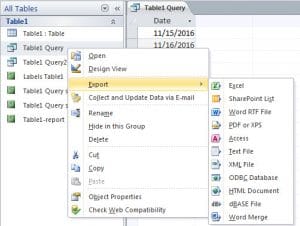 そのためには、クエリの結果を順に処理し、現在の行の関連フィールドと前の行の値を比較する必要があります。そして、値が異なる場合は、新しいファイルを作成し、そこにクエリ結果を出力し始めます。
これが適していないもの
すでに述べたように、データベースの一部をエクスポートする理由はたくさんありますが、バックアップ/アーカイブの目的でデータベースを使用することはそのXNUMXつではありません。確かに、私が行っているアプローチではありません。ここを使用する–からの回復に直面した場合に最後にやりたいこと 破損したmdbデータベース たくさんの輸出品をつなぎ合わせる方法を模索しています!
ソリューション?
物事には様々なやり方がありますが、これはそのうちの一つに過ぎません。しかし、かなりうまくいく方法だと思います。まず、クエリを配列に読み込んで、操作を容易にします。次に、その配列をループ処理し、該当するフィールドに新しい値が見つかったかどうかを確認します。新しい値でない場合は、レコード全体を現在書き込んでいるファイルに出力します。新しい値の場合は、そのファイルを閉じて新しいファイルを作成します。
そしてコード…
Sub DoExport(fieldName As String, queryName As String, filePath As String, Optional delim As Variant = vbTab)
    Dim db As Database
    Dim objRecordset As ADODB.Recordset
    Dim qdf As QueryDef

    Dim fldcounter, colno, numcols As Integer
    Dim numrows, loopcount As Long
    Dim data, fs, fwriter As Variant
    Dim fldnames(), headerString As String

    'get details of the query we'll be exporting
    Set objRecordset = New ADODB.Recordset
    Set db = CurrentDb
    Set qdf = db.QueryDefs(queryName)

    'load the query into a recordset so we can work with it
    objRecordset.Open qdf.SQL, CurrentProject.Connection, adOpenDynamic, adLockReadOnly

    'load the recordset into an array
    data = objRecordset.GetRows

    'close the recordset as we're done with it now
    objRecordset.Close

    'get details of the size of array, and position of the field we're checking for in that array
    colno = qdf.Fields(fieldName).OrdinalPosition
    numrows = UBound(data, 2)
    numcols = UBound(data, 1)


    'as we'll need to write out a header for each file - get the field names for that header
    'and construct a header string
    ReDim fldnames(numcols)
    For fldcounter = 0 To qdf.Fields.Count - 1
        fldnames(fldcounter) = qdf.Fields(fldcounter).Name
    Next
    headerString = Join(fldnames, delim)

    'prepare the file scripting interface so we can create and write to our file(s)
    Set fs = CreateObject("Scripting.FileSystemObject")

    'loop through our array and output to the file
    For loopcount = 0 To numrows
        If loopcount > 0 Then
            If data(colno, loopcount) <> data(colno, loopcount - 1) Then
                If Not IsEmpty(fwriter) Then fwriter.Close
                Set fwriter = fs.createTextfile(filePath & data(colno, loopcount) & ".txt", True)
                fwriter.writeline headerString
                writetoFile data, queryName, fwriter, loopcount, numcols
            Else
                writetoFile data, delim, fwriter, loopcount, numcols
            End If
        Else
            Set fwriter = fs.createTextfile(filePath & data(colno, loopcount) & ".txt", True)
            fwriter.writeline headerString
            writetoFile data, delim, fwriter, loopcount, numcols
        End If
    Next

    'tidy up after ourselves
    fwriter.Close
    Set fwriter = Nothing
    Set objRecordset = Nothing
    Set db = Nothing
    Set qdf = Nothing

End Sub


'parameters are passed "by reference" to prevent moving potentially large objects around in memory
Sub writetoFile(ByRef data As Variant, ByVal delim As Variant, ByRef fwriter As Variant, ByVal counter As Long, ByVal numcols As Integer)
    Dim loopcount As Integer
    Dim outstr As String

    For loopcount = 0 To numcols
        outstr = outstr & data(loopcount, counter)
        If loopcount < numcols Then outstr = outstr & delim
    Next
    fwriter.writeline outstr
End Sub
コードが行っていること–キーポイント
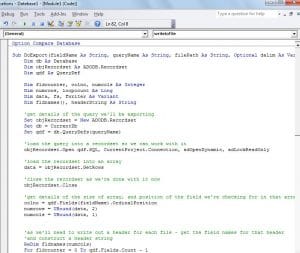 コードの重要な箇所のほとんどにコメントを追加しましたが、それでもいくつか強調しておきたい点があります。
まず、コードをXNUMXつのルーチンに分割しました。 最初に、現在のレコードを現在作業中の同じファイルに書き込む必要があるかどうか、または新しいファイルに書き込む必要があるかどうかを確認します。 XNUMX番目のルーチンは、レコード全体の詳細をファイルに出力します。 コード内の重複を減らすためにこのように行われています。そうしないと、同じループが多くの場所で発生することになります。
次に、「クエリ定義」を使用して、対象のクエリの詳細を取得します。これをテーブルで機能するように適応させたい場合は、「クエリ定義」を使用するように交換することを検討します。代わりに「テーブル定義」。
そうは言っても、これはあなたが参照してたくさん使うコードのビットであると私はかなり確信しています!
著者紹介:
Mitchell Pondは、のデータ復旧の専門家です。 DataNumen、Inc。は、以下を含むデータ復旧技術の世界的リーダーです。 修理 SQL Server データ と優れた回復ソフトウェア製品。 詳細については、次のWebサイトをご覧ください。 WWW。datanumen.com