---
description: This article will share a piece of VBA code, which can permit you to quickly delay the delivery to a specific member when sending an email to a contact group in Outlook.
title: How to Delay the Delivery to a Specific Member when Sending an Outlook Email to a Contact Group
image: https://www.datanumen.com/blogs/wp-content/uploads/2017/07/delay-delivery-specific-member-sending-email-contact-group.jpg
---

-
-
-

[Home](https://www.datanumen.com/blogs/) > [Solutions](https://www.datanumen.com/blogs/category/solutions/) > [Office Solutions](https://www.datanumen.com/blogs/category/solutions/office-solutions/) > [Outlook Solutions](https://www.datanumen.com/blogs/category/solutions/office-solutions/outlook-solutions/) > How to Delay the Delivery to a Specific Member when Sending an Outlook Email to a Contact Group

# How to Delay the Delivery to a Specific Member when Sending an Outlook Email to a Contact Group

[Outlook Solutions](https://www.datanumen.com/blogs/category/solutions/office-solutions/outlook-solutions/) September 29, 2025

Share Now:

-
-
-
-
-
-
-
-

*This article will share a piece of VBA code, which can permit you to quickly delay the delivery to a specific member when sending an email to a contact group in Outlook.*

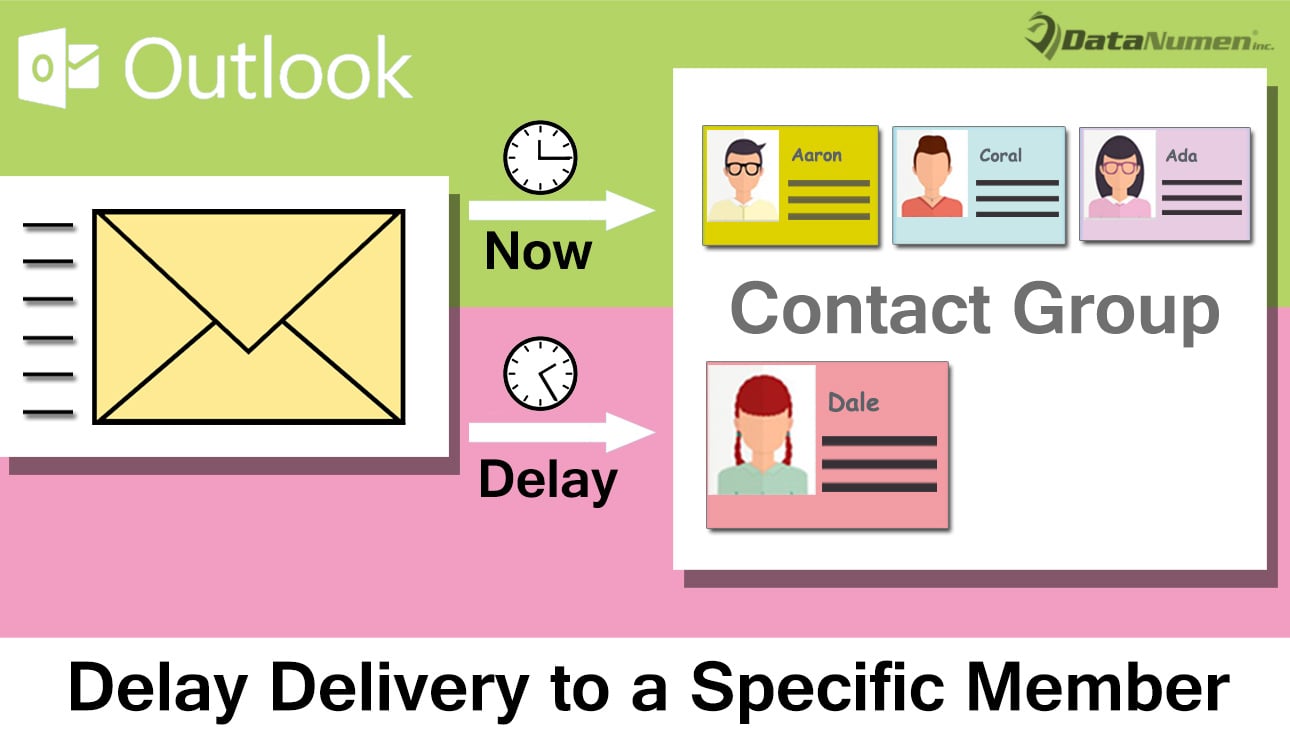
When you compose and send an Outlook email to a contact group, if you would like to delay sending this email to a specific member in this group, you can utilize the following method to realize it. It will automatically expand the contact group and generate a same email which is delayed to the specific member. Now, read on to get the elaborate steps.

![Delay the Delivery to a Specific Member when Sending an Outlook Email to a Contact Group](https://www.datanumen.com/blogs/wp-content/uploads/2017/07/delay-delivery-specific-member-sending-email-contact-group.jpg "Delay the Delivery to a Specific Member when Sending an Outlook Email to a Contact Group")

## Delay the Delivery to a Specific Member when Sending an Email to a Contact Group

1. To start with, launch your Outlook program.
2. Then, in the emerging Outlook main window, you should press “Alt + F11” key buttons.
3. Subsequently, you’ll get access to the Outlook VBA editor, in which you need to insert a new module or simply open a module that is not in use.
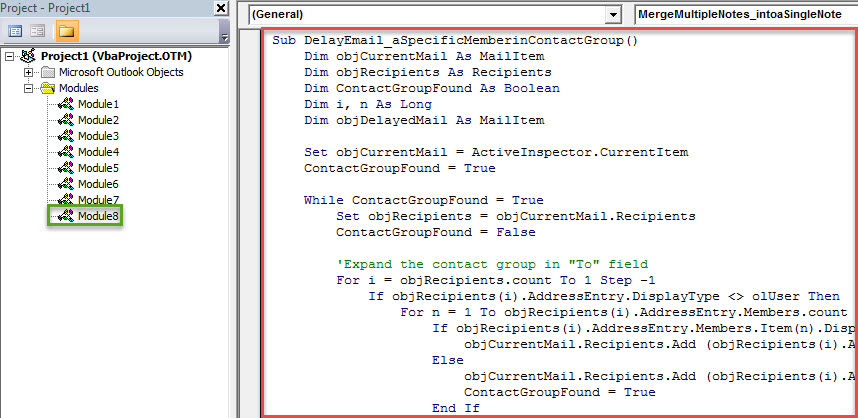
4. After that, you can copy and paste the following VBA code into this module.

```
Sub DelayEmail_aSpecificMemberinContactGroup()
    Dim objCurrentMail As MailItem
    Dim objRecipients As Recipients
    Dim ContactGroupFound As Boolean
    Dim i, n As Long
    Dim objDelayedMail As MailItem
 
    Set objCurrentMail = ActiveInspector.CurrentItem
    ContactGroupFound = True
 
    While ContactGroupFound = True
          Set objRecipients = objCurrentMail.Recipients
          ContactGroupFound = False
 
          'Expand the contact group in "To" field
          For i = objRecipients.count To 1 Step -1
              If objRecipients(i).AddressEntry.DisplayType <> olUser Then
                 For n = 1 To objRecipients(i).AddressEntry.Members.count
                     If objRecipients(i).AddressEntry.Members.Item(n).DisplayType = olUser Then
                        objCurrentMail.Recipients.Add (objRecipients(i).AddressEntry.Members.Item(n).Address)
                     Else
                        objCurrentMail.Recipients.Add (objRecipients(i).AddressEntry.Members.Item(n).Name)
                        ContactGroupFound = True
                     End If
                 Next
                 objRecipients(i).Delete
              End If
          Next i
          objRecipients.ResolveAll
    Wend

    'Find the specific memebr in the recipients
    For Each objRecipient In objRecipients
        If objRecipient.Address = "shelly@datanumen.com" Then
 
           'Create a same email
           Set objDelayedMail = objCurrentMail.Copy
           With objDelayedMail
                .To = ""
                .Recipients.Add objRecipient.Address
                .Recipients.ResolveAll
                'Change the deferred delivery time as per your needs
                .DeferredDeliveryTime = (Date + 1) & " 09:00:00"
                .Send
          End With
 
          objRecipient.Delete
       End If
    Next
 
    objCurrentMail.Send
End Sub
```

![VBA Code - Delay the Delivery to a Specific Member when Sending an Outlook Email to a Contact Group]( "VBA Code - Delay the Delivery to a Specific Member when Sending an Outlook Email to a Contact Group")

5. Next, for later convenient access, you had better add the newly added macro to the Quick Access Toolbar of Message window.
6. And then you ought to alter your Outlook macro settings to enable all macros in the “Macro Settings” of “Trust Center”.
7. Eventually, you can take a shot.

- Firstly, compose such an email to the contact group as usual.
- Then you can click the new macro button in the Quick Access Toolbar.
- At once, a same email will be created and set to be sent out to the specific member at the scheduled time.
- In the meantime, the current email will be sent out to the rest members in the contact group.

## Keep an Eye Out for All Risks around Your Outlook

In the contemporary era, virus and spyware is becoming increasingly rampant. It is usually disguised as innocuous email. Hence, you should watch out for various risks around your Outlook, such as the malicious emails. You need beware of the emails from unknown contacts. Also, in order to [fix Outlook](https://www.datanumen.com/outlook-repair/) as soon as your PST file is attacked by malware, you have to prepare an experienced repair tool, like DataNumen Outlook Repair.

## Author Introduction:

Shirley Zhang is a data recovery expert in DataNumen, Inc., which is the world leader in data recovery technologies, including [corrupted sql](https://www.datanumen.com/sql-recovery/) and outlook repair software products. For more information visit [www.datanumen.com](https://www.datanumen.com/)

Share Now:

-
-
-
-
-
-
-
-

[← Previous post](https://www.datanumen.com/blogs/3-effective-methods-replace-text-header-word-document/)

[Next post →](https://www.datanumen.com/blogs/4-solutions-system-reserved-partition-deleted-mistake/)

Comments are closed.

![Data Recovery Blog]()

Follow or like us on Facebook, LinkedIn and Twitter to get all promotions, latest news and updates on our products and company.

-
-
-

### Featured Products

- [DataNumen Outlook Repair](https://www.datanumen.com/outlook-repair/)
- [DataNumen SQL Recovery](https://www.datanumen.com/sql-recovery/)
- [DataNumen Exchange Recovery](https://www.datanumen.com/exchange-recovery/)
- [DataNumen Access Repair](https://www.datanumen.com/access-repair/)
- [DataNumen Excel Repair](https://www.datanumen.com/excel-repair/)
- [DataNumen PDF Repair](https://www.datanumen.com/pdf-repair/)
- [DataNumen Word Repair](https://www.datanumen.com/word-repair/)
- [DataNumen Zip Repair](https://www.datanumen.com/zip-repair/)

### Popular posts

```json
{"@context":"https:\/\/schema.org","@graph":[{"@type":"Article","@id":"https:\/\/www.datanumen.com\/blogs\/delay-delivery-specific-member-sending-outlook-email-contact-group\/#article","isPartOf":{"@id":"https:\/\/www.datanumen.com\/blogs\/delay-delivery-specific-member-sending-outlook-email-contact-group\/"},"author":{"name":"AuthorCCW","@id":"https:\/\/www.datanumen.com\/blogs\/#\/schema\/person\/33ded6c47c77587f9158d99f05e23957"},"headline":"How to Delay the Delivery to a Specific Member when Sending an Outlook Email to a Contact Group","datePublished":"2017-07-13T03:31:47+00:00","dateModified":"2025-09-29T10:40:30+00:00","mainEntityOfPage":{"@id":"https:\/\/www.datanumen.com\/blogs\/delay-delivery-specific-member-sending-outlook-email-contact-group\/"},"wordCount":422,"commentCount":0,"publisher":{"@id":"https:\/\/www.datanumen.com\/blogs\/#organization"},"image":{"@id":"https:\/\/www.datanumen.com\/blogs\/delay-delivery-specific-member-sending-outlook-email-contact-group\/#primaryimage"},"thumbnailUrl":"https:\/\/www.datanumen.com\/blogs\/wp-content\/uploads\/2017\/07\/delay-delivery-specific-member-sending-email-contact-group.jpg","articleSection":["Outlook Solutions"],"inLanguage":"en-US","potentialAction":[{"@type":"CommentAction","name":"Comment","target":["https:\/\/www.datanumen.com\/blogs\/delay-delivery-specific-member-sending-outlook-email-contact-group\/#respond"]}]},{"@type":"WebPage","@id":"https:\/\/www.datanumen.com\/blogs\/delay-delivery-specific-member-sending-outlook-email-contact-group\/","url":"https:\/\/www.datanumen.com\/blogs\/delay-delivery-specific-member-sending-outlook-email-contact-group\/","name":"How to Delay the Delivery to a Specific Member when Sending an Outlook Email to a Contact Group","isPartOf":{"@id":"https:\/\/www.datanumen.com\/blogs\/#website"},"primaryImageOfPage":{"@id":"https:\/\/www.datanumen.com\/blogs\/delay-delivery-specific-member-sending-outlook-email-contact-group\/#primaryimage"},"image":{"@id":"https:\/\/www.datanumen.com\/blogs\/delay-delivery-specific-member-sending-outlook-email-contact-group\/#primaryimage"},"thumbnailUrl":"https:\/\/www.datanumen.com\/blogs\/wp-content\/uploads\/2017\/07\/delay-delivery-specific-member-sending-email-contact-group.jpg","datePublished":"2017-07-13T03:31:47+00:00","dateModified":"2025-09-29T10:40:30+00:00","description":"This article will share a piece of VBA code, which can permit you to quickly delay the delivery to a specific member when sending an email to a contact group in Outlook.","inLanguage":"en-US","potentialAction":[{"@type":"ReadAction","target":["https:\/\/www.datanumen.com\/blogs\/delay-delivery-specific-member-sending-outlook-email-contact-group\/"]}]},{"@type":"ImageObject","inLanguage":"en-US","@id":"https:\/\/www.datanumen.com\/blogs\/delay-delivery-specific-member-sending-outlook-email-contact-group\/#primaryimage","url":"https:\/\/www.datanumen.com\/blogs\/wp-content\/uploads\/2017\/07\/delay-delivery-specific-member-sending-email-contact-group.jpg","contentUrl":"https:\/\/www.datanumen.com\/blogs\/wp-content\/uploads\/2017\/07\/delay-delivery-specific-member-sending-email-contact-group.jpg","width":1290,"height":742,"caption":"Delay the Delivery to a Specific Member when Sending an Outlook Email to a Contact Group"},{"@type":"WebSite","@id":"https:\/\/www.datanumen.com\/blogs\/#website","url":"https:\/\/www.datanumen.com\/blogs\/","name":"Data Recovery Blog","description":"Discuss every aspect of data recovery","publisher":{"@id":"https:\/\/www.datanumen.com\/blogs\/#organization"},"potentialAction":[{"@type":"SearchAction","target":{"@type":"EntryPoint","urlTemplate":"https:\/\/www.datanumen.com\/blogs\/?s={search_term_string}"},"query-input":{"@type":"PropertyValueSpecification","valueRequired":true,"valueName":"search_term_string"}}],"inLanguage":"en-US"},{"@type":"Organization","@id":"https:\/\/www.datanumen.com\/blogs\/#organization","name":"Data Recovery Blog","url":"https:\/\/www.datanumen.com\/blogs\/","logo":{"@type":"ImageObject","inLanguage":"en-US","@id":"https:\/\/www.datanumen.com\/blogs\/#\/schema\/logo\/image\/","url":"https:\/\/www.datanumen.com\/blogs\/wp-content\/uploads\/2019\/02\/logowithouttext.jpg","contentUrl":"https:\/\/www.datanumen.com\/blogs\/wp-content\/uploads\/2019\/02\/logowithouttext.jpg","width":296,"height":397,"caption":"Data Recovery Blog"},"image":{"@id":"https:\/\/www.datanumen.com\/blogs\/#\/schema\/logo\/image\/"},"sameAs":["https:\/\/www.facebook.com\/DataNumen","https:\/\/x.com\/DataNumen","http:\/\/www.linkedin.com\/company\/datanumen","https:\/\/myspace.com\/datanumen\/","http:\/\/www.pinterest.com\/datanumen\/","https:\/\/www.youtube.com\/channel\/UCVIIuuKfUBHSJauUaVP13tw"]},{"@type":"Person","@id":"https:\/\/www.datanumen.com\/blogs\/#\/schema\/person\/33ded6c47c77587f9158d99f05e23957","name":"AuthorCCW","image":{"@type":"ImageObject","inLanguage":"en-US","@id":"https:\/\/secure.gravatar.com\/avatar\/3516ed90fc242780d3947a989f895bc46e70c3e83485d30f2b457a007906aa58?s=96&d=mm&r=g","url":"https:\/\/secure.gravatar.com\/avatar\/3516ed90fc242780d3947a989f895bc46e70c3e83485d30f2b457a007906aa58?s=96&d=mm&r=g","contentUrl":"https:\/\/secure.gravatar.com\/avatar\/3516ed90fc242780d3947a989f895bc46e70c3e83485d30f2b457a007906aa58?s=96&d=mm&r=g","caption":"AuthorCCW"},"sameAs":["https:\/\/www.datanumen.com\/"]}]}
```