

You guys are genius's. The file is fixed and complete.
Overview
Features
How to Recover
More Information
Related Products
Why DataNumen DBF Repair?

#1 Recovery
Rate

10+ Million
Users

20+ Years of
Experience

100% Satisfaction
Guarantee
Our Customers' Testimonials

Graeme Nightingale
IT Consultant
http://www.linkedin.com/in/graeme-nightingale-447a7239
ABN: 62 233 206 636
Tel: 61 (0)419 313 378
https://www.cgn.com.au/
PO Box 4080
Frankston Victoria 3199
Australia
April 25, 2026
In our company, there is an old FoxPro DBF file. We cannot open it. We think it is oversized. Your DBF recovery software helps to fix the file. Now
In our company, there is an old FoxPro DBF file. We cannot open it. We think it is oversized. Your DBF recovery software helps to fix the file. Now we can access the data inside it properly.
Kenelm Butler
Canada
Oct 10, 2018
The tool fixes my Microsoft FoxPro Database with a quick scan. Very helpful!
Myrtle Terry
Delaware, US
July 15, 2019
has a well advance repair
matt desmond
Hello Chen,
I just wanted to let you know that DataNumen DBF Repair was able to recover all the data from our ACT! 2000 database.
Stephen Rice
Production Director
Sacramento Magazines Corp.
Extremely Simple Interface
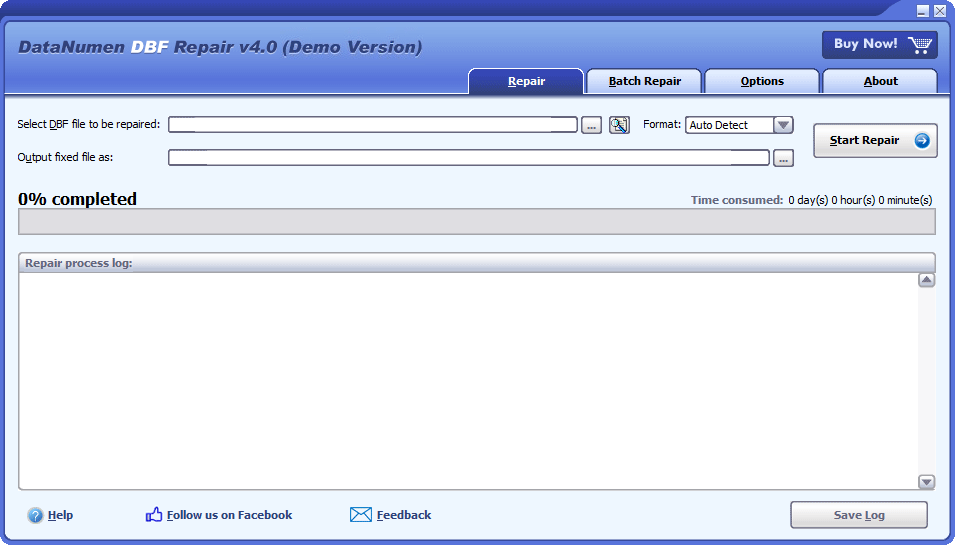
Repair
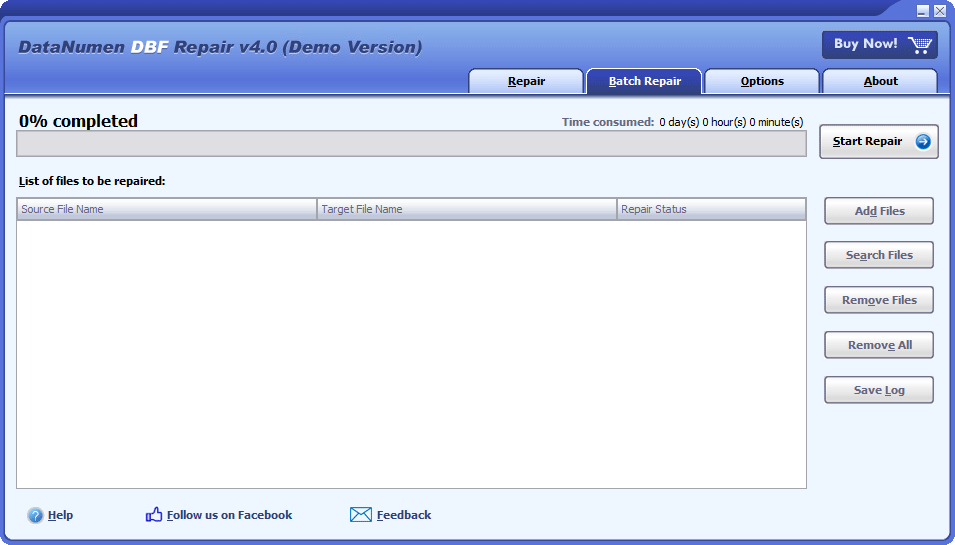
Batch Repair
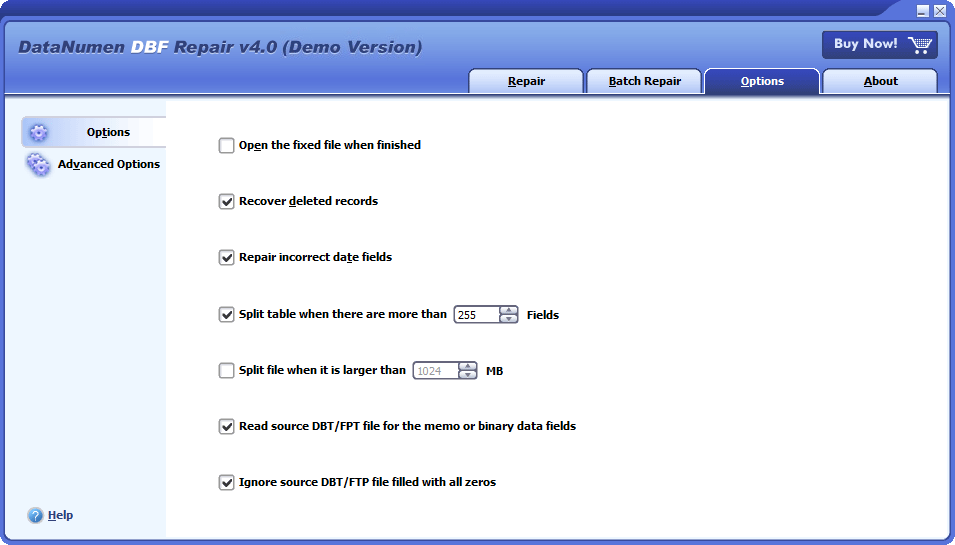
Options
Free Download20+ Years Of Experience
Buy Now100% Satisfaction Guarantee
Main Features
- Support all versions of DBF database, including Clipper, dBASE III, dBASE IV, dBASE 5 for dos, dBASE 5 for Windows, FoxBase, FoxPro, Microsoft Visual FoxPro DBF, etc.
- Repair both the corrupt DBF file header and the data records.
- Repair DBF files with memo or binary data fields stored in DBT or FPT files.
- Split the DBF file when its size reaches a predefined limit, especially, support to split oversized 2GB DBF files.
- Split the table when its field count reaches a predefined maximum field count.
Free Download20+ Years Of Experience
Buy Now100% Satisfaction Guarantee
Using DataNumen DBF Repair to Recover Damaged DBF Databases
Start DataNumen DBF Repair.
Note: Before recovering any damaged or corrupt dbf file with our file repair tool, please close any other applications that may modify the dbf file.
Select the corrupt or damaged dbf file to be repaired:

You can input the dbf filename directly or click the  button to browse and select the damaged DBF file. You may also click the
  button to find the dbf file to be repaired on the local computer.
In combo box  , you may also select the format of the source dbf file. Currently the following DBF formats are supported:
dBASE III
dBASE IV
dBASE 5
FoxBase
FoxPro 2.0
FoxPro 2.5
FoxPro 2.6
Visual FoxPro
By default, the DBF format is set to "Auto Detect" so that our repair software will detect the file format of the source dbf database and output the fixed one according to the detected format. However, if the output file cannot be opened successfully by your application, then you can specify the file format to force our database recovery tool to generate the file in the format that is compatible with your application.
For Clipper database files, you can choose dBASE III as its format.
By default, our DBF file recovery tool will save the recovered data into a new file named xxxx_fixed.dbf, where xxxx is the name of the source dbf file. For example, for source dbf file Damaged.dbf, the default name for the fixed file will be Damaged_fixed.dbf. If you want to use another name, then please select or set it accordingly:

You can input the fixed file name directly or click the button to browse and select the fixed file.
Click the  button, and our DBF repair tool will analyze and repair the corrupt dbf file. Progress bar

will indicate the data recovery progress.
After the repair process, if the source dbf database can be repaired successfully, you will see a message box like this:
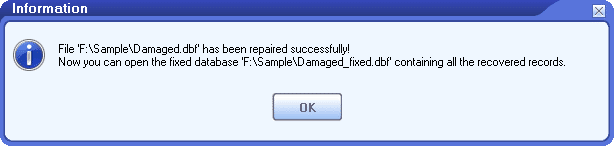
Now you can open the recovered file with the corresponding applications.
More Information
Reviving Critical Data: How Thyssenkrupp Elevator Utilized DataNumen DBF Repair to Restore Essential Database Files
Abbott Diabetes Care Streamlines Database Management with DataNumen DBF Repair: A Case Study
Which types of DBF files are supported?
Our DBF recovery tool support to repair DBF files created by different kinds of software products, including dBASE III, dBASE IV, dBASE 5 for dos, dBASE 5 for Windows, FoxBase, FoxPro, Microsoft Visual FoxPro, Clipper, etc.
Do you support to recover FoxPro or Visual FoxPro databases?
Yes, our tool supports both FoxPro and Visual FoxPro databases.
How does the demo version differ from the full version?
The demo and full versions utilize the identical DBF recovery engine. However, the demo version merely offers a preview of the recovered data, without providing the ability to export them.
If the DBF file header is badly corrupted, can you load the schema from another DBF file?
Sorry but currently our DBF repair tool do not support such a feature yet.
Can you output the fixed database in MDB format?
Sorry but currently our DBF data recovery tool cannot save the recovered data in Access MDB format.
Which operating systems are supported?
Currently, our repair software supports Windows 95/98/ME/NT/2000/XP/Vista/7/8/8.1/10 and Windows Server 2003/2008/2012/2016/2019 operating systems. Both 32bit and 64bit are supported.
How long does it take to repair a DBF database file?
Our DBF file recovery tool uses an advanced algorithm to analyze the damaged database file in a quick way. The total time depends on the following factors:
- The DBF file size.
- If the database has an associated DBT or FPT file. The size of the DBT or FPT file will also affect the total time.
What causes a DBF database file to become corrupt?
Numerous factors can lead to DBF database file corruption, such as hard drive failure, viruses, unexpected power down, too many fields in the table, oversized database, etc. We recommend you to have a DBF repair tool on hand so that whenever your database is corrupt, you can use the database recovery tool to repair the corrupt file as soon as possible.
Do you support to recover indexes?
Sorry but our recovery software cannot recover indexes in DBF databases. But you can use our recovery software to recover the database first, then use the following command to rebuild the index on the recovered file:
Do you offer an online file repair service?
Sorry but currently we do not provide such a service yet.
Related Products
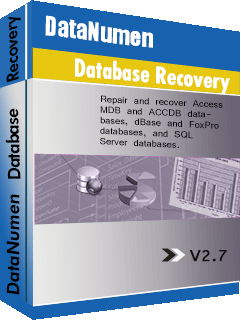
DataNumen Database Recovery
Database recovery suite, including recovery tools for corrupt Microsoft Access databases and DBF databases.
Details
Access Database Repair Tool
Repair and recover corrupt Microsoft Access databases (.mdb and .accdb files).
Details DataNumen DBF Repair